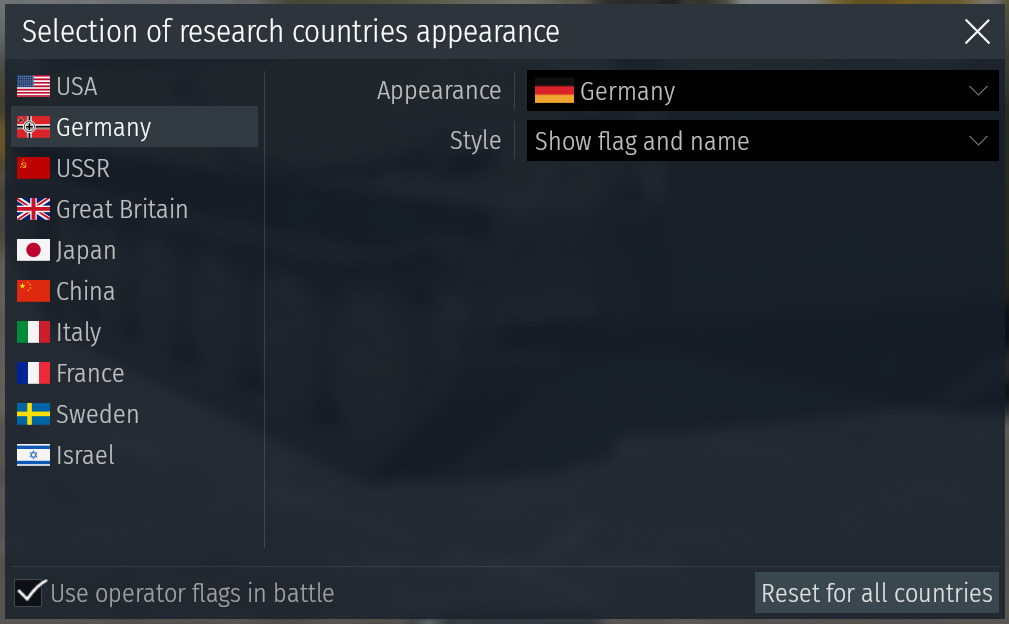
I thought about Gaijins flag selection a bit more, and I feel like there is two main issues I’d personally have.
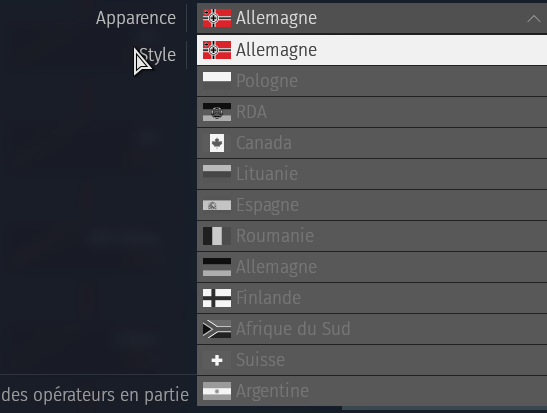
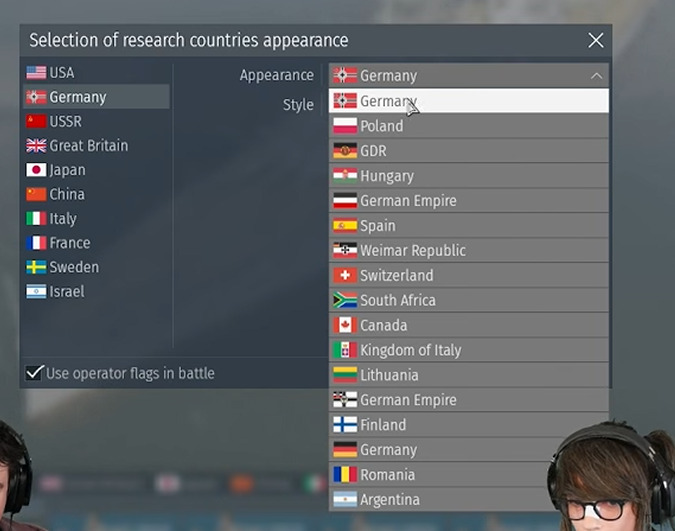
It lists all nations in the tree, which just makes the situation of subtrees unintuitive. For an average uninformed player the German national selection might mislead into thinking nations like Hungary or South Africa do not have a fixed home.
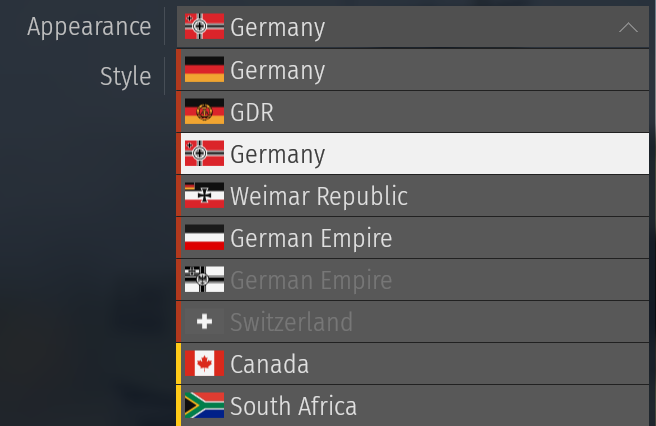
It displays all nations as greyed out unlockable options, including premiums, past events and even unobtainable options like German Italian vehicles. This is simply not a realistic display of progression, since many of those just aren’t available to the average player, while some will never be.
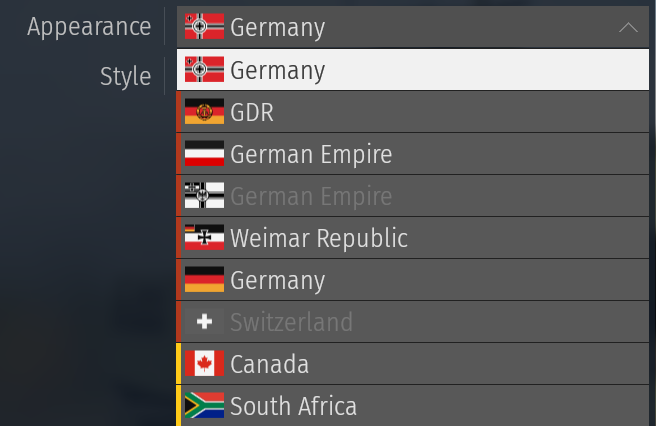
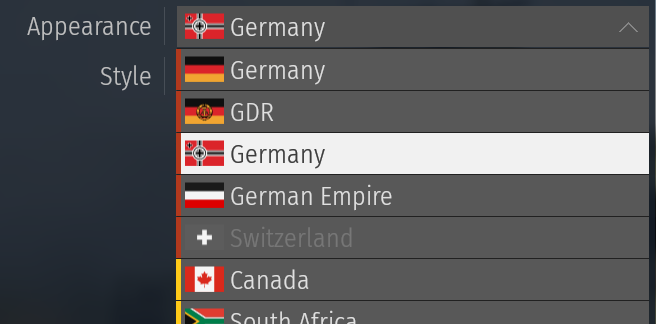
And here’s my rough attempt at an improvement, done by changing just these two things.
Old unsorted image
The first change is an added colored marking for all nations. The meaning is simple, orange are techtree nations, as in nations permanently placed in this tree. For the German tree this is Germany (in all variants) as well as Switzerland.
All techtree nations are shown, even if they aren’t unlocked, to represent the core of the tree.
Yellow means nations that are only present for one-off additions, but not fixed to this tree. For example Canada and South Africa are only shown because vehicles from them are owned, but they are listed under the main tree nations.
When not unlocked, these are hidden. They only show up if a player unlocks a vehicle from that operator.
I’d be interested to hear what others think about possible improvements for it. I do think it’s an interesting cosmetic addition, and could actually be an in-game way to represent the subtree system if done right, something we completely lack right now.
Looks good. Marking what has a home in that tree and what doesn’t is a good idea, plus the idea of nations not permanently or semi-permanently in the tree not showing up until you have something from them is great.
Flags are sorted through a multi-tier organization system here:
Techtree nations (Orange) are placed before one-off nations (Yellow)
Different nations within these two categories are sorted alphabetically (e.g. Germany before Switzerland)
→ Iterations of a single nation (e.g. GDR or German Empire for Germany) are sorted by time period, with the most modern one at the top, and the oldest at the bottom.
→ Naval flags are under their respective national flag if both exist (e.g. German Empire in this image)
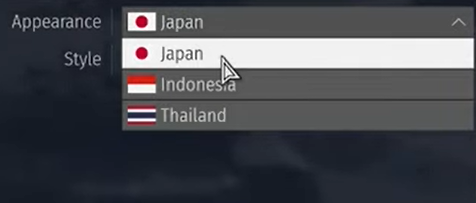
Japan is kinda empty.
Ik its like “nation” flags. But everyone has so many flags so why not add Army and Navy flags?
And JSDF
and other non national flags for other nations too?
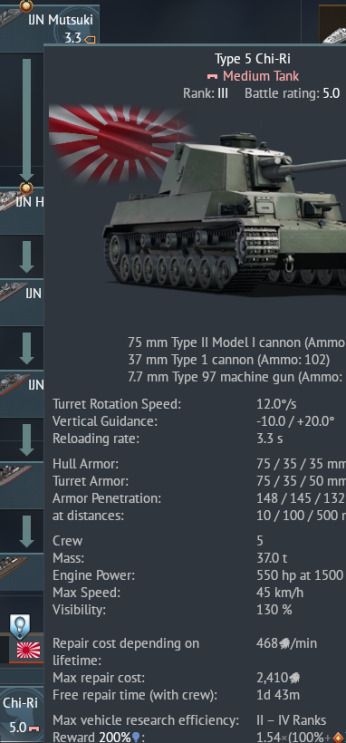
Also would be great to have Army and Navy flags for each vehicle to show its ww2 :D
Like chi-ri army flag - Ka-chi navy flag etc.
Personally I’d like more variation from the nation flags, such as updated versions of existing flags (1999+ Japan flag, 50 star USA flag, etc.) but also national versions of nations removed for only having navy/army flags before (South Vietnam, Weimar Republic, etc.)
I wouldn’t mind Navy / Army flags either, but I feel like all should get them, instead of being a gamble for nations getting only one. Maybe even connect them to certain milestones like unlocking a number of vehicles from an operator or getting to a certain rank in a research tree.
This is a great write-up. I’d love to see something like this in-game, especially if it gives Canada a chance to “exist” and, despite what was recently said, would hopefully see Canadian vehicles in a more streamlined tree somewhere as opposed to the current dissection.
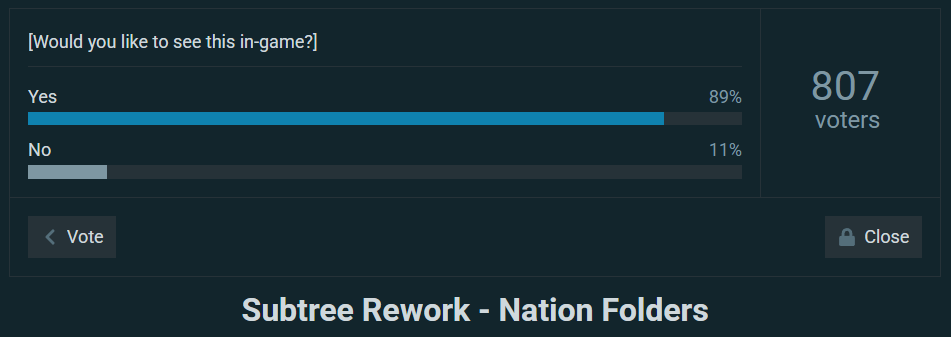
Recently the Subtree Rework suggestion has hit another big milestone, breaking 800 total votes!
So thank you to the over 800 people who were able to help improve this idea by pointing out flaws for fixing, bringing up their own ideas and improvements and voicing their opinions on whether they’d want to see it implemented or not.
Changes to the Suggestion
Gaijin has recently introduced a new UI customization feature that allows players to select their displayed nations, as well as an option to display operator flags in battle.
This feature was not something considered in the making of this suggestion, and requires a few major changes to be done to integrate the Subtree Rework seamlessly into the game again. Using this as a motivator, the suggestion will get a major overhaul, including some minor changes that were planned before, but only now implemented.
However since this is very much a collaborative effort, I think it’s best to share those planned changes and give the 800+ current contributors, as well as anyone else who wants to improve the game, a chance to give their own inputs and ideas on the planned changes.
Some images may not be finished yet. This is “some images”
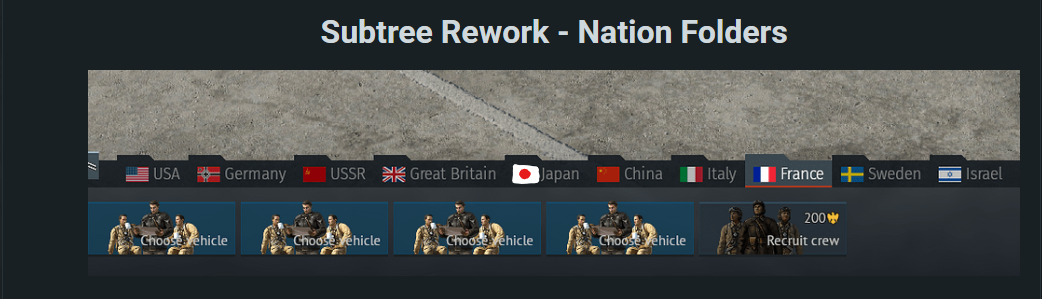
Following the recent changes to the Japanese flag, the main suggestion preview image will be altered to include the updated Japanese flag.
Other nations will stay the same, as the intent is to show the shape of folders applied to the familiar “standard” set of nations players are already used to.
Updated Displayed Nation
Previously the Rework suggested simply displaying whatever nation was last selected as a research tree to be presented as the “main” nation.
Example: Thai techtree is selected, Thailand is listed as nation
However with the new system, the player gets the option to select a main / display nation. This means that the nation shown in the nation bar will always be that selected in the menu, while all other nations research trees would be placed in the folder above it.
The only issue this brings up is the functionality to double click a nation in the nation bar, opening the research tree. Since now players can select one-off nations, selecting them can’t do that. To work around that I had two main ideas, but I’d like to hear more opinions:
Separate “Default Research Tree” selection available when a one-off nation is selected as display nation.
[ + ] Keeps functionality
[ - ] May be unintuitive / confusing
Remove double click functionality when a one-off nation is selected
[ + ] Intuitive and easier to implement
[ - ] Removes a functionality when using some customization options
Updated Nation Selection
The given nation selection will get two major changes:
Color coded nations
Orange indicates a nation that has a permanent home in a specific tech tree. This, just as the rework is meant to do, doesn’t differentiate between “main” and “subtree” nations.
Yellow indicates a nation that is not permanently placed in a specific tech tree.
One-off (yellow) nations that a player doesn’t own a vehicle from are hidden from view in the selection.
->This further differentiates them from nations that have a permanent home in the tech tree, which simply appear grey if no vehicle from them is unlocked yet. This makes them feel like more natural progression, while one-off nations are presented as a bonus to that.
Including Military / Region / Other Non-National Flags was considered, but won’t be included as it doesn’t affect the functionality of the Rework and would be best fit as a topic for a separate suggestion.
Changed formatting to make reading easier
Some further changes might be made to the formatting, which might include shortened or simplified text, as well as possibly more folders. This is to keep the read time of the suggestion lower and make it more accessible.
If anything becomes difficult to read or understand after the update, feel free to contact me and help improve the suggestion!
And as always:
If you have any thoughts about the planned changes, ideas for additions or improvements, feel free to add those and potentially help improve the game.
This aligns with my preference of all base category vehicles being on the same page for ease of organizing research and lineups.
As long as I always have the ability to see every ground vehicle on one page [and others for their respective pages] for easy thinking of research plans & clicking on vehicles to research, and for easy movement into lineups [drag and drop], I will continue to support this idea.
[New Addition] Added section about the Nation Customization
→ Display nation functionality changed to reflect the players selected nation
[New Addition] Added new “Why not another Solution?” section
→ Previously the content was spread across two sections, this has been streamlined.
Various images updated
Formatting was adjusted to allow for simpler and faster reading and understanding
→ Now streamlined to a core concept, while having more intricate explanations in folders.
My biggest criticism with the suggestion is that I don’t see the “point” of it is. Your suggestion says that both research and rank unlocks are shared across all folders within a nation, which would be the biggest concerns when splitting a tech tree into folders. But that’s how it works already, so this is basically just a UI update (which is fine, I’m just clarifying).
However, some tech trees can already be kinda confusing (think: both large tech trees that already have lots of folders or smaller tech trees where the BR jumps can be all over the place). So the primary function of this change should be making the tech tree more readable, and I think that breaking tech trees into multiple smaller folders would make the UI less readable, not more.
I do think that something to make sub-trees stand out more would be good, though. While not as detailed as your approach, a simple highlighting filter in the research page would be a big help. Also changing the UI elements for folders would help as well.
I think that your idea for a faction overview separate from the tech tree could be very user-friendly and readable, and could be one place separate sub-tree nations in an easier to visualize way. It would also create a new space where building lineups is easier, since researching vehicles and putting together a lineup aren’t really related activities.
Mainly the two things this is supposed to do is make more space for vehicles from all nations, as in many cases subtree nations fall in this weird state where they have too much to fit just the gaps of another nations tree, but not enough for their own tree without any support.
This also prevents a subtree from taking up space that players might rather see for domestic vehicles of a nation, such as how the South African line was criticised because many British light vehicles are missing that now have less space.
And for the second point this allows for more flexible research. For example some players might want to play France, and only France, others might only be interested in BeNeLux tech and others again want them combined like now.
In the rework all approaches are possible, at least as soon as there is enough BeNeLux vehicles to self-sustain the rank progression.
Really depends how you look at it. Sure the folders might be unusual first, but it’s really just a national split as we are used to already.
Each nation with a fixed home in game has essentially a national techtree, only that some share spaces with others.
Where right now you have to look through techtrees to maybe see some vehicles from a subtree nation, because there’s no clear indication in game, with the Rework you only look for a nations name and flag.
Yeah there’s a lot of ways to solve problems, this is just what I came up with (and already improved a lot through feedback).
If you have any more ideas for improvements those can be very helpful. The Faction Overview for example was based on AlvisWisla’s idea, all I did was visualize it and work it into the suggestion. And now it’s become a very important part of the suggestion, since otherwise it would be an issue to keep track of available options compared to the current trees.
Anyways thanks for the feedback, it’s always nice to see a detailed write-up like this.
I do agree in many cases it’s a bit rough around the edges, and implementation could be done better, so that is something I’m still working on. Specifically Making it intuitive for first time players is something that I’m not sure is done well just yet.
I hope this can be improved over time!
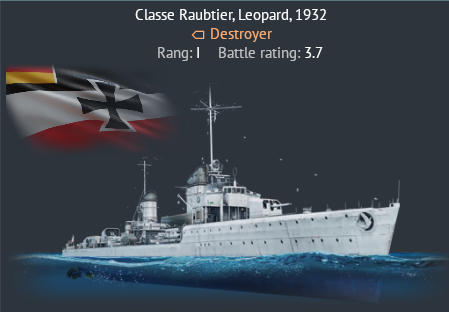
For some reason u cant select the Weimar republic as one of the display nations even tho there are 2 batleships that are from the country here let me show you
Initially for the Dev Server for the last update this was available as an option alongside other navy flags used for vehicles, but that option was removed just before the release.
Officially having only national flags was said to have been the plan from the start, unofficially it’s theorized to have been an excuse to remove the flag for the Republic of China from the options (which is an army flag currently).