NOTE: If anyone sees any errors that I might have made, if anything needs to be corrected/added to, please let me know and I will fix ASAP. Thanks!
This 100% this 👆 The effectiveness of the F-4S’s AIM-7F’s vary WILDLY depending on which radar mode you are using. Pulse Doppler is pretty much the only effective option to use with your AIM-7F’s, 90%+ of the time. (I will RARELY use normal/non Pulse Doppler when I am behind an enemy plane.)
SRC PDV HDN (Search, Pulse Doppler Velocity, Head-On)
Link to the “Radar Lock” chapter for the YouTube video. You only need to consider the “BVR” (Beyond Visual Range) and “Cyclic Targeting” information and keybinds for now. “Manual Target Cueing” is far too much to worry about for now, or ever lol: https://youtu.be/Weghk_2DpfA?t=906
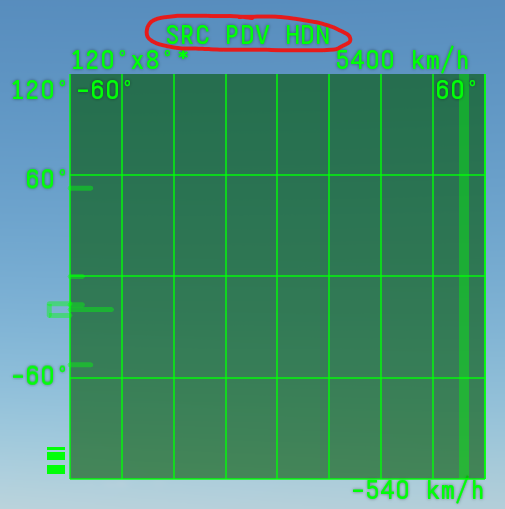
This is the mode that I personally use when spawning in. SRC PDV HDN. This mode should give you the most consistent results with the AIM-7F missiles. And will probably be the easiest to use until you have learned all the ins and outs of your F-4S’s radar.
You can set this to be your default mode by using the drop downs, before you spawn into a real match. Or by setting it in test drive menu, again before loading/spawning in:

Contacts are displayed by velocity, NOT by distance. The higher a contact is on the radar’s vertical axis, the faster the target is moving towards you. Usually, because of how Pulse Doppler works, the faster a target is moving towards you, the better the radar lock will be. (And Pulse Doppler does not like to lock onto targets moving away from you, especially if they are moving at nearly the same speed as you.)
Pulse Doppler radars pretty much “only” look at velocity differences to maintain their lock. Thus, very low or 0 velocity difference targets are effectively invisible to the Pulse Doppler. However, this is also why Pulse Doppler can see a target low to the ground, through the ground clutter reflections. Because, the target is the only thing that is traveling at a different velocity.
The higher a target’s closing velocity on the radar screen, the better the resulting lock will be. Targets moving to your right or left are nearly impossible for your Pulse Doppler radar to lock onto, and will have a much lower displayed velocity (and why this is the normal evasive maneuver to try and lose a radar/missile lock from a Pulse Doppler threat.)
ACM (Air Combat Maneuvering)
ACM PD HDN (Air Combat Maneuvering, Pulse Doppler, Head-On)
Direct link to the YouTube video’s chapter on this mode: https://youtu.be/Weghk_2DpfA?t=1520
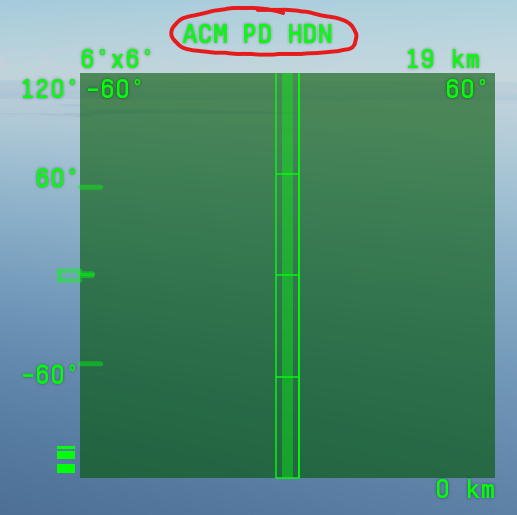
I also sometimes like to turn the radar OFF until I am close, then use Air Combat Maneuvering (ACM PD HDN) mode (the one that automatically locks on as soon as it sees an enemy) to speed up the process and give the enemy less time to react. All depends on the situation.
HMS (Helmet Mounted Sight)
HMS PD HDN (Helmet Mounted Sight, Pulse Doppler, Head-On)
Direct link to the YouTube video’s chapter on this mode: https://youtu.be/Weghk_2DpfA?t=1163
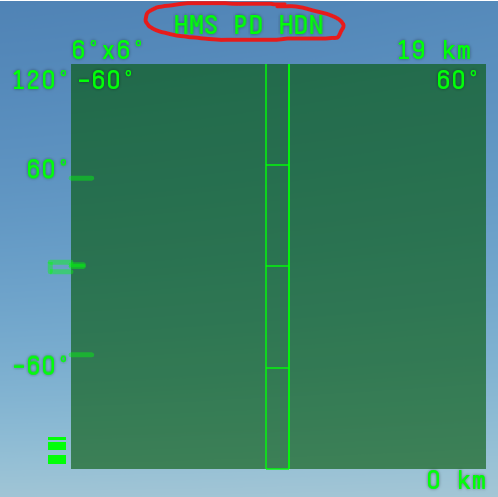
You ALSO have an HMS lock on mode, but this is also not very fast and I don’t use it unless I am turning hard and trying to lock a plane that is far off my nose. This mode will not lock on automatically like ACM mode, and you must use the keybind to lock a target after you have moved the targeting square onto a target. NOTE: You can use the “camera free look” to move the targeting square around your field of view, so that you do not have to actually turn your aircraft.
PD (Pulse Doppler) to SCR (Search) Keybind
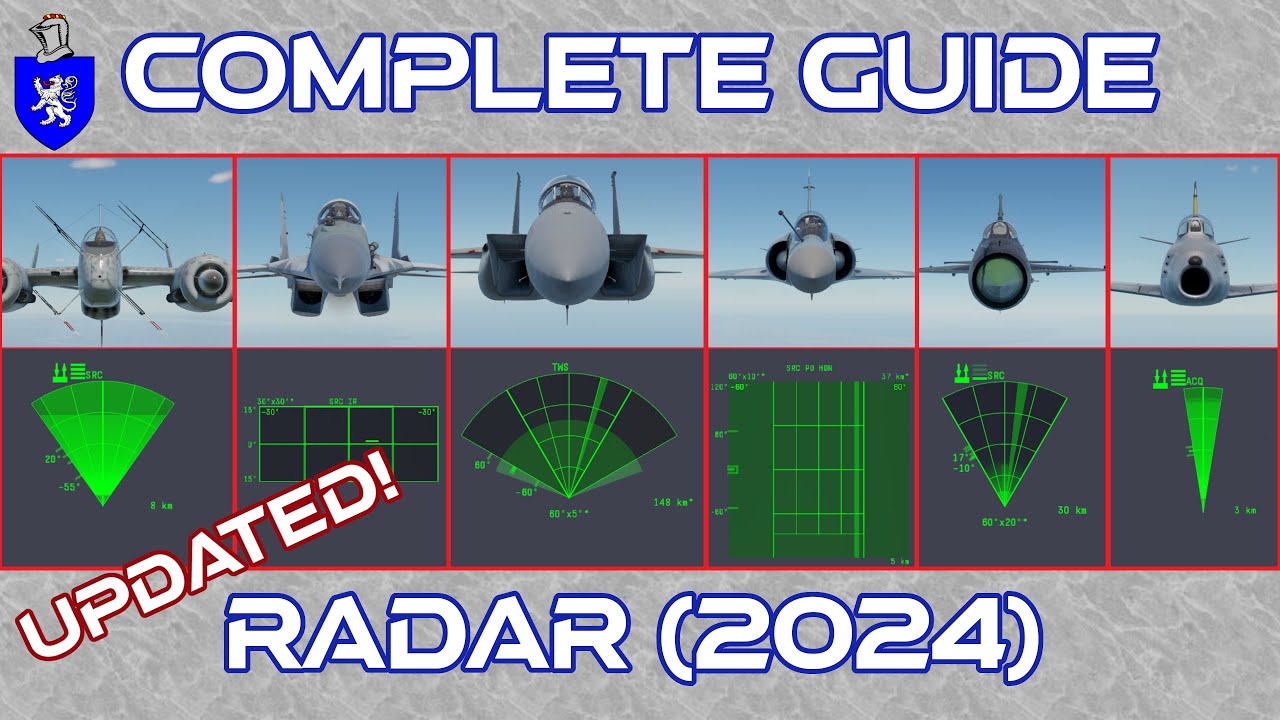
Most/all of these radar modes can be switched between PD (Pulse Doppler) and SRC (Search). There is an extra keybind to accomplish this, but you do not need to worry about that extra step right away. The video below goes into full detail about these differences, and the appropriate keybinds for each. Better to keep it simple to start with, and only add on more keybinds as you get comfortable 👍
YouTube Guide
I would highly recommend watching through this entire video, even though not all of the information will apply to your F-4S. Take your time. Go into a test drive and play with the keybinds he mentions in the video one by one. Ask more questions in your thread here. It will take hours, probably days, even weeks to fully grasp and become comfortable with everything that your F-4S can do. But it will be well worth all the time and effort to go through the entire process.
Happy hunting brother o7