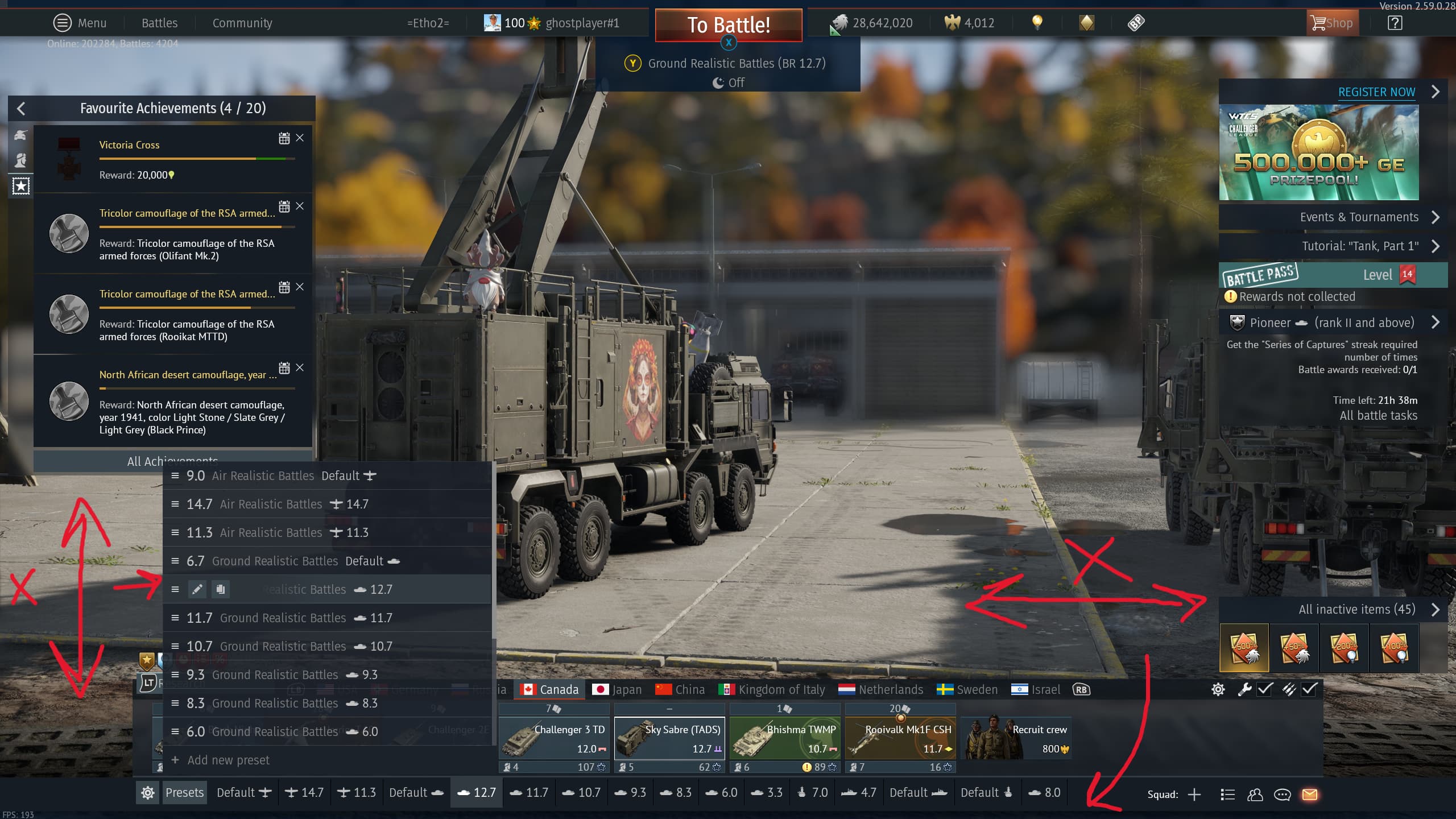
Hi everyone, I have an issue that my presets can’t be rearranged. Tried drag and drop on both the list and the list at the bottom, but it didn’t work. Also, couldn’t locate any keys or something like the old one to rearrange them. This issue has been going on since the Sky Odyssey major update. I wanted to ask if anyone has the same problem or if anyone has found a solution for this.
2 Likes
Ye, I also noticed ot, so I reported it bit as usual…
https://community.gaijin.net/issues/p/warthunder/i/FIMm9jisK1zr
Ghosted
3 Likes
Ah, I see. I also made a similar report for the PC version (since I’m playing on PC), but I have yet to hear anything.
Presets cannot be rearranged
I’m not sure, but this might be happening to people with controller connection, given that I have not seen many reports about this topic so far.
1 Like
I have not had this issue at all. (I do not use a controller) have you tried unplugging your controller before starting War Thunder and testing? (Or for anyone on console having this issue, have you tried connecting a mouse/keyboard and testing?)
Click+hold+dragging on the 3 horizontal lines allows me to rearrange the presets without issue:

1 Like
Yep, but just to be sure, I tested both before and after connecting the controller, and neither worked. I also tried the “mouse/keyboard” interface (when you get the option to choose between controller/keyboard/joystick), and that did not help either. However, I didn’t try to reset all the key mapping, as pretty much I have remapped the whole setting to a mix of controller/mouse, and it would be huge pain to do them again.
On a side note, as I don’t know if it would be helpful or not, I can still drag and drop my crew without any problems.
1 Like
Oh resetting keybinds is the WORST, unless you can back them up (I think you said you are on PC?) then you could mess around with resetting if you wanted to. If you do not know how to backup your keybinds on PC please let me know. Super easy+fast. You could also save a couple/few “presets” for different combinations of controller/mouse/keyboard if you wanted to.
1 Like
Actually, if you could tell me that, that would be great! Gives me the option to mess around with the settings more, which might fix the issue.
1 Like
Ok, so at the main menu, click the 3 lines top right of the screen (menu). then controls:
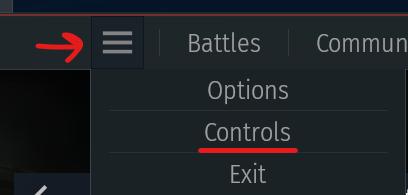
Once you are on the controls screen, hover over the Floppy Disc icon to make sure you see “Export to file” before clicking on it (just to take your time so you do NOT accidentally reset your keybinds 😉)
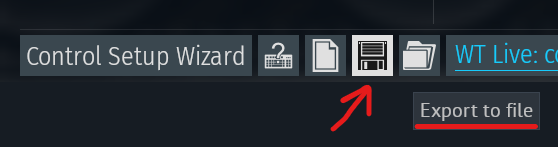
Save the file somewhere easy to find. The file is very small. I try and back up my keybinds about once a month and I also email the latest backup to myself for redundancy.
I also like to name the keybind backup files with [Year].[Month].[Date] in the name so that it is easy to tell which file is the newest. Like this:
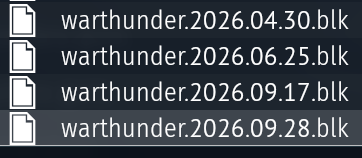
Then if you want to make different keybind “presets” for controller/keyboard/mouse, just make a note in your file name so it is easy to remember which one is which 👍
1 Like
Thanks to @SilentTracker I have managed to find a workaround for this problem. So, here’s how it works:
Just before anything, make sure to follow the steps as @SilentTracker wrote and make a backup of your controls as this will reset your settings.
Next, you open up the controls menu and click on the control setup wizard.
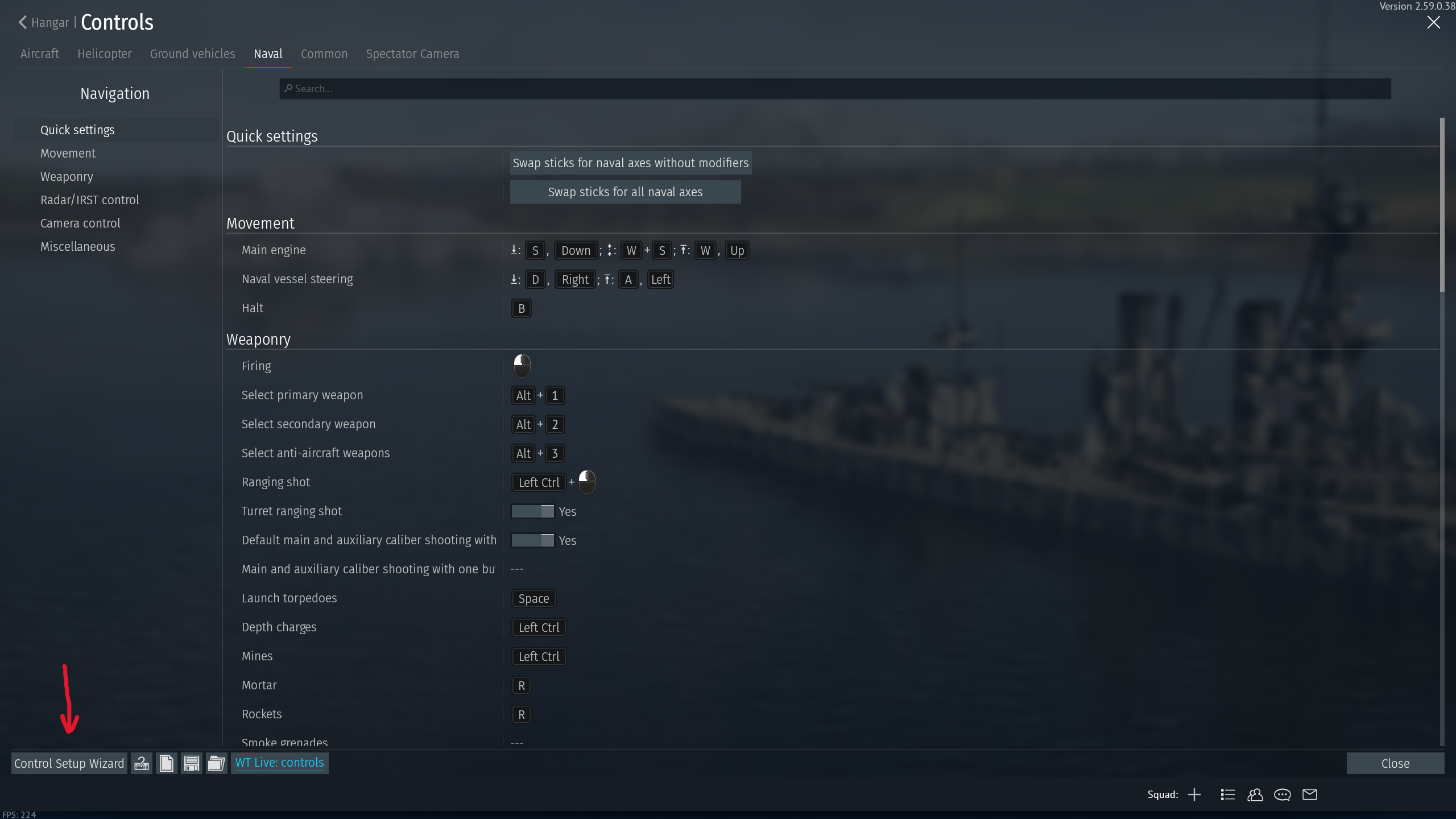
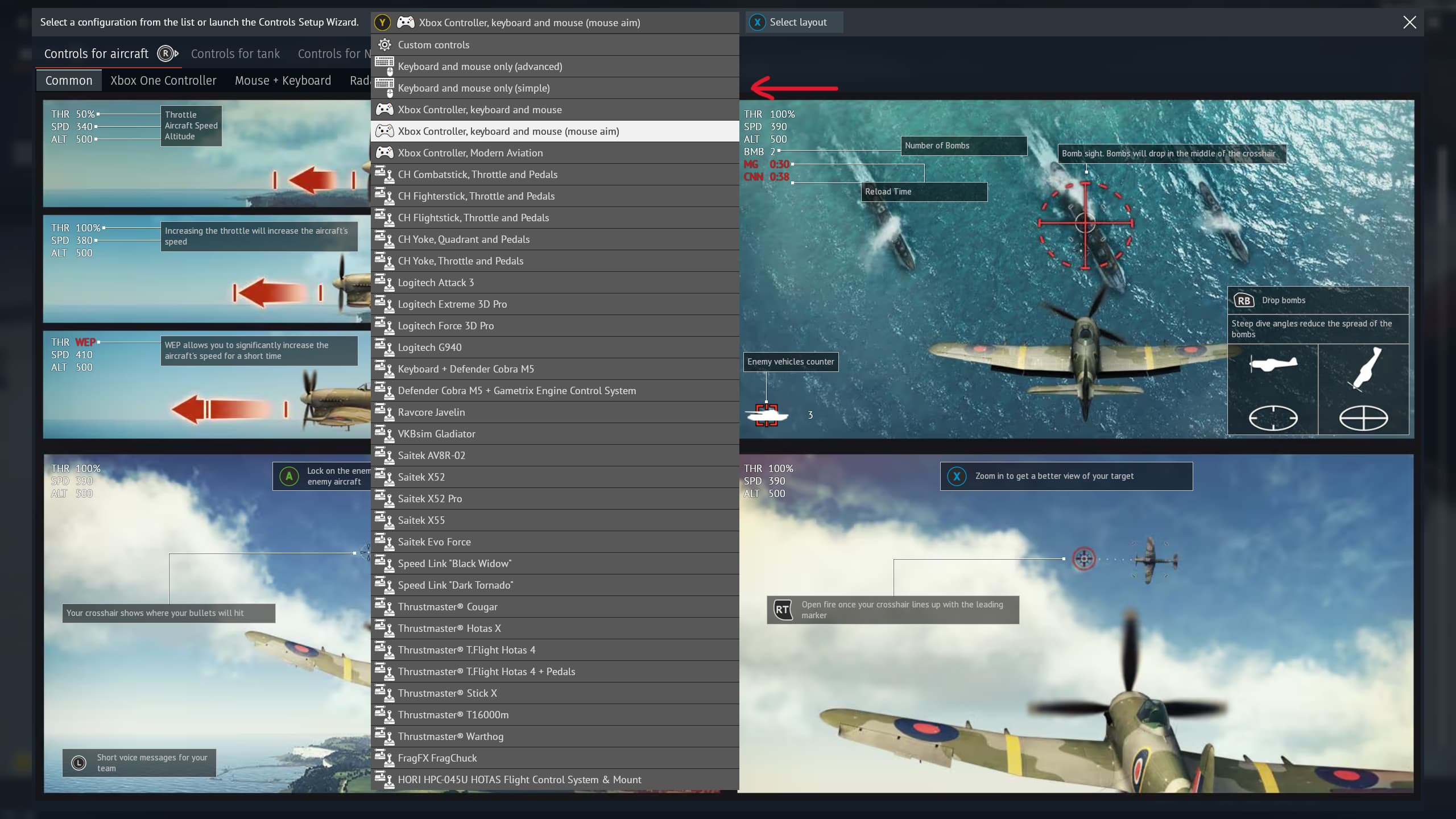
After that you click on keyboard and mouse only (simple) “doing that resets your keybinds”
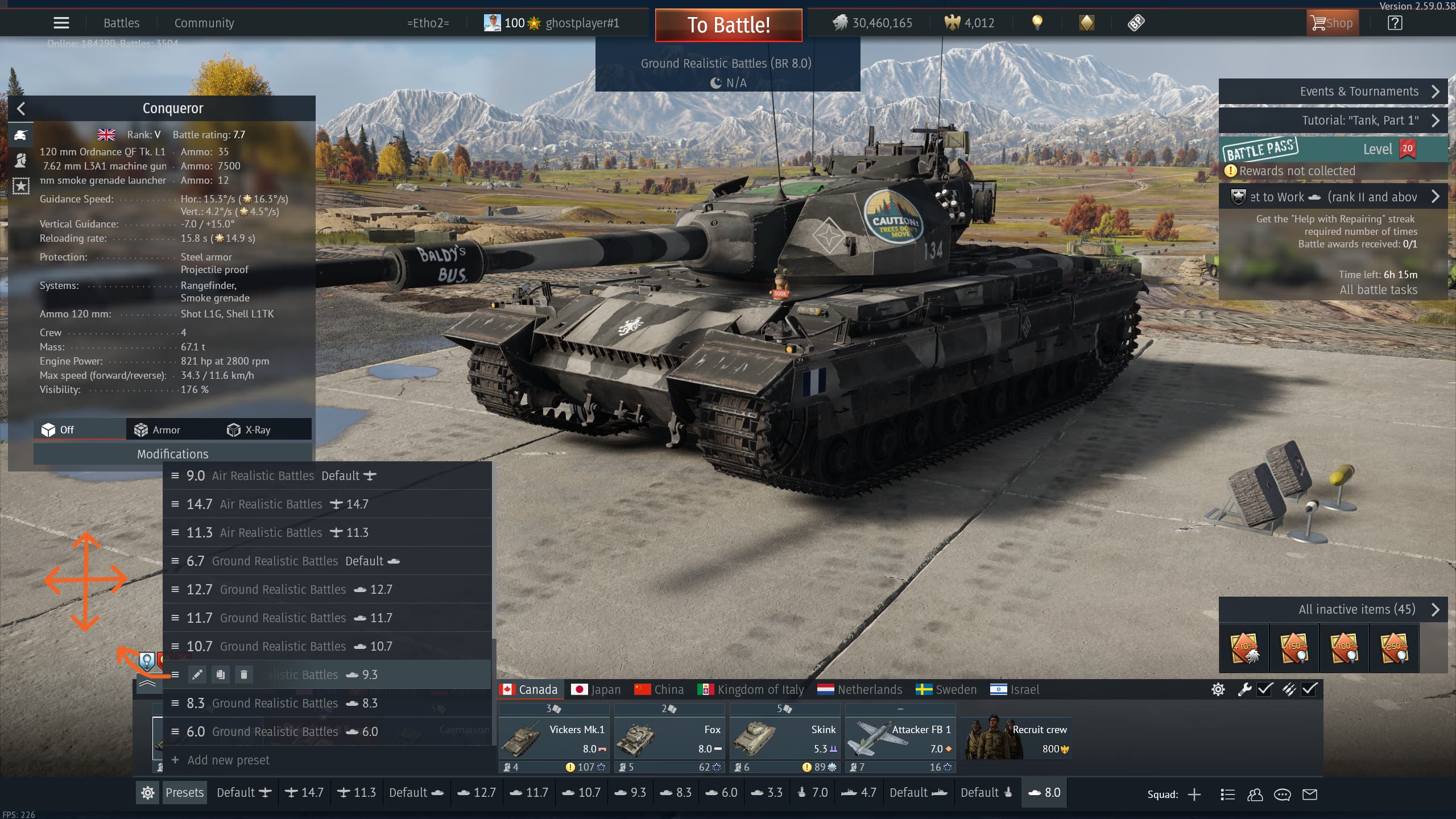
Then when you go back and open up the presets, when you move your cursor on the 3 lines, you should see your mouse cursor change shape to that orange shape, which allows you to freely move the presets around.
After that you can redo the second step, and this time, inside the control setup wizard, click on Xbox controller, keyboard, and mouse (mouse aim) or whatever yours was before. And then you just need to import your keybinds back, and voila, you are good to go.
This, however, is not a permanent fix, and sometimes when you reload the game it reverts back, and the presets would be locked again. Still hope this helps anyone who has this problem!
1 Like