This topic caught my interest—for some reason, some players are still experiencing issues with contact visibility. Since my contacts are displayed (almost) as they used to be, I decided to force the game to stop displaying them. And I think I’ve figured out the root of the problem: I play with TAA anti-aliasing, and based on my past tests, it’s the best option for ASB mode. After the fix, it works almost like before. But as soon as I switched to DLSS anti-aliasing, the contacts were immediately washed out. Try experimenting with different anti-aliasing settings in the practice mode and share your results on the forum. We need to pinpoint the exact cause to properly document this issue in a report.
1 Like
From my experience, anti-aliasing is the most important setting. Personally, I don’t use any, and it works better for me. I think the difference between VR players here is that some of us have tweaked our settings and tested things until we found what works best.
That said, regardless of setup, visibility and spotting for VR could still be made more prominent to help those who are still having issues. Also, big thanks to the devs — it’s clear they’ve been working on it since the issue was reported, and it’s mostly fixed now.
@Fieel You can try adjusting the antialiasing settings or even turning it off completely. There are plenty of YouTube videos sharing different experiences, but I recommend experimenting yourself during a test flight to find what works best. If some of it works for you, you’ll see I’m not just making this up :)
1 Like
2.47.0.39. It’s a little bit better. After I reduced the monitor resolution from 3840х2160 to 1920х1080…
I use Q3, turning off anti-aliasing still does not work for me. I’m completely agree with AaronBarbarian that while it is a slight improvement for some. I will not torturing my eyes by trying to play in Sim like this.
Considering that you use the Quest 2 and your experience is vastly better than mine. I’m certain that we are BACK to the issue of having a shittier graphic give people a better gameplay than someone with good graphic. It is basically ground battle old issue with grass & object rendering transfer to Air Sim
Gotta love it when people with better PC are getting penalized for using a higher graphic setting. Being forced to uglifying your graphic for better spotting is just peak gaming
5 Likes


Rendered in 4k with FSR on native and 30% in-game sharpening on a 1440p monitor. Game version 2.47.0.39
This is ridiculous and unplayable.
7 Likes


Well

This is plane from 4 km

This is plane from 2 km

Same plane with enchanced sharpeness

Other black mess are bushes on sinai. Same plane right above number 5
I flew 10-15 games today with fella and results are equal for me and himself, despite him being in VR and i’m at flatscreen.
We see planes at 5-10 km as black dot specks, and at 4-5 - 1 km it’s almost imposible (closest to imposible) to spot. Even at contrast background like snowfields, or sky even.
And gaijings made sounds once again overbuffed for cockpit view, so, in simmod, i have better situational awarness by sound, not by my eyes.
And they lie about fix. What should i say about this developer?
7 Likes
Thanks for adding this, I’m glad my guess earlier that the blind spot was around 2km was about right. Not just me experiencing it. Not sure why Gaijin can’t just roll back the spotting to pre-Leviathan update and leave it alone, nobody likes it. Every game I’ve been in all the players have complained about the spotting.
Stoma seems to think that it’s only a small percentage but that’s because we only come here when we’ve exhausted every other avenue- checking files,updating drivers, re-installing, changing settings, asking Reddit, asking in Discord, asking others in-game, some players haven’t even signed up for a forum account. Here is the last resort due to the reception we get, it’s always our fault.
2 Likes
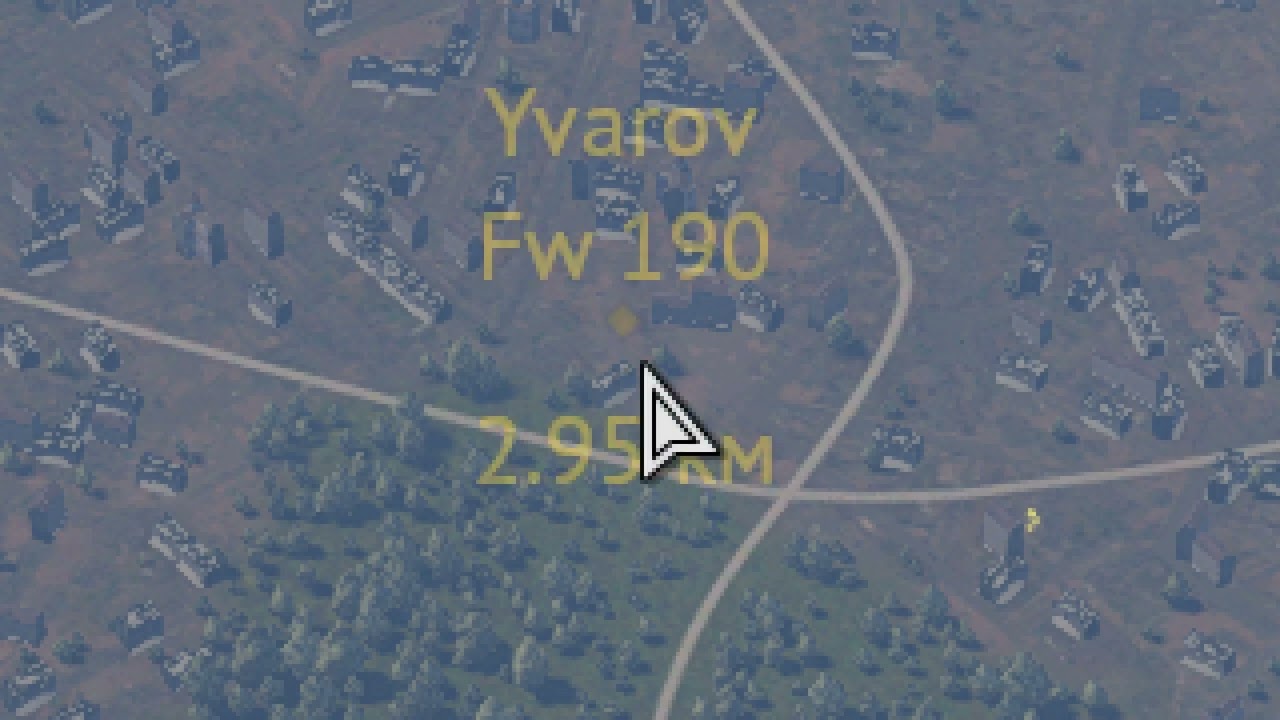
I just tested lots of different graphic settings and what I found out in my case is that in 4K the black dots are extremely hard to see, but if I switch to 1920x1080 they’re there clearly visible as they were before the update.
1 Like
Open fullscreen and try it yourself.
6 Likes
The thing with TAA is that it needs DX12 and DX12 is unstable and causes crashes. VR users have it all off because who wants ghosting, artifacts and dithering?
1 Like
I tried changing settings and it did make a minor improvement, but it is still not enough. They need to make it like it was before the update. I am trying to fly against ghosts that disappear as soon as they get to certain ranges. I am getting depressed. PLEASE FIX!!!
Still unplayable…
2 Likes
Went into a Ruhr 3.3-4.3 match with no haze. Took screenshots whenever I saw a black dot. It seems to work fine on my end - even found a Xp-55 against the ground!


Screenshots actually undersell it. Last 2 should have an XP-55 that I can’t find in the screenshot post-fact but I know I found it as I dove on it.
The issue seems to be related with resolution.
I set the resolution to 1080p and planes were clearly visible, in 1440p it was much harder to spot them and in 4k as you already saw they are basically invisible.
Well tell this out by messing with VR resolution. Could explain why the issue was so much worse in VR, and why the visibility is still not as good as before the update.
1 Like
I had to dig up the ancient Gaijin post on the system they used to specifically enhance visibility for Simulator mode (from back in 2015):
https://old-wiki.warthunder.com/Visibility_mechanics
In particular these paragraphs:
In our Simulator Battles, which are designed to reflect the battles of the Second World War with maximum authenticity, there are no markers. This is to avoid ruining the lifelike image with extraneous elements. Alongside this, vehicles are much harder to see than in real life – to be precise, it looks like if you were watching a real-life conflict through an action camera fixed to the pilot’s head. Though in fact it’s a little better thanks to a lot of work done on making the game more lifelike than a digital video camera. To be precise, “contacts” appear at distances where the aircraft is definitely no longer visible. But before this, there are moments when the plane is very hard to see – it’s just a few pixels, after all! – but is not yet covered by a “contact”/“fly”, because this covers up the orientation and manoeuvres of the aircraft. At these (“medium”) distances, aircraft were very easy to lose from view without markers.
In update 1.53, a special detalization level has been created for aircraft at medium distances. In practice, the game draws the plane at another viewing angle and with a higher resolution (super sampling anti-aliasing) so that it doesn’t disappear entirely from view. Accordingly, at medium distances a plane might seem small, but will remain noticeable enough now, and without losing its shape or outline. Along with the new rendering (link), which makes maps more realistic in terms of lighting and diffusion (and accordingly less contrasting at long distances), this significantly improves the ability to track and detect a target in an aerial battle, making battles more comfortable. We hope that fans of flying will appreciate this innovative concept.
At the same time, the image dynamic range was increased 8-16 times, and this means that if earlier at shorter ranges (up to a kilometre) a glimmer on a plane’s wing could practically “disappear” before by blending in with a neighboring non-glimmering surface, then now you can more precisely detect an enemy aircraft’s orientation and the manoeuvres they’re performing.
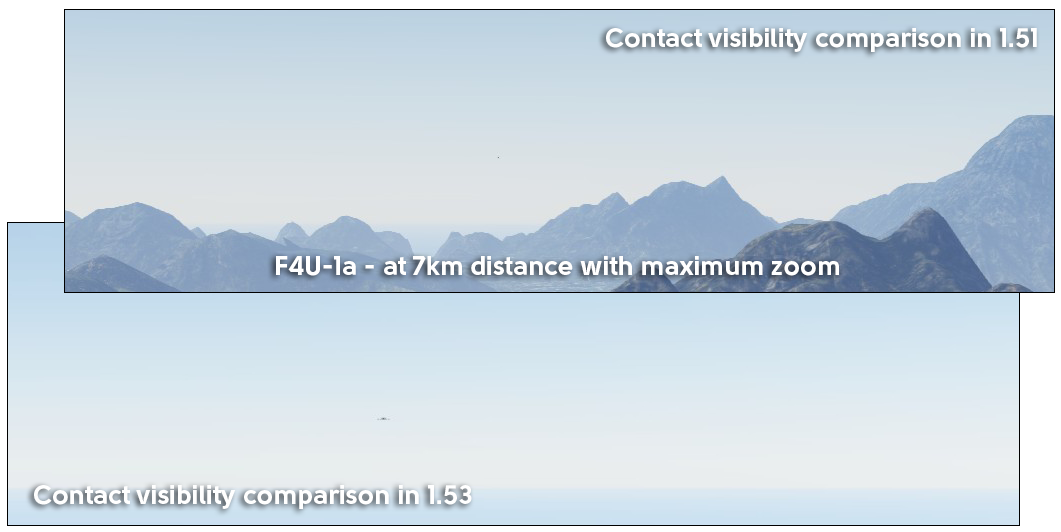
Based on he feedback above, it feels like the placment of “the dot” for extremely long range target has been put back, but the “special detalization level has been created for aircraft at medium distances” is still missing after the Leviathan launch.
I personally use a 4k monitor on max res, and cannot see any aircraft outside of about 2km, if the target is against the ground. Even against the sky it’s extremely difficult (major eyestrain). Basically it’s almost impossible to keep track of SA in any real way, if there are multiple targets in the area, compared to pre-leviathan, where I could easily keep general tabs of what was going on around me both in a dogfight, and including targets in the medium range zone.
7 Likes
This might mot be a bug, but a feature of the “keen vision” skill.
Ive seen it tested with tanks, and the tank completely vanishes from sight just like this as well.
This should probably be tested for air as well.
I noticed in my last match in Ruhr that the entire factory at Bochum would appear/disappear from about one square away on the deck using zoom. Maybe they’re using some new way to render assets at a certain range that is affecting us.
I stated on a reddit post that this is a game- in games we’re the hero, the 1%, the one that ballads are sung about, the main character of the story, so we should get that extra ability of combat awareness. There’s got to be a way to roll back the spotting.
1 Like
If they cannot get VR spotting back to before then I truly have no hope for Ace of Thunder lol
1 Like
oh dude now we have same problem :) by this version happy belongs to those guy who does not really ask for fighting in sim matches :D hope they fix it
1 Like