It’s too late here rn to turn on my computer unfortunately.
It’s working now, after a full day
1 Like
I tried, all down to it and still has issues i can play the game but the fault never stops coming up
Further reading your comment about updating, I think there’s more to your issue.
Try delete that folder with the game closed, and do a toggle of the WIP client option maybe.
1 Like
you shloud go to windows defender-> history → click on action that deleted anticheat → actions → restore and add to safe
Not really, they should just try do what the others have found success with and delete it and try verify files if it keeps happening.
If it were ‘everyone’ as the report states, then that could be an unsafe option to do, but it’s not everyone.
1 Like
I did, I deleted everything and everywhere I could find it even within the command prompt after uninstalling the game. Followed everything I could think of turning off firewall, turning off anything that could cause issues. Even from Gajins own IT they were still unsucessful but it only started happening recently.
@SznekGaming complete reinstall from the launcher itself added to trusted apps nothing.
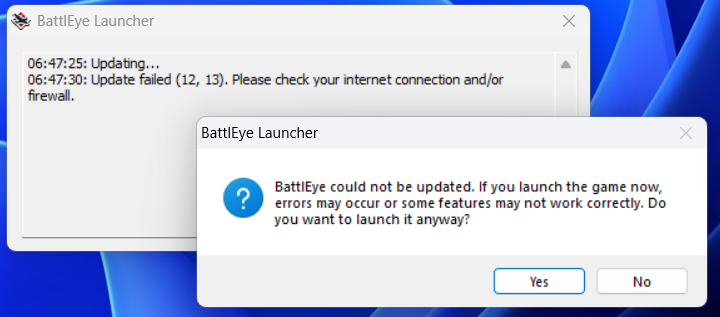
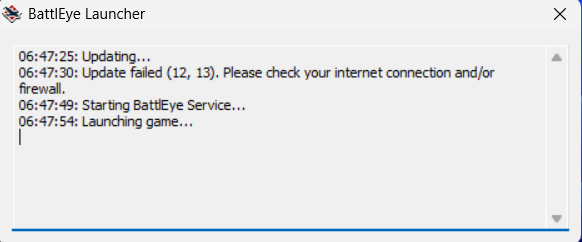
It doesn’t stop me from playing the game at all but it’s still weird why it fails everytime even running WT on administrator.
1 Like
I had it but i fixed it. I tried to open it like 12 times but it just wouldn’t and i then decided to fix it.
Yours is definitely different, you need to fix your firewall. It’s not the same issue as those in this thread.
1 Like
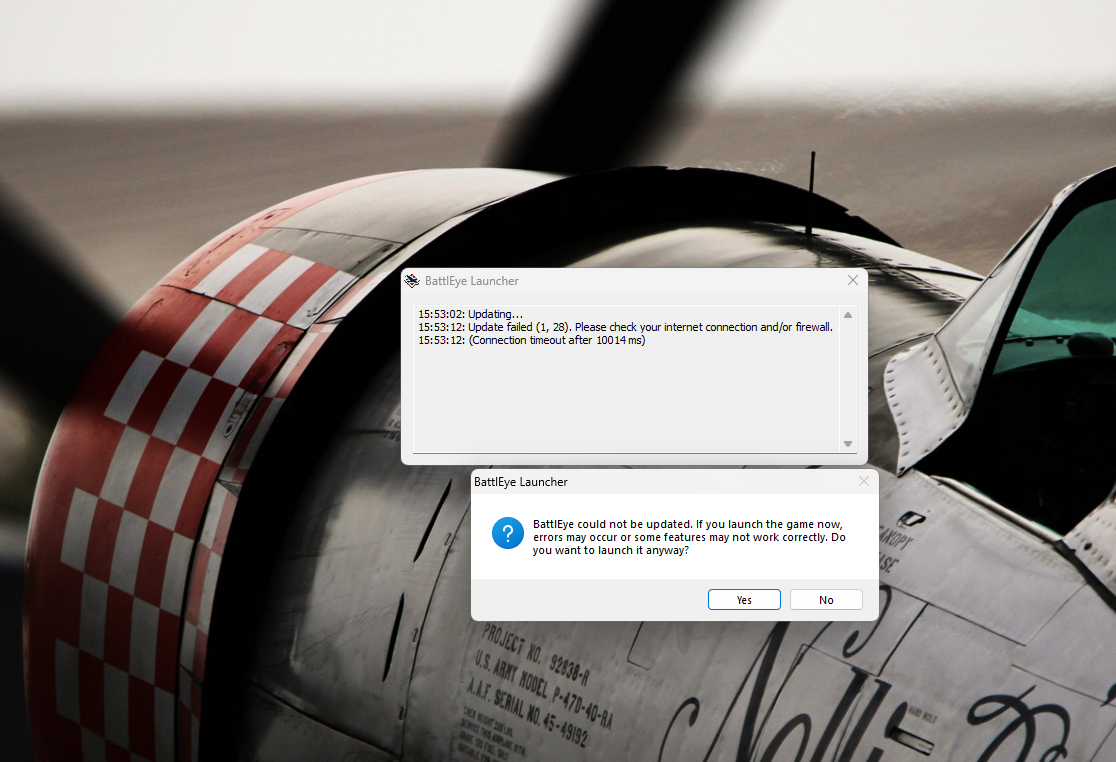
I seem to be getting the same issue however, with it stating that BattlEye has failed to update, this is strange because i have good internet connection so it cant be that, and i logged onto war thunder earlier no problem, and nothing has changed with my Firewall, so it cant be that either
it states that the update has timed out
1 Like
Check the network itself in the network control panel section is set to Private, compared to public (Happens when connections are cycled a bit).
Even both of your issues are different.
1 Like
So somehow my issue fixed itself, i did things said in previous comments like checking windows defender for any pop ups and even did a scan but everything was all clear, internet has always been on and i just tried it again and seemed to have fixed itself, tried it 2 times and the issue hasn’t popped up again so i count myself lucky?
Edit: i spoke far too soon, restarted 1 last time just to check that the anti cheat was active (which it was) and the error has returned
1 Like
Check the internet definition isn’t switched to that public vs private as it plays up with the firewall.
And in the windows firewall in particular, ensure the battleye is also (As well as the game) allowed on the private (Or Public as well) network.
(((Especially if the error message in battleye is the same referring the connection)))
1 Like
So im checking everything, Internet is on with good signal and is running well so it cant be physically the internet being bad, currently its set to public network which is the recommended
it must be a problem of sorts with BattlEye, it cant not work one moment, work the next and then not work again with nothing on the PC connection wise changing, im lost at what to try next inorder to get it working
1 Like
If it’s your home network, it should be on Private.
And when you google the error Googles AI even lists a few things such as DNS flushing and checking the servers (Yours though sounds like a traffic issue considering it’s saying about an actual timeout)
Fix the BattlEye “Please check your internet connection” error by resetting your network, changing your DNS settings, or checking your firewall. [1, 2]
Quick Fixes for BattlEye
Check Antivirus and Firewall: Ensure your security software or Windows Firewall is not blocking BattlEye or the game launcher. Add an exception for the game’s BattlEye executable. [1, 2, 3]
Change DNS Settings: Switch your DNS server to a public service like Google (
8.8.8.8and8.8.4.4) or Cloudflare (1.1.1.1) to fix connection routing issues. [1, 2]Reset Network Adapters: Clear corrupted network settings through Windows settings. [1, 2]
Use a VPN or Mobile Hotspot: Sometimes your internet service provider blocks the update server, and switching to a temporary hotspot or VPN can bypass the block. [1, 2]
Watch this guide to see how to completely reset your network adapters and bypass update errors:
https://www.youtube.com/watch?v=GXr04Akktz0
If you still see the error, tell me:
- What specific game you are trying to play (Destiny 2, Ark, etc.)
- The exact error code numbers in the message (like 1, 6 or 1, 28)
I can give you a more specific fix.
(((This is just what the AI says through my google search)))
1 Like
So ive restarted my internet router and that seems to have had no effect, ive even changed internet sources to see if that works and still the same error, switched between public and private to no resolve, used VPN and the same thing
starting to feel its more of a BE issue than my PC, especially to say everything else is working fine without issue, there is no recent actions on the antivirus and i dont believe the firewall is blocking it as well, it worked this morning launching WT and it worked breifly a hour or so ago, all of which is throwing the same error code as the screenshot in my post above, just different time out times but not by much
The “Update failed (1, 28)” error specifically means that the BattlEye Launcher is completely blocked from reaching its download servers to grab essential anti-cheat updates
It is battleye and it is the connection being stopped somewhere along the way, different to the threads issue. (Yours being 1 and 28)
The other posters issue with the 12 and 13 code is a file permission error.
1 Like
this is the thing im struggling to find, i think maybe the next option is to work out how to uninstall and reinstall BE
ive gone through the firewall logs and opened up the launcher, got the update failed and looked at the logs and there empty, its not the firewall, did a FlushDNS and im still hitting the same problem, will somehow keep trying to find a way, although i still think its maybe a BE issue, it worked this morning and worked earlier inbetween update failure without anything changing.
Something random I was thinking of earlier, was to suggest to run the warthunder launcher as admin maybe?
Another could be to toggle on the WIP to see what happens then and then cycle that back to off.
Just to try kick it in the guts.
2 Likes
So, bit of an update, Got it working… for now im hoping,
After doing all the firewall checks, making sure it wasnt being blocked, did the FlushDNS, even deleted the BE file and launched the game again for it to redownload it, etc none of that worked
changing my DNS server to IPv4 on the cloudfare and google servers did work, so i can get back into warthunder finally, but id thought id give a little bit of a experiement and go back to the original and see if it would throw the error code again… turns out it doesnt and its now working, so im completely lost but hopefully it helps someone
thanks for your help FlyingDoctor
2 Likes