It BREAKS the GAME. FIX IT NOW.
I’m on an Xbox login playing through steam, and I get random neanderthals eating their active microphones without realising or humming some tune like a Chinese therapist.
Blacklisting them does nothing, can’t mute them, telling them to mute obviously does nothing.
And here’s the funniest part.
IT BREAKS YOUR GAME.
You won’t be able to use any UI feature AT ALL. No ESC to leave the game, no TAB to view the match, NOTHING.
And what’s even more funny? IT GOES CROSS MATCH. It isn’t related to the match. He’s not in my match. He’s just SOMEWHERE. Not in my squadron, NOWHERE. And I can hear him in the hangar.
I alt f4 to leave the game right at the start and then start a new match. I CAN STILL HEAR THE SAME GUY AND I CAN’T ACCESS THE UI IN THE HANGAR.
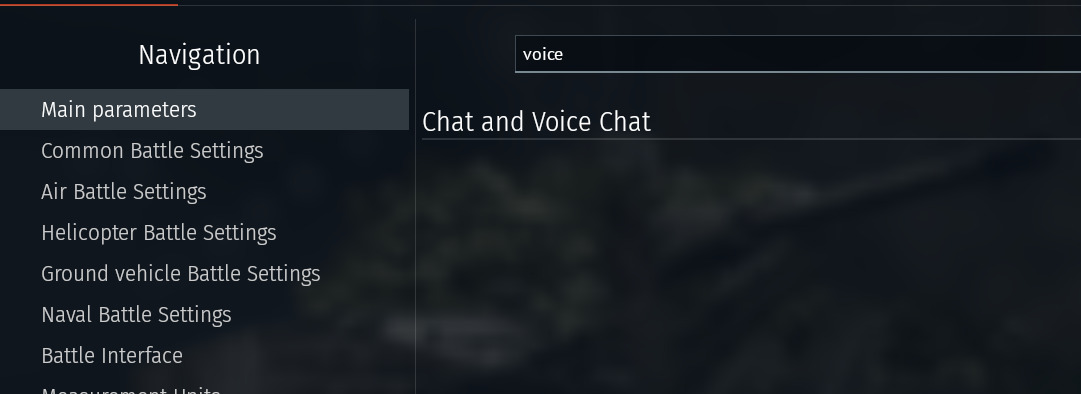
And I don’t even get the option to turn voicechat off.
Switch to sound setting, the on/off switch is in there.
3 Likes
I know I should be sympathetic since I heard some cavemen in my old squad having adult fun but I am just gonna laugh at you instead
1 Like
Someone in your squadron is hotmicing, and the easy way to make it go away is to make a squad of your own.
Otherwise telling the squadron leader or anyone who cares in the squadron, that that guys mic is on.
And if they aren’t in your squadron, then I’d check what’s up with your XBox stuff because that’s the only way it would be happening otherwise.
And why are you doing this?
The easier way to do it is to use your windows live login on your PC, and install War Thunder through the MS Store.
1 Like
This is probably not from WT if you hear them everywhere, you can ONLY hear players that are in your squadron and that you choose to play with.
Turn it off in your sound settings and if it continues then it’s definitely not a WT problem.
This also shouldn’t be possible, no idea how you managed to do this but as far as i know this shouldn’t be possible to do.
2 Likes
You would just launch the game in steam then enter you Xbox login when the game asks you to log in wouldn’t you?
1 Like
Launching on steam should only automatically log you in to an account bound to your Steam login. You can’t bind an already existing Gaijin account to your Steam either.
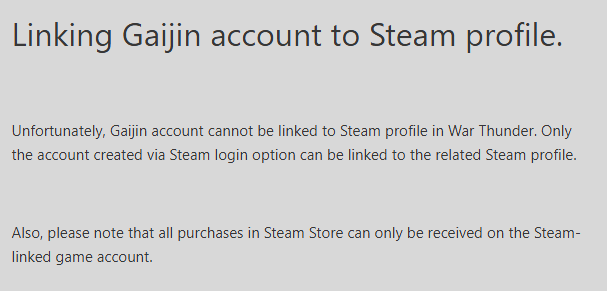
and if you want to bind an email to the steam account you can’t use an email already in use for a Gaijin account: ( https://support.gaijin.net/hc/en-us/articles/209617049-Binding-a-Steam-account-to-your-e-mail-address )

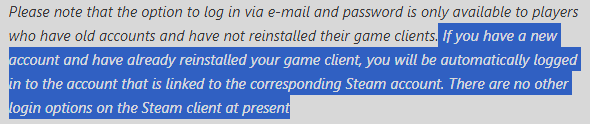
I started playing long before War thunder was on steam, then I played through steam for years, bought vehicles and GE and stuff through my steam account too, then I moved back to playing through the gaijin launcher.
So I dunno what to tell you
Well yeah, that’s the non-highlighted part of this:
I have uninstalled and reinstalled a few times though.
So you probably then first had a Gaijin account that got linked to your steam when that was first released so now you effectively have a steam account with the same Email linked as your first Gaijin account. That’s what i’m guessing at least. It is no longer possible to do that though (as far as i know) and especially not with console accounts (at least in theory).
Yeah, who knows, the great mysteries of Gaijin coding .
It’s more that our accounts (As mine is the same, linked to my steam account) are sent as a token to Steams setup, that makes us able to just login via steam.
And that’s because we linked our accounts to steam.
PSN users can link their emails to their gaijin account, same as the XBox users to play on the vanilla launcher without being able to use the store.
But no idea how the OP is actually using Steam, and I’d wonder if they’ve inadvertantly made the msitake many others have made where they’ve made a second account without noticing.
After all, we’ve been unable to use the steam linking setup for at least 4-5 years now.
2 Likes
Ahh, so it’s sort of a legacy feature from when WT first came to steam or something, there was a small window where we could make a “hybrid” account linking our OG Gaijin account to your steam account, a bit like @Necronomica was speculating?
Yea, Necronomica is right in their thinking. It happened before the consoles were able to do any migration which would even qualify them for a steam migration.
1 Like
Ahh, OK, thanks for the explanation.
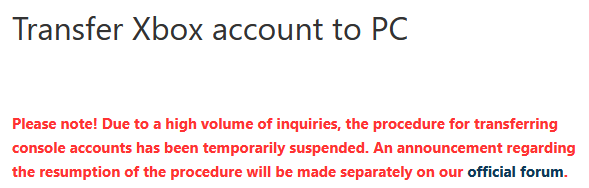
Also this has been “temporarily suspended” for like 5 years now.
Yea, so how are you using the Steam version, with your XBox account? You haven’t answered that directly.
Like, that’s the simplest way of making mention of what we’re asking, compared to trying to say someone is wrong.
Literally just log in with my Gaijin account which is a console account
Idfk what you people are on about and frankly I don’t care either lol