Hi everyone,
I have a question about my War Thunder account.
I originally started playing War Thunder on PlayStation, but around three years ago I moved to PC and I have been playing from there since then.
The problem is that, when I log in on PC and open the tech trees, I don’t see most of the premium vehicles on the right side of the screen. I can only see vehicles that are available for Golden Eagles or things like squadron/research vehicles. As far as I remember, when I was playing on PlayStation, I could see the premium vehicles normally.
I wanted to ask: is this normal for accounts that were originally created on PlayStation and then used on PC? Is it because the account is still linked to PSN?
I already contacted support back in 2024 about transferring my PlayStation account to PC, but I never managed to get a real solution. From what I understood, PlayStation-to-PC account transfers are not being handled anymore, but I don’t really understand why or what I’m supposed to do in this situation.
Has anyone else had the same issue? Did anyone manage to fix it, or is there any workaround?
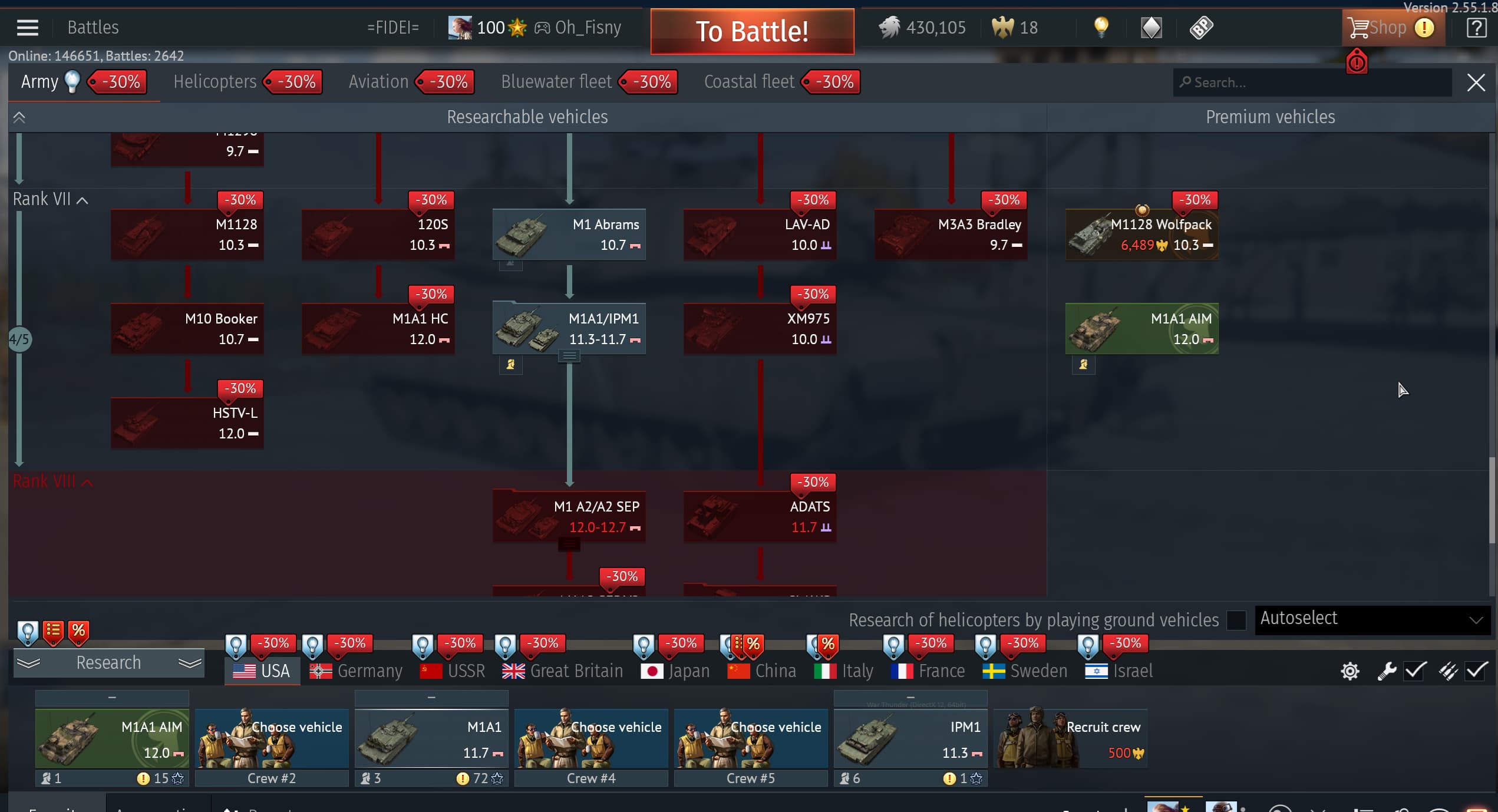
I would really appreciate any help or explanation, because right now I can’t properly access or buy the premium vehicles I would like to get from PC.
Thanks in advance.