I don’t know why it happens,it just switches randomly to this mode and i can’t launch nuclear bombs as normal…
I just realised it’s because i ping the map to see targets on the HUD but i don’t actually use ccrp,and i don’t want to, can i disable this?
Once you set the point of interest (POI) then it would force you to drop the bomb at the POI.
Just drop the bomb with normal computer bomb sight.
How do i do that…i use POI only for markers to see where things are.
POI mean you have to drop it at POI… you better not to set it when you carrying nuke
Better set a button for “Disable POI” then use normal Computer bomb sight (the bomb circle with cross hair) to drop bomb
but i want to use POI as visual marker…
Bind this key:
when it’s on the computer will hold bomb release until the indicated point (hold the drop key and it will release at the correct point). when its off it will give you the “bomb line” and release point but you will have manual drop control and bomb release will happen when you hit the key
You can’t have both, CCIP and POI. Setting a POI will instruct the ballistic computer to calculate the release point for a CCRP delivery.
You can if you turn the auto release off you can drop the bomb where ever you want, you still get the display that tells you when to drop same as with CCRP with laser guided bombs, it gives you the optimal point but you are free to ignore it.
1 Like
That’s just extra step for more macro time. Better to not use it.
Depends, I don’t use it much, but it dose come in useful from time to time.
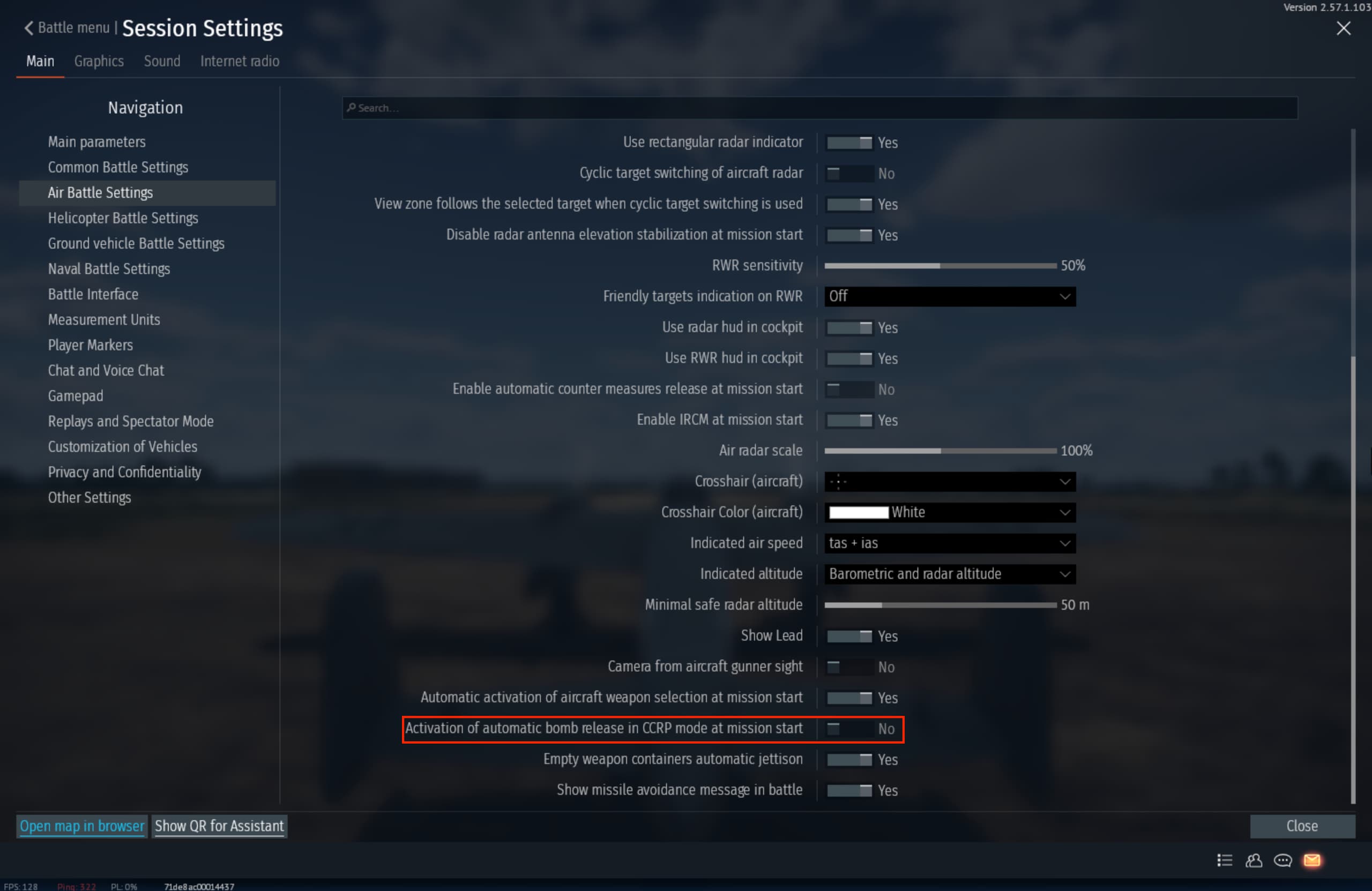
If you never use CCRP, just go into Options → Air Battle Settings and turn off “Activation of automatic bomb release in CCRP mode at mission start”. That way it won’t prevent you from dropping bombs manually and you can still use the POI marker as a visual reference.
You won’t need to set any extra keybinds for turning automatic bomb release on and off, unless you occasionally want to use it, in which case just do what Cloudzy said above.
2 Likes