Yes, there is a way.
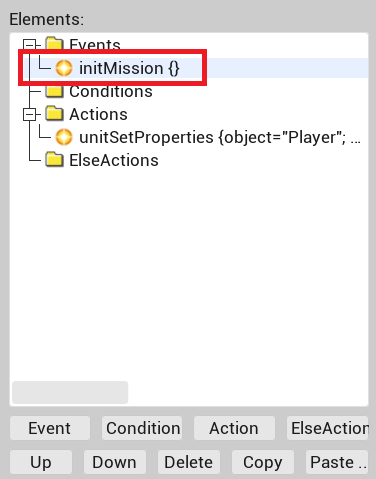
In trigger properties select “Init Mission” instead of “Periodic Event”.
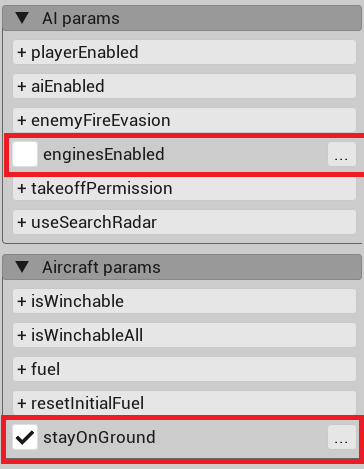
The trigger should have action “UnitSetProperties” where you should uncheck “Engines Enabled” and select “StayOnGround”. Also, set speed to zero.
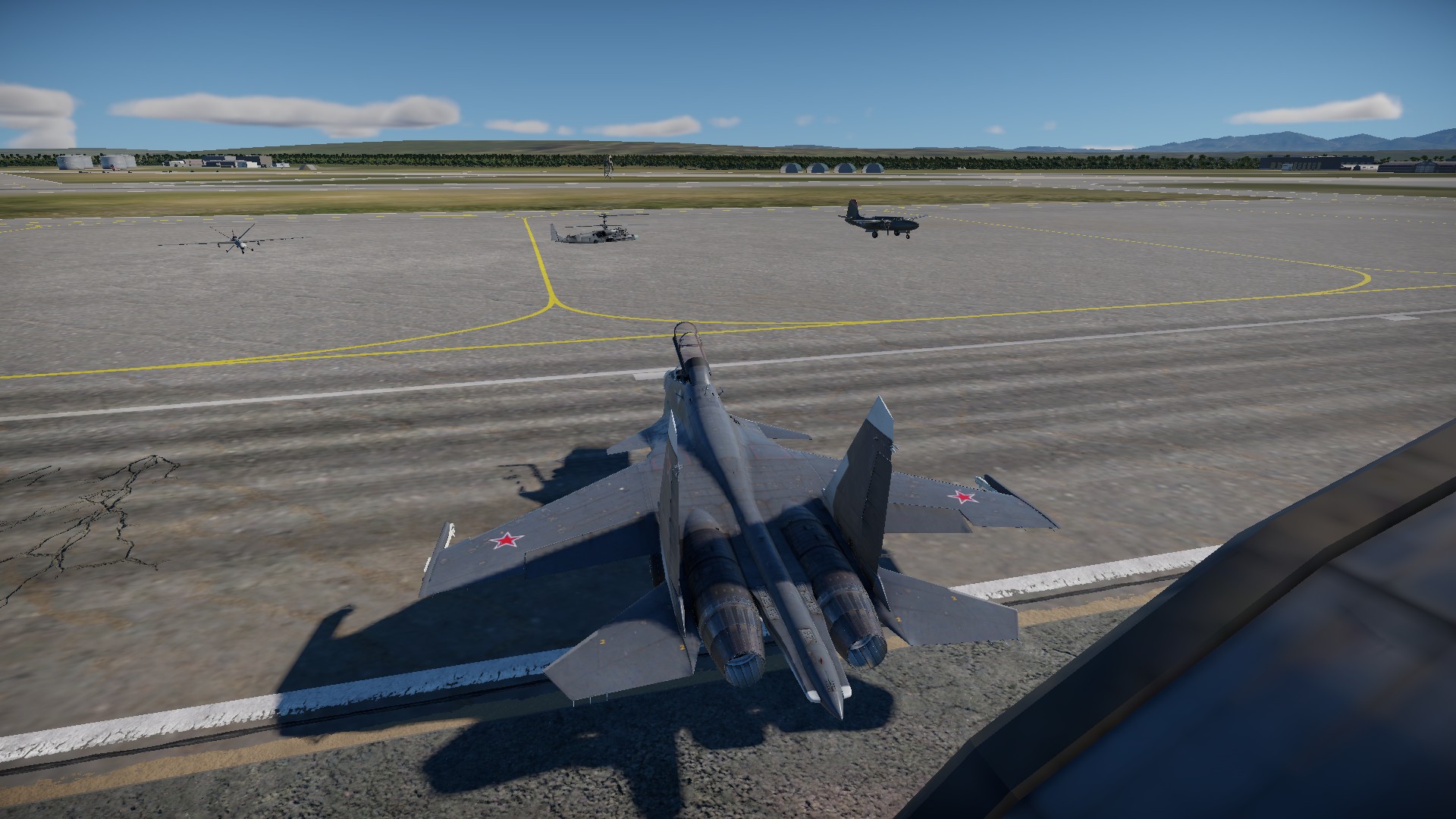
I was able to place strike drone on the ground by this way.
Unfortunately, works for helis only with fixed landing gears (like Mi-8). Ka-52 fails.
Drone and plane work fine. Only for helis with fixed landing gears
You can use any tank as a target, but you are able to play only tanks that you own in the game.
It is also possible somehow to play any tank via user model, though I have not found a clear guide on this.
In single-player missions, where you don’t need spawn points, you can only use the vehicle you placed down in the mission file, provided you already own the vehicle.
You can go a step further and fumble a bit with the content/pkg_local/gameData/units/… folder and add “custom” vehicle files (aka renaming the vehicle you want to test drive into a reserve vehicle or something to that effect) in there so you can play as them in single-player missions. Go to live.warthunder and search #testdrive and see how they do it.
In multi-player custom missions, you can bring your own lineup into the battle, in contrast to single missions. I was told it’s also possible to make it so you can swap to custom vehicle in-game, similar to how you switch from a ligh tank to a UAV. See my post in this thread a few days ago.
AI units have specific attack ranges. Some units dont work at all. Tanks have a generic range of ~2km. Some SPG vehicles have ~8km attack ranges. Some SPAA need radar to attack at longer ranges. Like the S-75 system, it attacks from about 15km with only the tracker online. But about 50km with its tracker and radar up.
TLDR try paring the Chaparral with a US radar unit.
Yes, you can make AI unit to fire when another unit approaches at a specific distance. UnitsDistanceBetween condition should be used for making trigger.
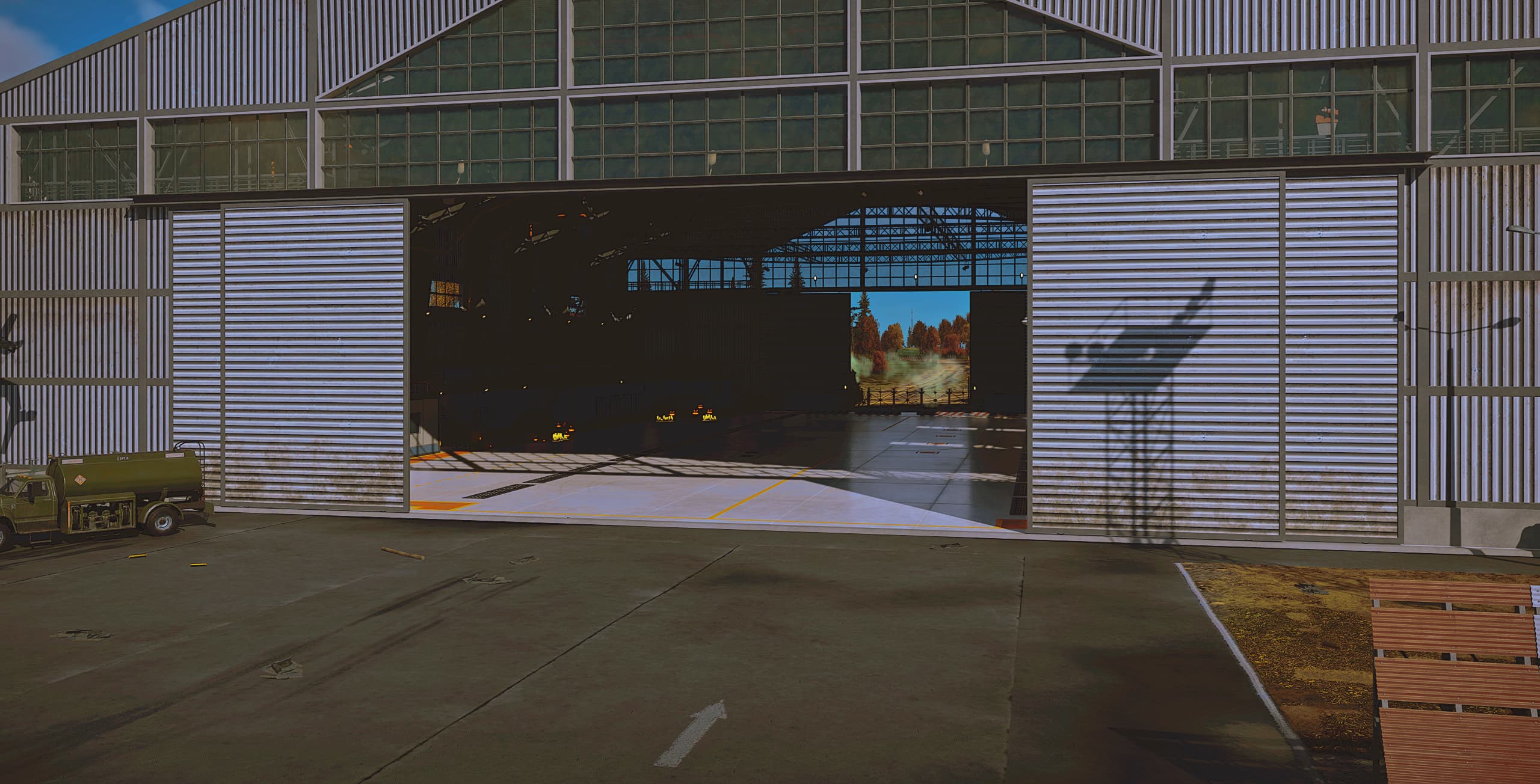
Is there any way to add dynamic light sources to the hangars in CDK?
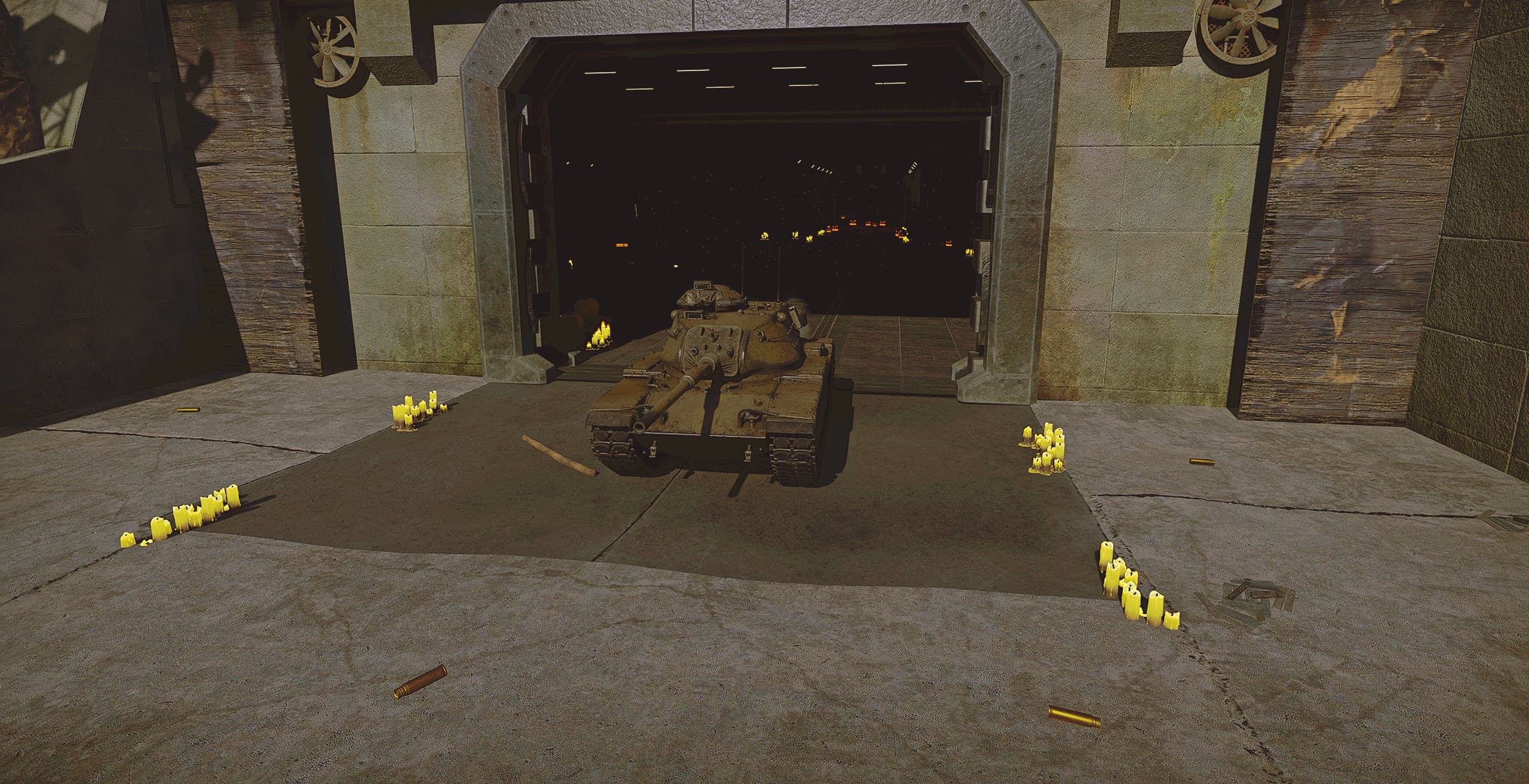
The hangar interior turns out extremely dark without gamma correction/post-fx tweaks (as shown in the screenshots). How can I properly light up this area?
So does anyone know what the current issue is with the CDK failing to load any .bin map?
Attempting to do so on my system makes it swallow up almost all my non-paged RAM (28GB) just to hang and then crash after roughly 20-40 seconds. I’ve already changed the D3x config.blk file several times and did a fresh reinstall, still no idea.