Hi, have you tried making a squad of these tanks and then adjusting ‘UnitSetProperties’? Visual params has ‘hasExhaust’ option, but would also adjust zero fuel and ‘enginesEnabled’ selected and then deselected to show an empty selection box under AI params.
1 Like
Thanks! I tried adjusting with the options you suggested, and it works perfectly when playing the mission live. However, I ran into another issue when I save and watch the replay, the trigger doesn’t seem to apply, and the exhaust smoke reappears. It looks like the replay system ignores this specific parameter change. Is there anyway to solve this?
I don’t think so, the replay has a mind of it’s own… :(
1 Like
Perhaps you can try using UnitDamage to outright destroy the engines?
1 Like
I tried and it still not working somehow. But I’ve found the solution for this problem, thanks for the advice! :)
1 Like

Does this happen regularly after a major update? (I’ve already tried reinstalling the CDK, but still get the same error.)
1 Like
You are not the only one having this issue
1 Like
Thankfully a user sent a bug report and got accepted and pushed forward to the devs.
https://community.gaijin.net/issues/p/warthunder/i/jlNmbBETkIF9
2 Likes
Fixing class selection in MissionEditor
Well, just as I expected from them, here’s that problem again.
However, this issue has already been resolved. All you need to do is delete “gameBase” from the gameBase\gameData\units\ships directory in the config folder.
I’ve uploaded the new config file along with this.
(Since I don’t know English, this text was machine-translated.)
修复 MissionEditor 中的Class选择问题
好吧,不愧是蜗牛,这个问题又出来了。
不过,这个问题已经解决了。你只需要从 config 文件夹中的 gameBase\gameData\units\ships 路径里删除“gameBase”即可。
我已随本文一并上传了新的配置文件。
config.blk (32.2 KB)
1 Like
I’m not sure if this will cause more bugs, but I’ll make do with it for now.
The config file is located at WarThunderCDK\dagor_cdk\windows-x86_64\plugins\daEditorX\missions
Hey guys, is it possible to change your vehicle in-game similar to launching a UAV from your tank? Maybe using the ChangeUnit action?
I recall people (RiderR2 etc) saying only devs have access to it, but have played a custom mission where this is possible, which got me wondering. Here is a screenshot of that custom mission.

The change vehicle feature is also in the “liberation of european village” tutorial.
1 Like
they uesd action :“unitmarkforevent”
Enter the vehicle you want to replace in the “control unit name”
2 Likes
Is there a link to the mission to download and explore it? I have been lookong this for years in single mission type.
emmmm
What kind do you want?
I need to be able to switch between different vehicles in a single mission.
Ok, I will try to follow that instruction. Never heard of that! Thanks!
Question: any mission fits (first step) or I need to run a specific mission?
Also, is it possible to put drones on the ground?
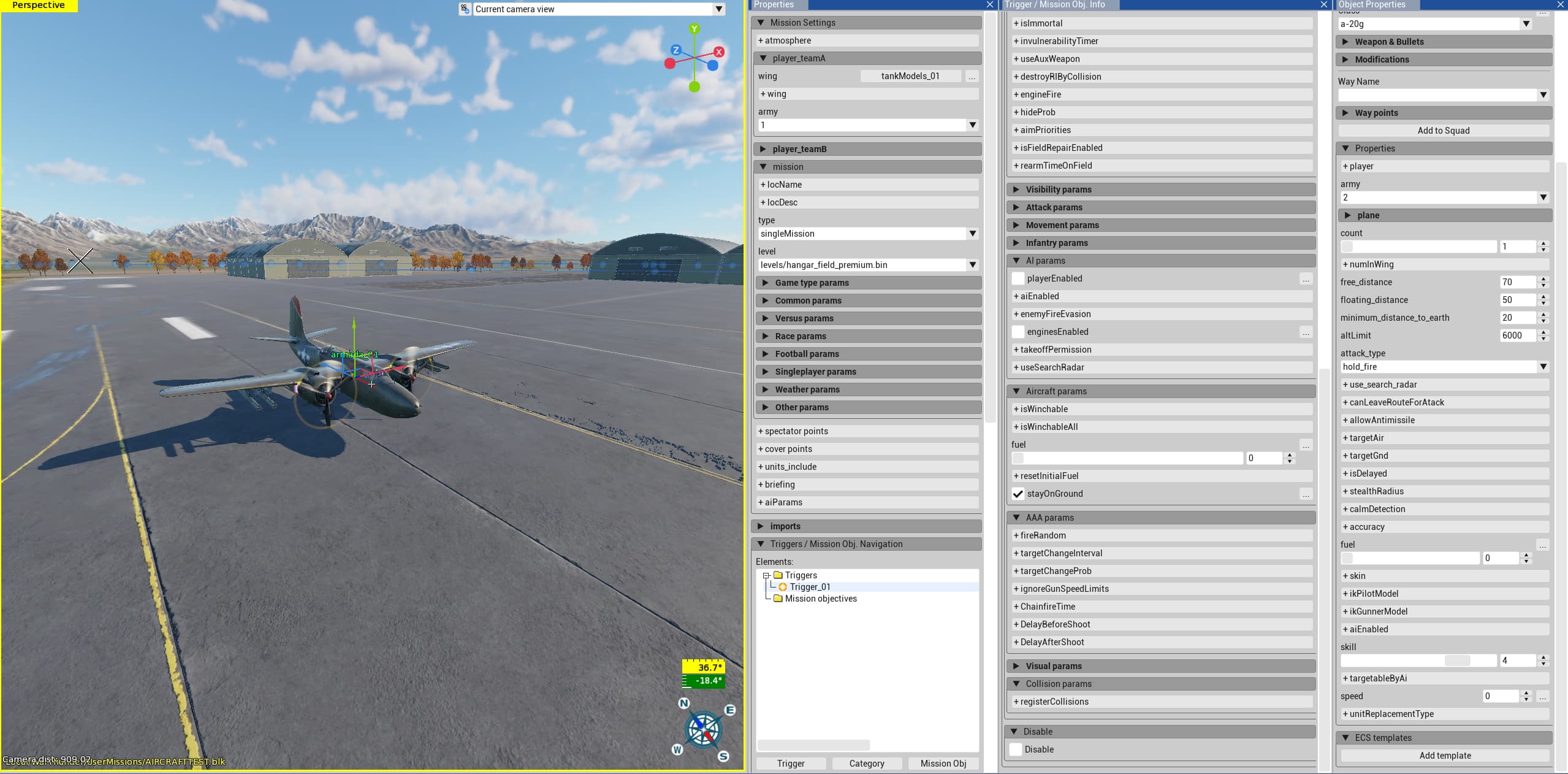
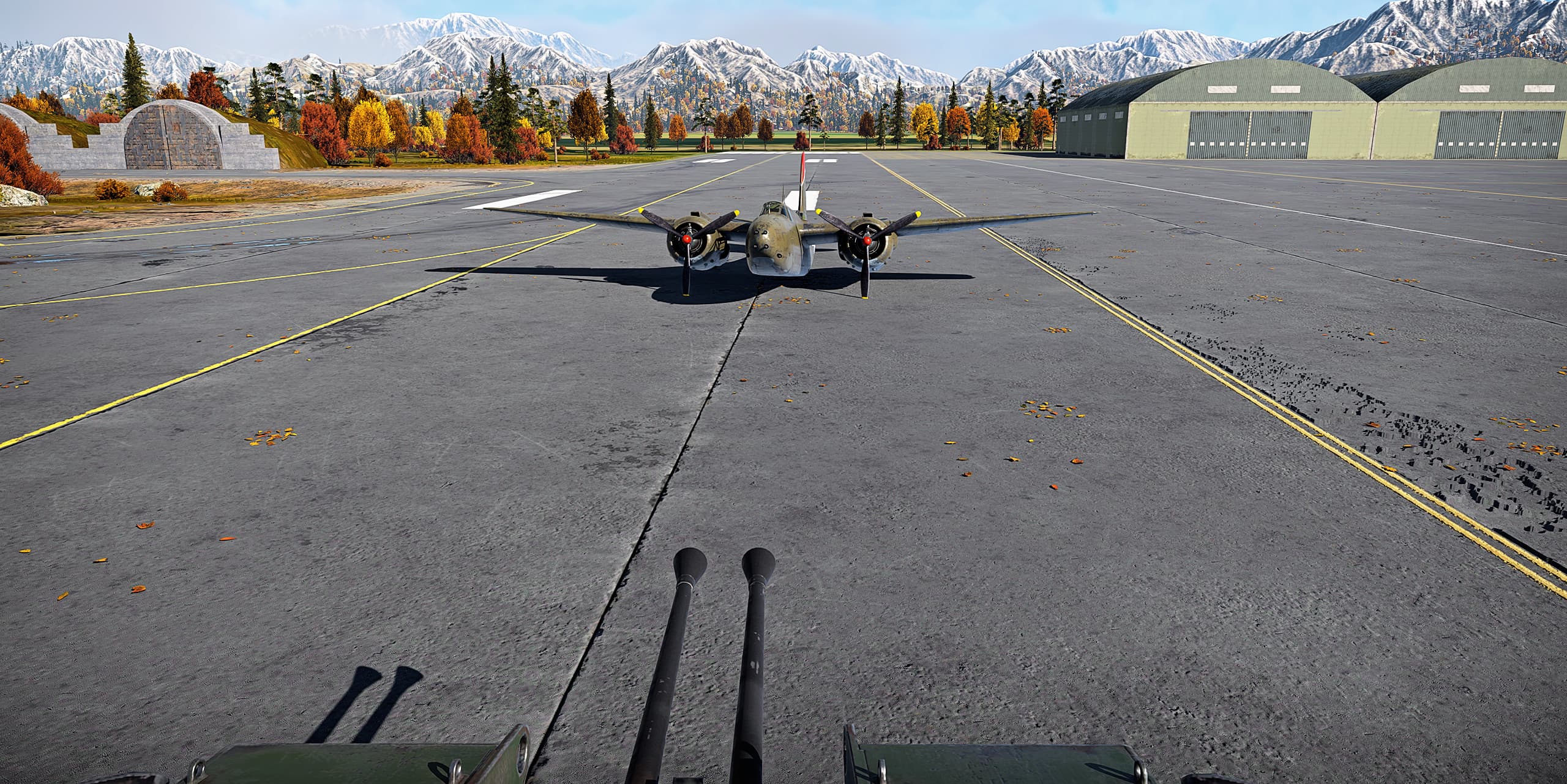
Is there any way to make an aircraft stay on the ground properly? I’m trying to set up some parked aircraft on the airfield for the mission. However, every time I load the mission, the aircraft’s landing gear immediately breaks or collapses, leaving it belly-landed on the runway.
Try making a airfield there. Using the actions, not the preset airfields.
1 Like