
Today we’re continuing our coverage of the new features coming in the upcoming major update, this time focusing on aircraft weapons!
Comparison of missiles
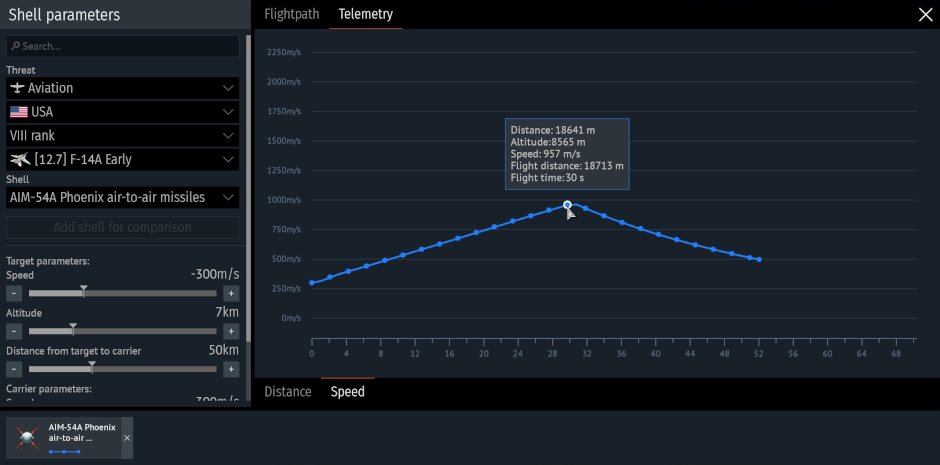
Recently, we added a ballistic comparison interface and armor penetration curves at different ranges to the Protection Analysis tab in the hangar for all shells and bullets in the game. In the upcoming major update, we’ll be introducing a comparison feature for guided weapons: air-to-air missiles and guided bombs!
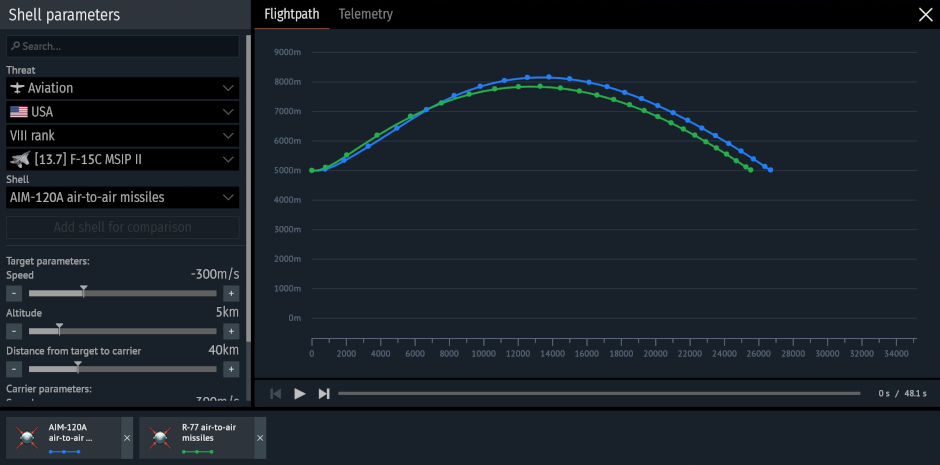
The missile parameter comparison interface is designed as a single window. On the left side is a settings section where you can set the initial launch conditions, which are consistent across all calculations: the altitude and speed of the launch vehicle and the target, as well as the distance at launch. In this section, you can also select guided missiles for comparison, and add or remove munitions from the aircraft and helicopter armament lists to compare the parameters of all missiles on a single screen.
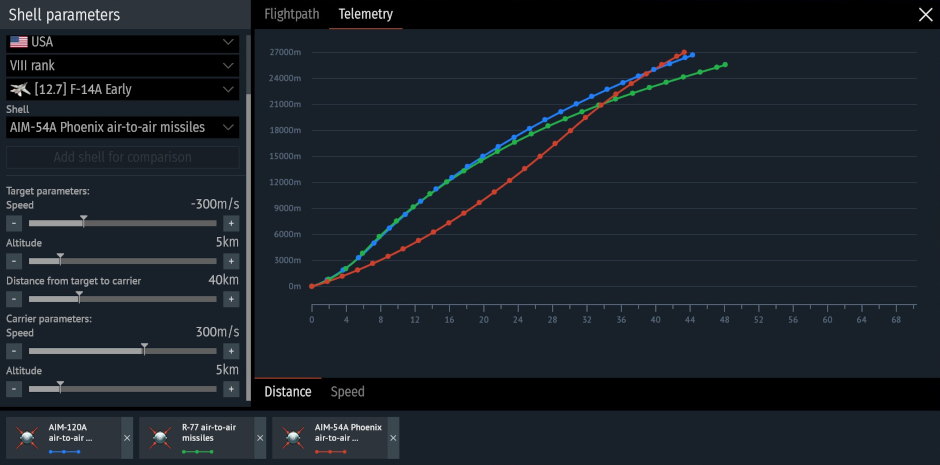
The central part of the window is occupied by a multi-layer trajectory graph, displaying curves for each selected munition in the “Trajectory” (change in the altitude and distance) and “Telemetry” (distance-time and speed-time curves) tabs. The graph dynamically changes as input data changes. This will allow you to see the missile’s characteristics at each point, including altitude, distance traveled, distance to target, and flight time, as well as observe changes in speed. Air combat in a single graph!
You can find the missile comparison interface by clicking the new button in the missile stat card in the Secondary weapons menu in the hangar.
More information on the minimap
In the previous major update, we added a minimap tracking feature for launched aircraft ordnance in air battles. After launching guided and unguided missiles, dropping bombs or other munitions, you could see their indicators on the minimap (default key: M), and you could also navigate to the selected ordnance in flight to track it closely (default key: U). Now, left-clicking on a projectile’s indicator will also display its name and current velocity!
