I have no ideas. Other than DM a tech mod
1 Like
Age old issue. As I observe it this is an issue with altitude, and occurs only on maps with higher elevations: Afghanistan and the northern half of Vietnam. The issue is that in those cases the Release Point is a few hundred feet above the ground, so the ballistic computer doesn’t know how to interpret this.
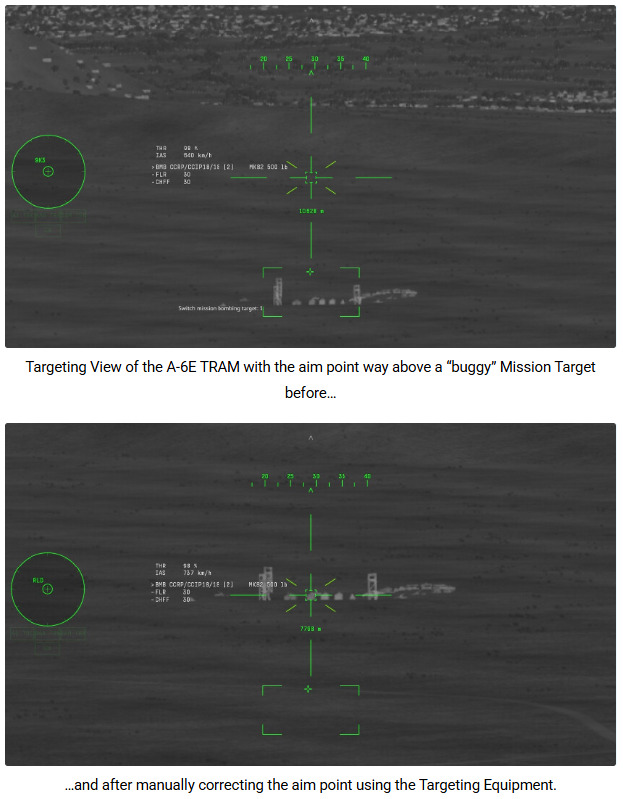
Now with the method to mark SPI’s on the map, one can mark the point on the map and that works also in the otherwise buggy cases. Another solution is with aircarft with targeting systems (in the form of pods or internal like A-6, F-117): Here you can simply correct the aimpoint with the targeting system, that does also move the SPI exactly to where you point:
Spoiler
That is the other big issue here: All CCRP equipped F-4’s except the lates ones with a full HUD lack the instrumentation or HUD symbolism to aid the pilot with CCRP - and other aircraft like F-105 and a few A-4 variants suffer from this as well. (The F-111’s were affected as well, luckily this was however fixed a while ago).
I’ve written an extensive bug report, but that was denied, but I will continue to fight for proper implementation of this - because in the real Phantoms the sight of course shows the direction to the CCRP target (as do several other cocpit gauges…):
Spoiler
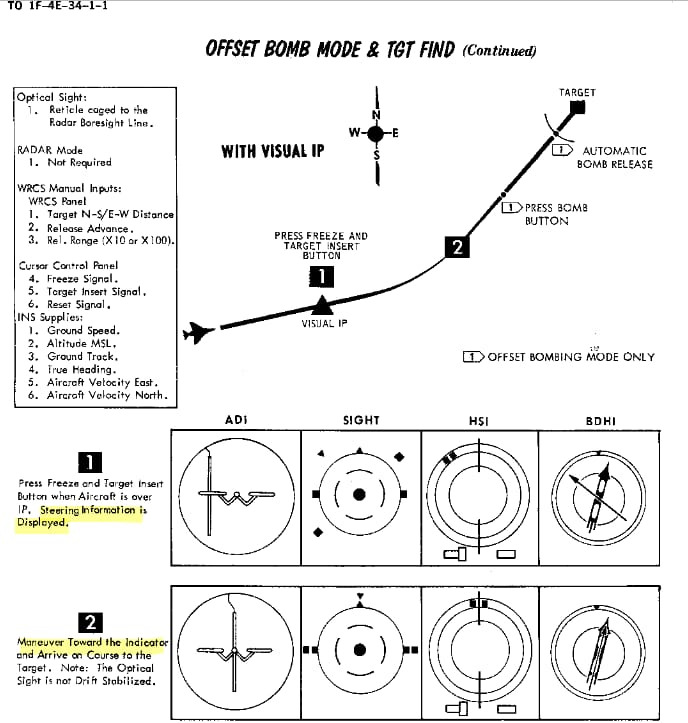
(from this bug report here)
For more details on CCRP in Sim - in addition to @Morvran 's excellent guide - see my wiki article here.
2 Likes
What? Do you have a screenshot perhaps?
1 Like
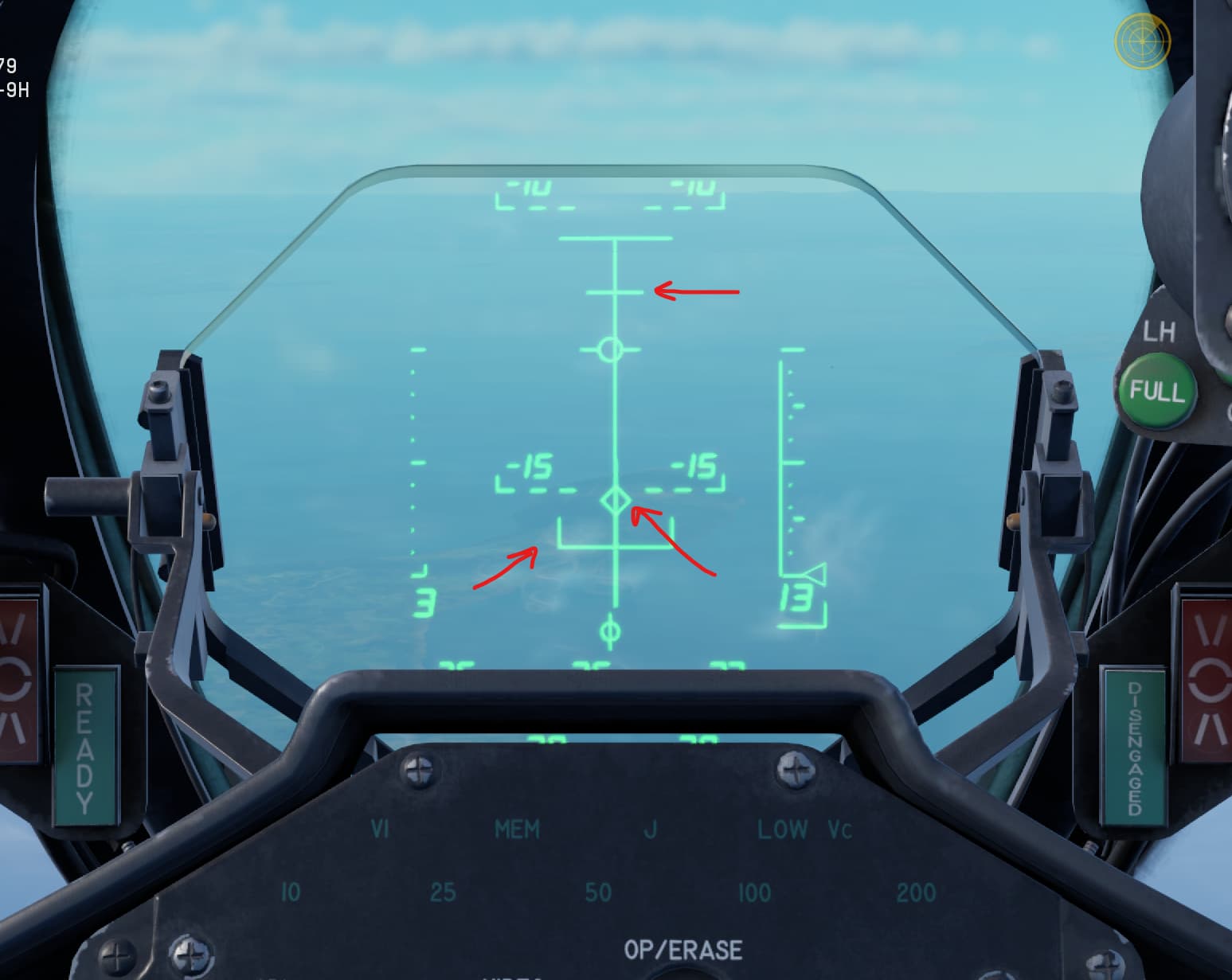
Sure! First the F-4S has this nice (digital?) HUD:
(I assume you probably already know, but want to post both for comparisons for everyone else)
Top line = CCRP goes down as CCRP point gets closer
Diamond = CCRP set point
Bottom line = Drop point, once top line gets to bottom line
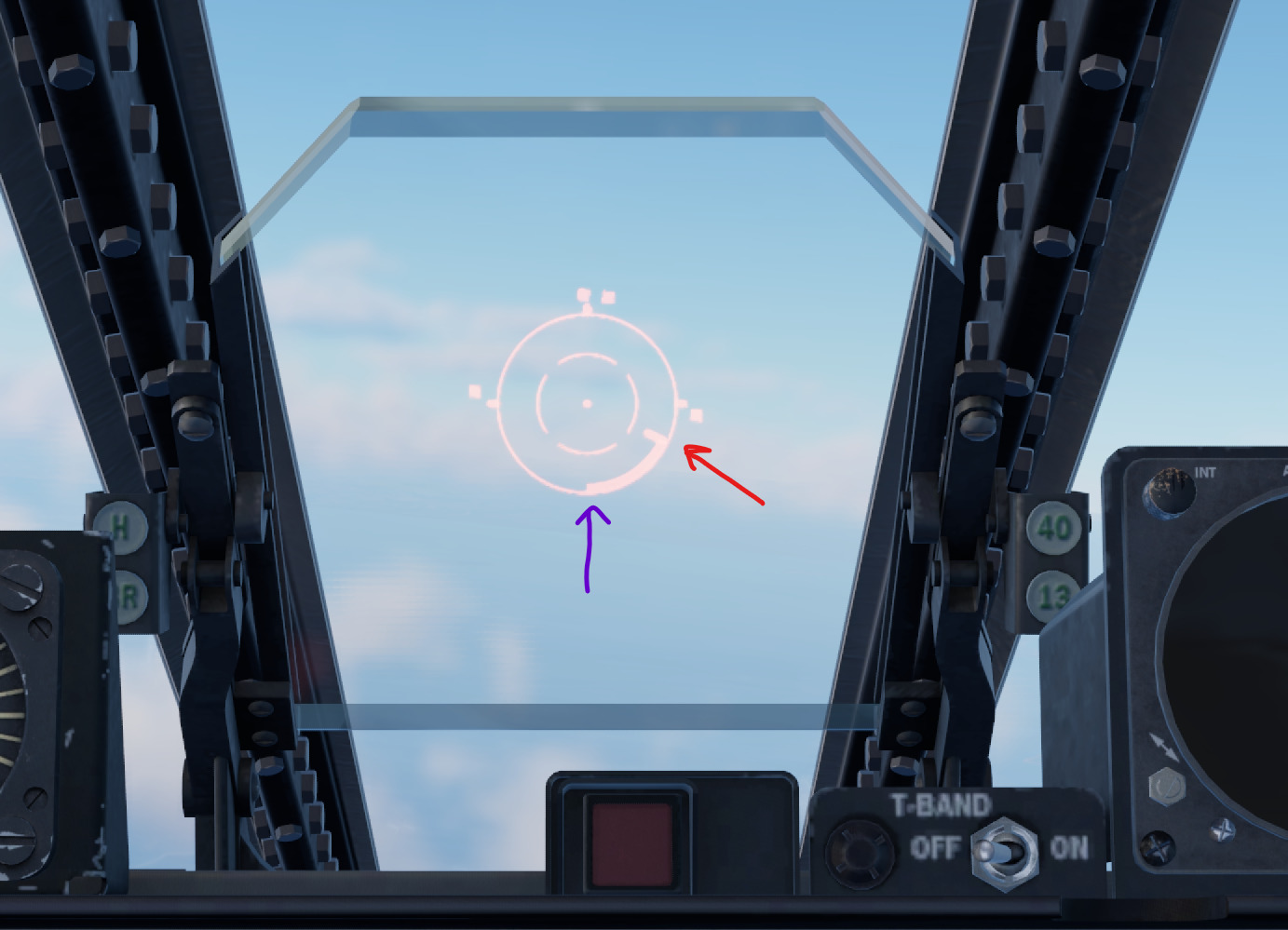
F-105D, the CCRP information is shown on the circle going clockwise, as the CCRP point gets closer:
Red arrow: same as top line with the F-4S example, this moves clockwise as CCRP point gets closer.
(No visual “HUD” display of CCRP point, I don’t think. You CAN set from cockpit, but using map is probably best)
Purple arrow: same as bottom line, drops once moving clockwise “thingy” gets to the bottom.
I left the sight set to auto, and it automatically started showing the CCRP moving/clockwise indicator once a CCRP point is set. Also, I am not sure if there is a horizontal indicator to tell you if you are on course or not. I have basically never done Sim lol, I was just messing around testing and noticed that the F-105D has the rudimentary CCRP thingy (I have no idea what to call this thing 😂 )
Morvran would probably know more details too, he actually plays Sim 🙂
1 Like
Ah then it is still the same as always: The counter was there, but no direction to the SPI shown.
Sadly (contrary to the F-4), I have so far not found an unclassified source that documents how it looked in the F-105…
1 Like
Ahhh, gotcha. That would be awesome to get updated some day with with appropriate documentation. That bird climbs like a bat out of hell. Would make high alt bombing possible in Sim I assume.
Well, I’ll try again with the F-4 - already got a draft for a report in the works…
2 Likes
Hello again, were you able to try it? Is there any problem?
1 Like