since around two days i had noticed that sometimes when a tank is bushed up, it appears blurred. Like a blur filter has been applied to their vehicle. Is this a bug, new feature, or is it a problem with my pc?
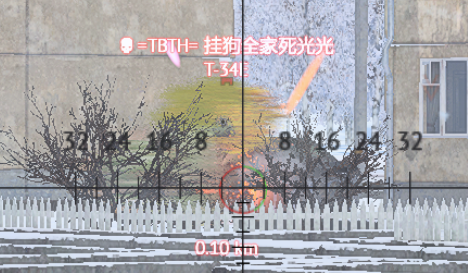
heres how this “glitch” looks.
2 Likes
Any chance u can send the server replay link + time so we can check if its a setting, general or different issue?
https://warthunder.com/en/tournament/replay/525229553470136638
it happens around 4 minutes into the match, hope i did this replay link thing right.
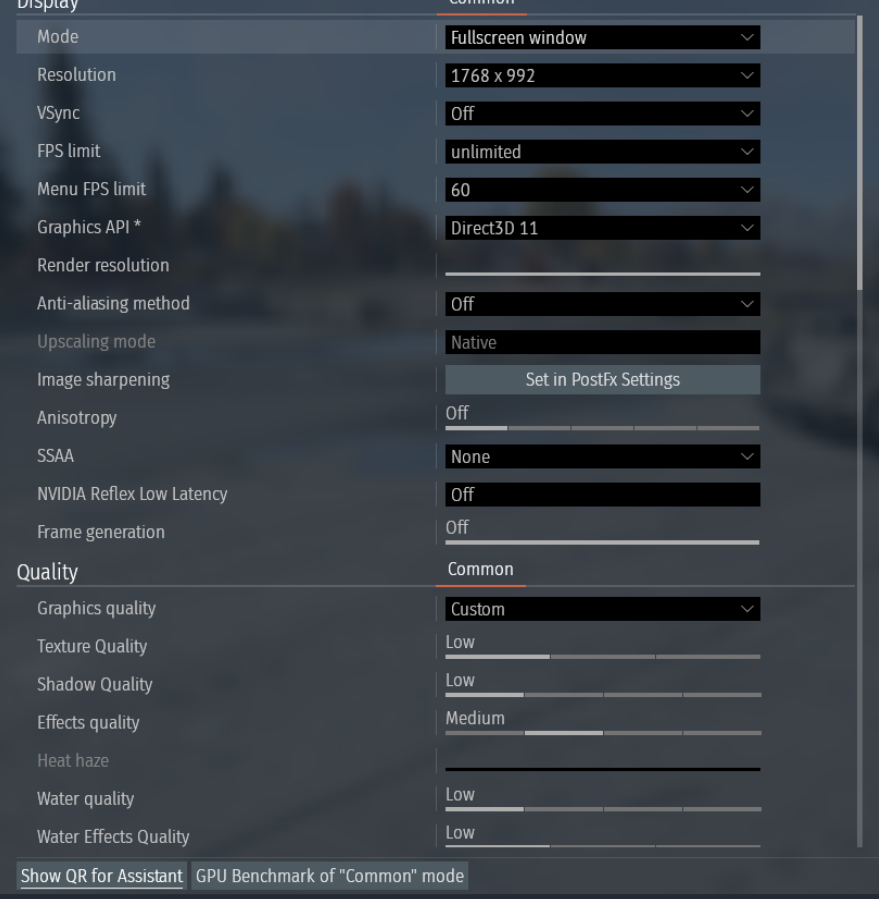
So far with my setting: no blurr
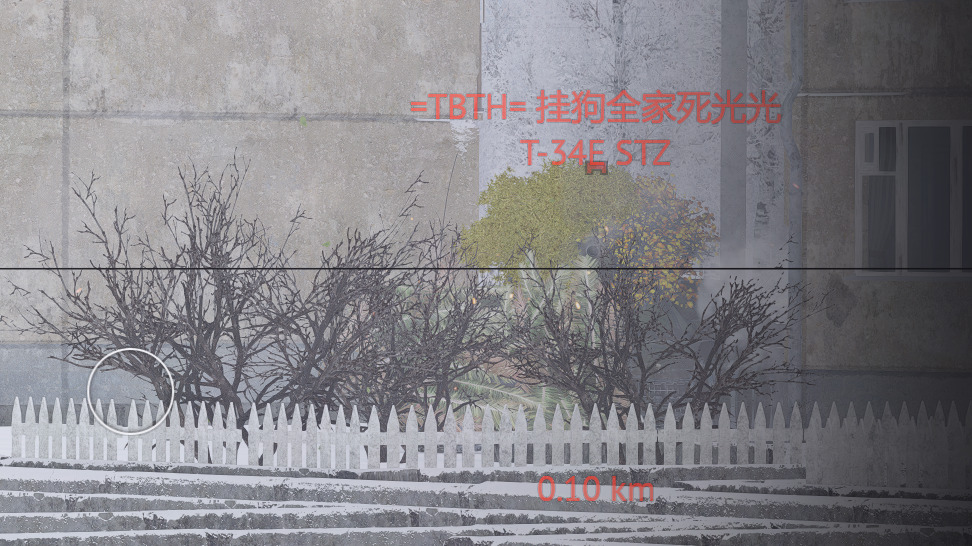
DLSS Off.
What settings do u use? It looks from the picture like u may use DLSS and/or some sort of Temporal AntiAliasing
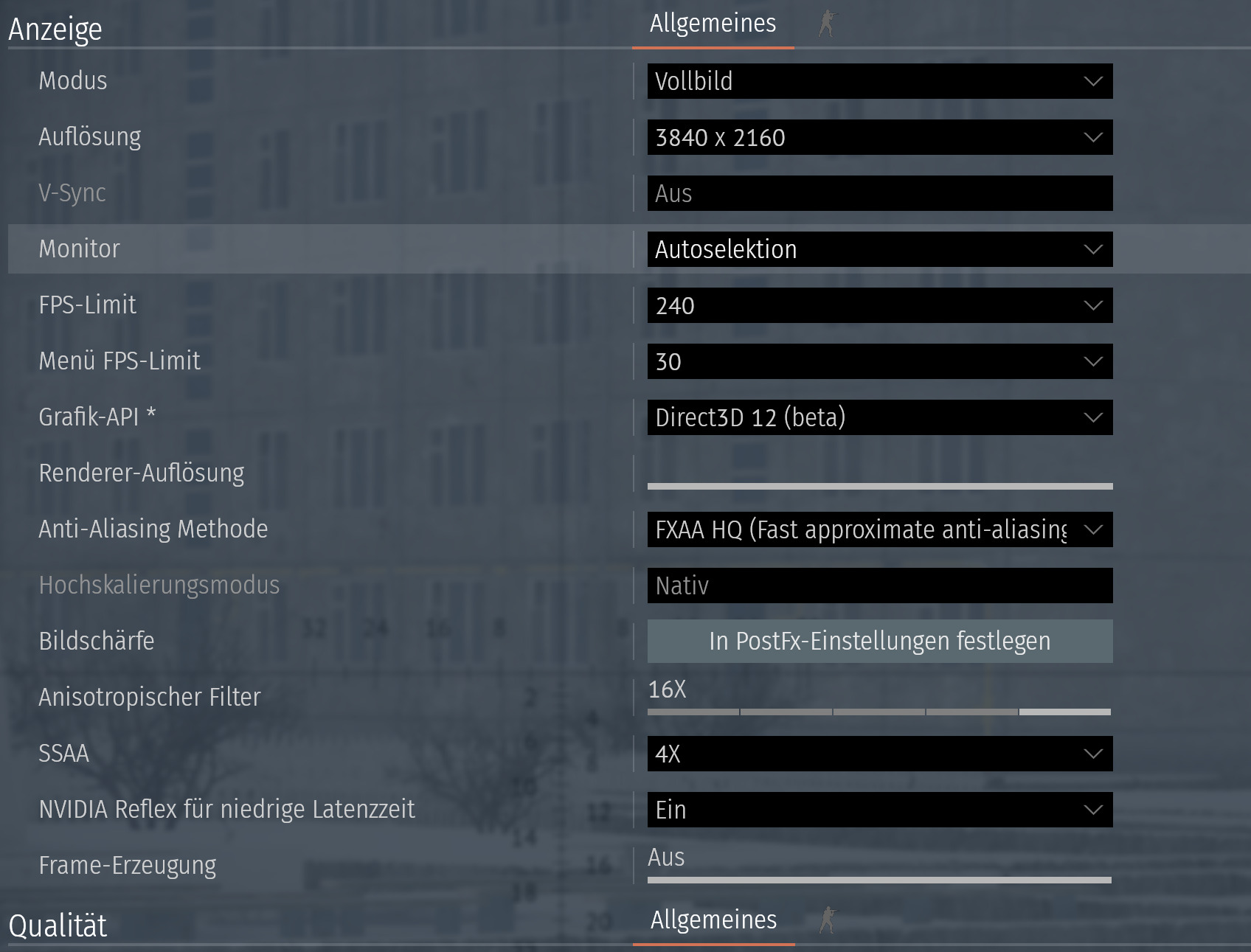
my pc is quite bad for todays standars so i use worse graphics, here they are
With
AA: TSR
Skaling to: Performance
SSAA: Off
I was already able to reproduce your isse
Inderesting… so you dont have AA or DLSS even enabled… and still get this isse
hmmm
let me test a bit more
under the setting Grafic → Others, do you hav blurr on?
nope, only happens on low settings
Hm, i really cant really reproduce with your settings, unsell theres smt in the lower grafic settings that isnt shwn on the pic.
I am able to reproduce this issue when i turn on TSR.
any chance u can make a 3 sec video and upload of the whole grafic settings menü?
Windows Snipping tool can create vids these days and is a base install on windows. Unless ure using also an old windows ofc… then u dont have that.
Other then than that u could make ofc a few screenshots so i see the full settings
ye sure wait a sec
Just saying, if you use nVidias app, that custom profile is a good way to do this rather than blanket turning everything ‘down’.
I usually tweak my custom until it takes off the main things I don’t like, such as vSync, and Chromatic Aberration.
I think AMD do one for their cards too, but I avoid them like the plague.
Before i take over your settings, is there a reason you have Motion Blur not at 0%? I test it in a few min but i am sure thats part of the problem :D
try setting:
Motion blur strenght: slider to the left, mak it 0%
Cancel camera motion blur: Yes
i like how it looks, but dang youre probably right… thats the source of the problem
Yes it is indeed, tried with that and it is in fact the problem
started with it OFF, then ON and then OFF again
Not sure if thats just the way Blur is intendet to work or some funky behaviour. Looks really messes up to me. But at the same time, never saw someone have Motion Blur activated :D
1 Like
thanks for the help mate
Ah no trouble :D Ure welcome.