It’s been nearly two years since this problem started when will it ever get fixed?
GAIJIN,Are you aiming for a Guinness record for the longest-standing bug?
3 Likes
Could you check if this bugfix in Aces of Thunder help with the alt+tab freeze?
General fixes
- Fixed a freeze when switching from fullscreen to windowed mode in the game settings.
By the way, I’d like to ask—my PC monitor is a dual monitor setup with 27 inch WQHD and 23.8 inch FHD displays.
Other people experiencing freezes had the same configuration.
What kind of monitor setup do you all have?
1 Like
1440p and 1080p monitor
1 Like
Triple Monitor Setup
Experiencing crashes at a rate of 1 crash /3hrs.
Recently switched from DX12 to DX11.
Tried different graphics settings but no fix.
9800x3d/4080SUPER/NVME SSD
2x 2k / 1x 4k Monitors
What i did notice is that restarting the launcher without forceclosing the game will let you load back into your match and often even let you rejoin in your vehicle if you didnt die in the meantime.
2 Likes
Ultimately, the cause remains unknown, but what we can say here is that switching windows with Alt+Tab on monitors with different resolutions causes a freeze, or more likely, switching windows with Alt+Tab on a 1440p monitor is highly likely to cause a freeze.
I forgot to add that the second monitor is connected to the motherboard’s video output. It displays the image via the CPU’s integrated graphics. But that doesn’t matter, because the game would freeze even when I was using only the dedicated GPU.
1 Like
for me when i do this, my game hangs and it says something along the lines of “your video card driver has hung, it has been restarted. Textures qualities are reduced”
or something along those lines.
Then it crashes. This doesn’t happen on any other game.
Like my sister can play her romance slop video games for hours on end without crashing or I can play my other building slop or city sim slop games or others but when I play war thunder sim slop it just crashes after a while or when I alt tab out of it.
Makes it impossible to play sim and essentially get turned off by playing war thunder
I don’t get why it happens. Happens on my 3 devices that I play wt on.
the devices have 2 nvidia GPUs and one amd GPU, all have amd CPUs though
Device specifications:
Device 1:
Spoiler
NVIDIA system information report created on: 02/13/2026 23:12:28
NVIDIA App version: 11.0.6.383
Operating system: Microsoft Windows 11 Home, Version 10.0.26200
DirectX runtime version: DirectX 12
Driver: Game Ready Driver - 591.86 - Tue Jan 27, 2026
CPU: AMD Ryzen 5 9600X 6-Core Processor
RAM: 32.0 GB
Storage: SSD - 894.3 GB
Graphics card
GPU: NVIDIA GeForce RTX 5070 Ti
Direct3D feature level: 12_1
CUDA cores: 8960
Graphics clock: 2572 MHz
Resizable BAR: Yes
Memory data rate: 28.00 Gbps
Memory interface: 256-bit
Memory bandwidth: 896.064 GB/s
Total available graphics memory: 32218 MB
System video memory: N/A
Shared system memory: 15915 MB
Dedicated video memory: 16303 MB GDDR7
Video BIOS version: 98.03.58.00.23
IRQ: Not used
Bus: PCI Express x16
Display (1): Acer XB273 Z
Resolution: 1920 x 1080 (recommended)
Refresh rate: 280 Hz
Desktop color depth: Highest (32-bit)
Display technology: G-SYNC Compatible
HDCP: Supported
Display (2): SONY TV
Resolution: 1080p, 1920 x 1080 (native)
Refresh rate: 60 Hz
Desktop color depth: Highest (32-bit)
HDCP: Supported
Device 2:
Spoiler
NVIDIA system information report created on: 02/13/2026 23:21:55
NVIDIA App version: 11.0.5.420
Operating system: Microsoft Windows 11 Home, Version 10.0.26100
DirectX runtime version: DirectX 12
Driver: Game Ready Driver - 576.52 - Mon May 19, 2025
CPU: AMD Ryzen 9 4900HS with Radeon Graphics
RAM: 16.0 GB
Storage: SSD - 953.9 GB
Graphics card
GPU: NVIDIA GeForce RTX 2060 with Max-Q Design
Direct3D feature level: 12_1
CUDA cores: 1920
Graphics clock: 1185 MHz
Max-Q technologies: No
Dynamic Boost: No
WhisperMode: No
Advanced Optimus: No
Maximum graphics power: N/A
Resizable BAR: No
Memory data rate: 11.00 Gbps
Memory interface: 192-bit
Memory bandwidth: 264.048 GB/s
Total available graphics memory: 14038 MB
System video memory: N/A
Shared system memory: 7894 MB
Dedicated video memory: 6144 MB GDDR6
Video BIOS version: 90.06.58.40.03
IRQ: Not used
Bus: PCI Express x8 Gen3
Device 3 (The one that I play on the most and crashes the most):
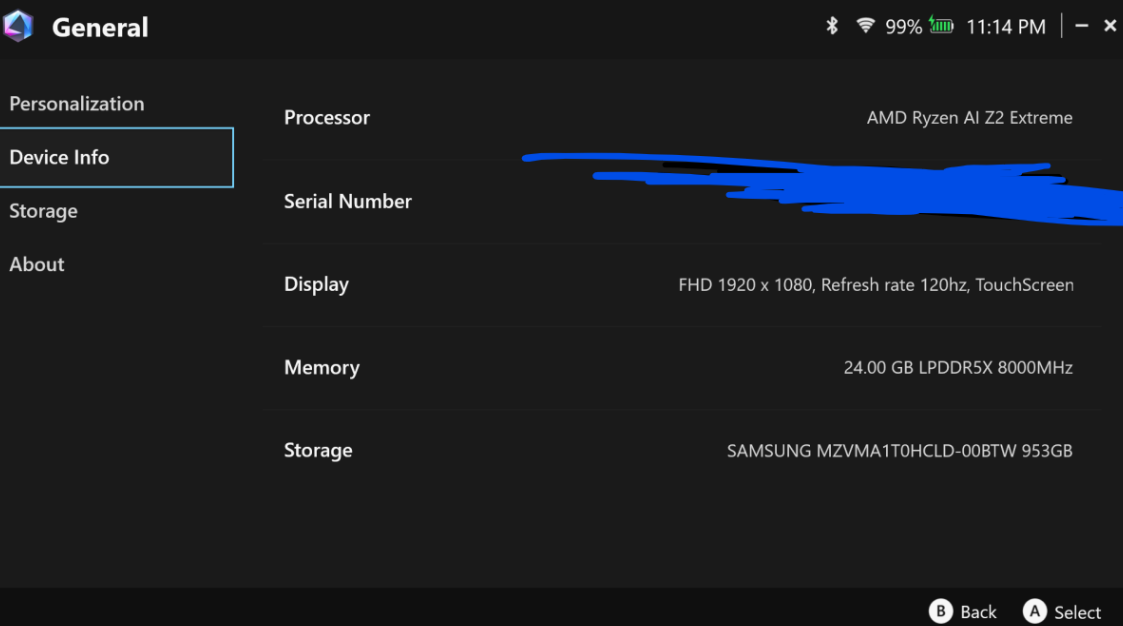
If you can, please send the .clog file from the WarThunder\.game_logs folder here. The file should be created when the game closes, for example due to a crash.
1 Like
i’ve used ctrl+alt+del for so long and then one day i accidentaly discovered ESC + CTRL. saved the hassle and it wont fk up my game anymore.
I’m also using double monitor setup. 4k and 3440x1440. But to my knowledge, some singe monitor setups also have the same issue.
1 Like
I hadn’t realised this could happen with a single monitor either.
Thank you for reporting it.
Another point of interest is that everyone seems to be using WQHD (1440p) monitors.
Has anyone experienced the same issue using only Full HD or 4K monitors?
I play on full HD et constant Alt tab (EC naval or air sim) and i never crashed doing this
Thank you for the report.
It seems it doesn’t crash at Full HD resolution, but was that single monitor WQHD?
Somehow, this issue seems to depend on the communication environment with the server.
Today’s freezes are occurring every five minutes, which is terrible, but the server is equally laggy and awful.
When lag occurs and you press Alt-Tab, it freezes 100% of the time…
I’ escaped the problem for a few months only for it to return again after a while. Ofcourse the countless reports done, they all go ignored or get closed.
They keep blaming windows for it, which would be fair, except its only their engine that has problems with windows, it is only their game which behaves like this. So it clearly is on them to fix this.
I don’t have any tips regarding how to stop the freezing from occuring, but pressing Win+Ctrl+Shift+B will reset your graphics drivers, usually fixing the freeze after a moment and saving you from having to close the game (though your texture quality will be reduced because the game does that after the graphics drivers hang)
Someone even mentioned having the same issue in Aces of Thunder, which I assume is running on the same engine.
I guess it was @joshje100
Yeah I had that issue a few times in the first week of playing it but I haven’t experienced it since. Although to be fair I haven’t played it much since then.
But seeing as both games are built on the same engine I’m certain it’s an issue with the engine. Just not in my scope of things to be able to figure out exactly what.
I’m not a programmer either, unfortunately. But with Gaijin’s approach to these kinds of issues, I try everything possible to rule out any fault on my side. Last year I already replaced my entire PC — almost everything is new now, except for the keyboard and monitors. The only other thing is Windows 11, which could theoretically be the culprit, although it’s a fresh installation with a new license (though the license itself shouldn’t matter).
I’ve also noticed that the issue seems to fluctuate — sometimes it gets weaker, other times it becomes more frequent. I have no idea what it depends on. Sometimes I can play for half a day without anything happening, and then a few days later the problem starts occurring more and more often, only to disappear again after some time.