This is becoming ludicrous to be honest. It is 100% on the game.
ULQ on/off
reflex on/off
fps cap on/off
g-sync on/off
etc
This is becoming ludicrous to be honest. It is 100% on the game.
ULQ on/off
reflex on/off
fps cap on/off
g-sync on/off
etc
I got the same issue. Besides, I also have the problem on browser interface freezing after using ALT TAB. I find that it is associated with MPO in WIN11 24H2. After deactivating it, the issue is gone. Maybe you guys could have a try on this:
Win11 24H2: Fullscreen videos are freezing in all browsers, while - Microsoft Community
Same issue. Me and my friends also suffered from this issue for over a year. Someone mentioned DX12 or Windows 11. But I’m using DX11 and Windows 10. Also, I reinstall the Windows 10 but the issue still exists. My specs are 7800X3D 4070ti 32G RAM Windows10. But my friend’s specs are pretty different.
Windows 11 is not the bug. I’m using Windows 10 but still have the same issue.
Hey there folks!
I might have the solution for some of you as the issue disappeared for me.
It’s HDR! (at least for me)
try the following options:
since the issue seems to be HDR, the next option might work as well, but that’s just my guess
Hope this helps someone, good luck and godspeed!
Thanks, but doesn’t work for me. We might have different problems.
Strangely enough, it often freezes when I do alt-tab while loading.
Whether it is the loading screen before the match starts, or in the middle of loading the terrain in the back right after the battle starts, etc.
I wonder if this has something to do with it.
I have this issue as well.
Still not fixed by the way.
I’ve been suffering from this bug for a year, what are the developers doing about it?
Oh yeah, not only it freezes the game and had to “restart the drivers” it seems, it also makes the user-made skins pitch black for the entire match. In-game skins however dosen’t go pitch black, only user-made skins (like from wt.live) do
I’ve had 7 crashes today alone. I thought it may have finally been fixed due to a quiet spell, but alas, no.
Yeah it’s really frustrating, crashed earlier when I tabbed out whilst climbing to alt in ARB, force closed the game and restarted and managed to get back into the same game. Then I fat fingered the windows key and it crashed instantly. Fed up of this bug.
Atleast the my report has been accepted though. But I don’t have much hope seeing as having your report “accepted” is as worthless as a bike is to a kid with no legs.
When did the crashing stop for you? Just had a BRM answer the report asking about it from when you said this.
Yeah, I just saw and no idea. I’ll respond in a minute
and just had my first crash of the dev server from alt tab.
How many more times do I have to read this template response? It’s starting to get tiresome.
It’s really hard to work with you Gaijin without getting frustrated.
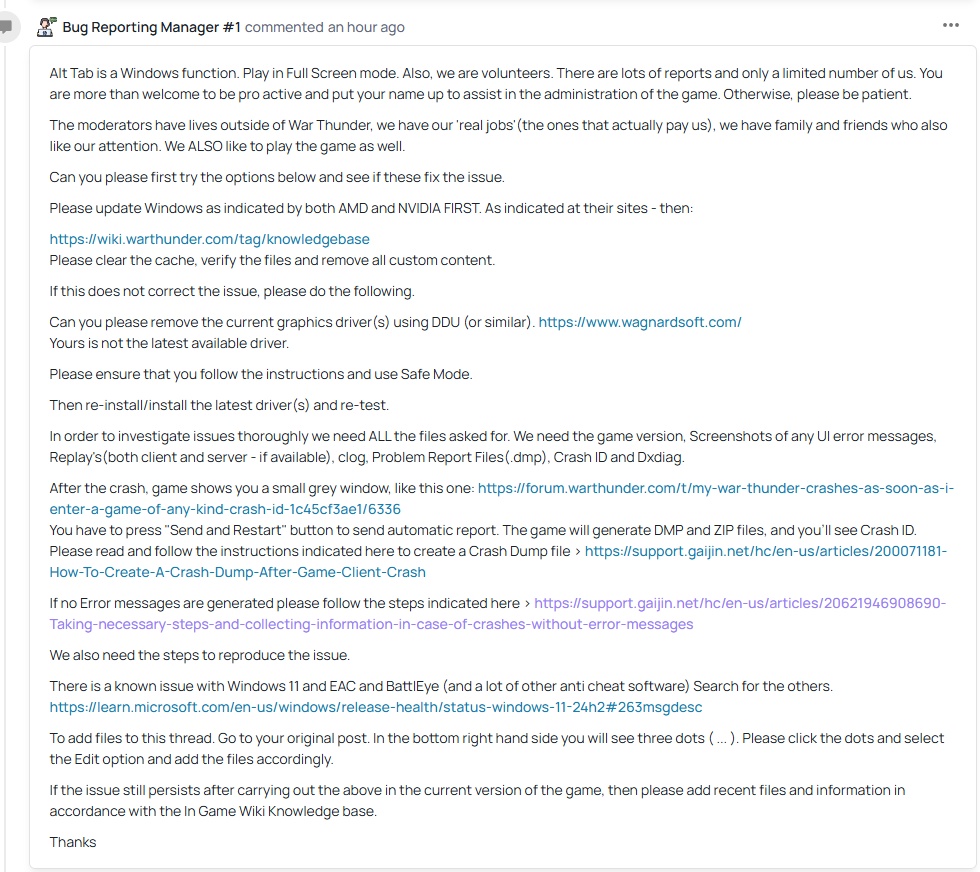
Also I wrote:
“Game freeze without any errors”
“I bought a new computer. New motherboard, new processor, new NVMe drive and new RAM.”
Everything, even my Windows is a fresh install. After few days the game start freezing again.
And yet another report that will remain without a solution, because that moderator won’t even look at it. That’s exactly what happened with the previous report, where I wrote that ‘no error is displayed,’ there’s no error ID. That report was never read either. Just like the other reports about this same bug.
The report about Alt+Tab was accepted, but the very next day it was marked as a duplicate of a completely different bug.
https://community.gaijin.net/issues/p/warthunder/i/HXxjftKOGDLF
Now I have a RTX 5070 graphics card.
At first, the alt-tab issue was still occurring, and I had removed the previous Radeon drivers using the DDU program.
Later, I deleted the folders located in C:\Users\Nazwa_użytkownika\Documents\My Games\WarThunder\Saves. Since then, the game has frozen only once, but earlier I had been changing the graphics settings multiple times during gameplay. When I didn’t change anything, the game didn’t freeze.
I only deleted the folders containing files inside the “Saves” folder — I didn’t touch the other files, since they include my keybinds and other in-game settings.
One of the folders still contained files from last year, because when I reinstalled the system, I made a backup of the entire “Saves” folder, including my keybinds.
Turning off NVIDIA Reflex helped me but I still get the freeze every once in a while. The game likes to lower my texture quality in response to “insufficient video memory” which is ludicrous when I have 16 GB of it…
Actually shortly after writing this I ended up crashing just tabbing back and forth from the hangar screen. I’ll try a driver update but I’m not holding my breath.