Hi all,
I’ve spent a lot of time in civil flight sims, where airports are usually modeled very closely to real-world standards, and some things about War Thunder’s airfields have been bothering me for a while. It’s clear that someone researched the basics, there are PAPI lights, approach lights, an ILS antenna and touchdown zone markings. But a lot of it is placed, colored or scaled incorrectly, so I wanted to put together a list. Some of this might be wrong, especially where military airfields differ from civil ones, so corrections are welcome.
1. Approach lighting
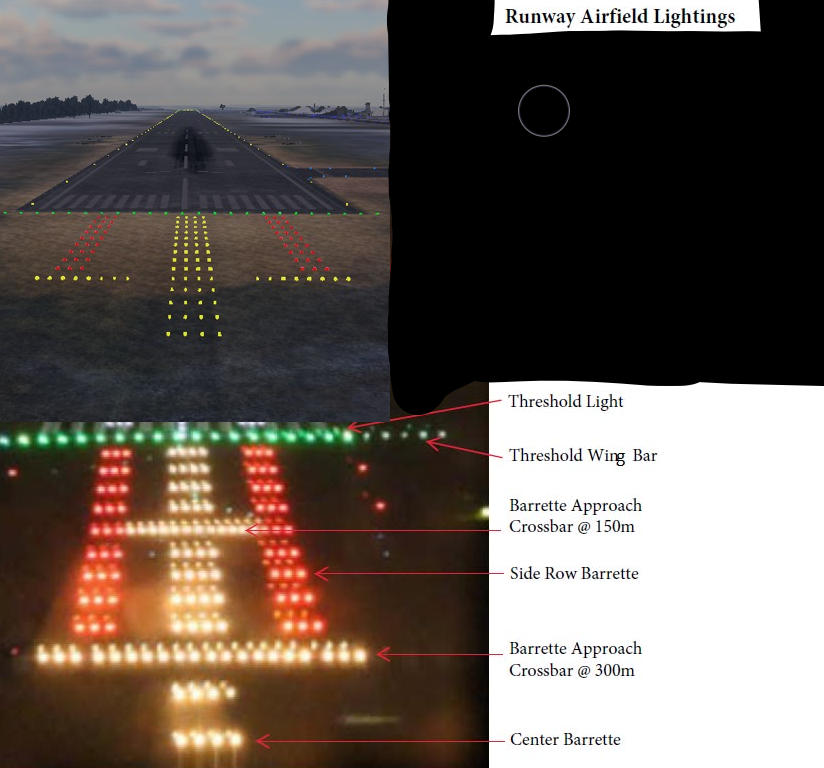
The approach lights are yellow, while real systems use white lights with red side rows. They’re also much too small. A standard system extends about 900 m from the threshold with bars every 30 m, while the in-game version is shorter than the touchdown zone. The layout also mixes elements from CAT I and CAT II/III systems and doesn’t match any real standard.
2. PAPI
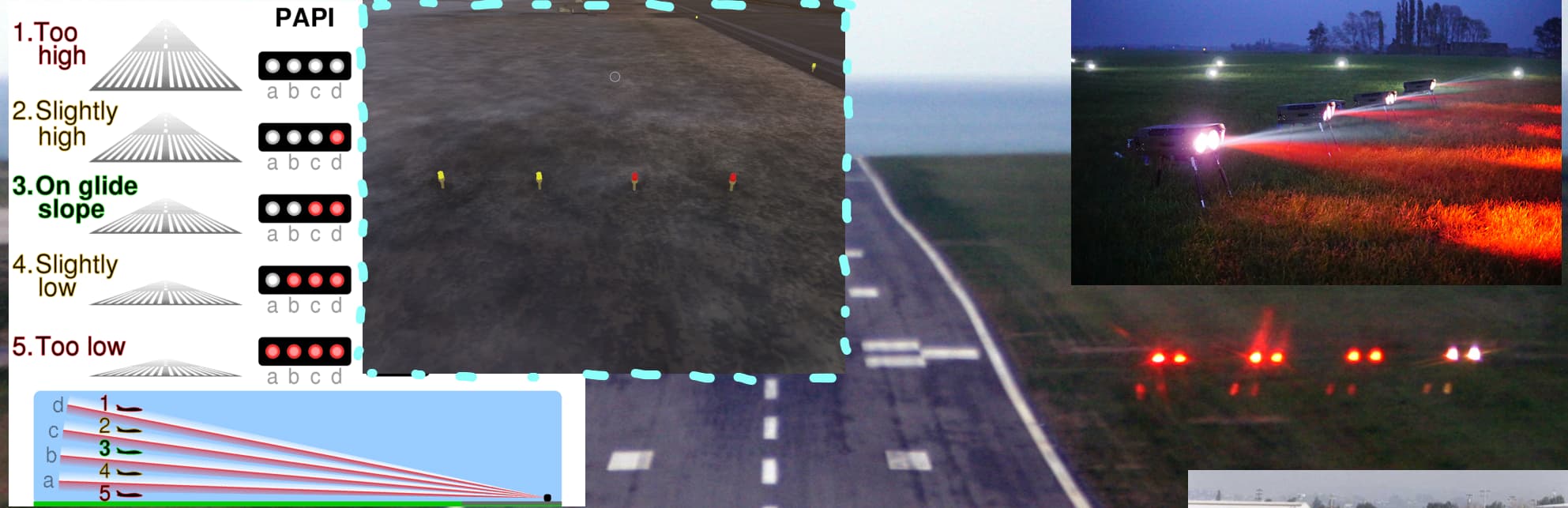
The PAPI lights are static, so they always show two red and two white regardless of your approach angle. Real PAPIs change color based on the angle you’re viewing them from, which is their entire purpose. They’re also yellow instead of white, and the model is a pole-mounted lamp rather than the low box-shaped units used in reality. The placement and arrangement are correct, though, so the main thing missing is the function.
3. ILS
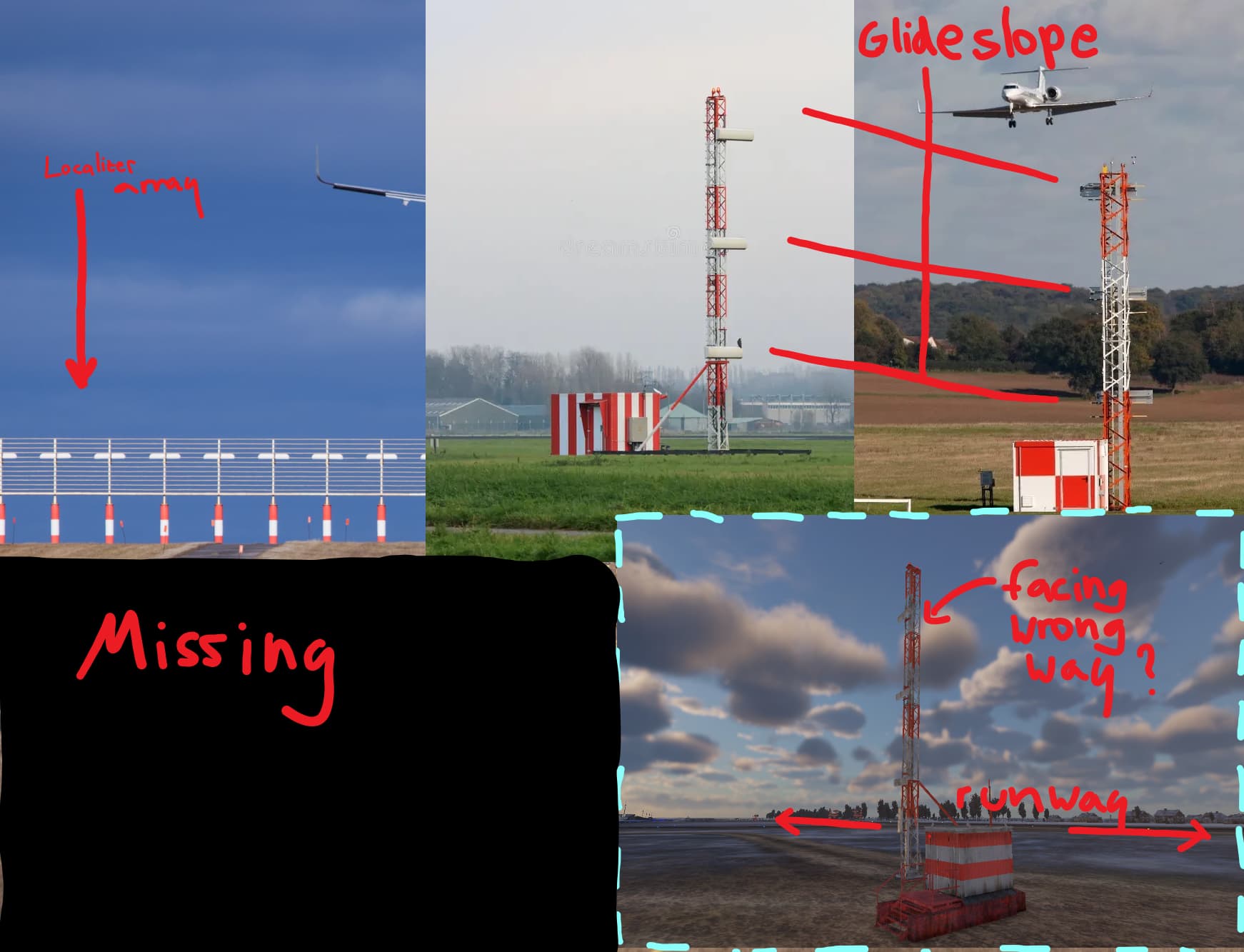
There’s a glideslope antenna, but no localizer array at the end of the runway. The glideslope antennas are also rotated 90 degrees, facing across the runway instead of along the approach.
4. Taxiway markings
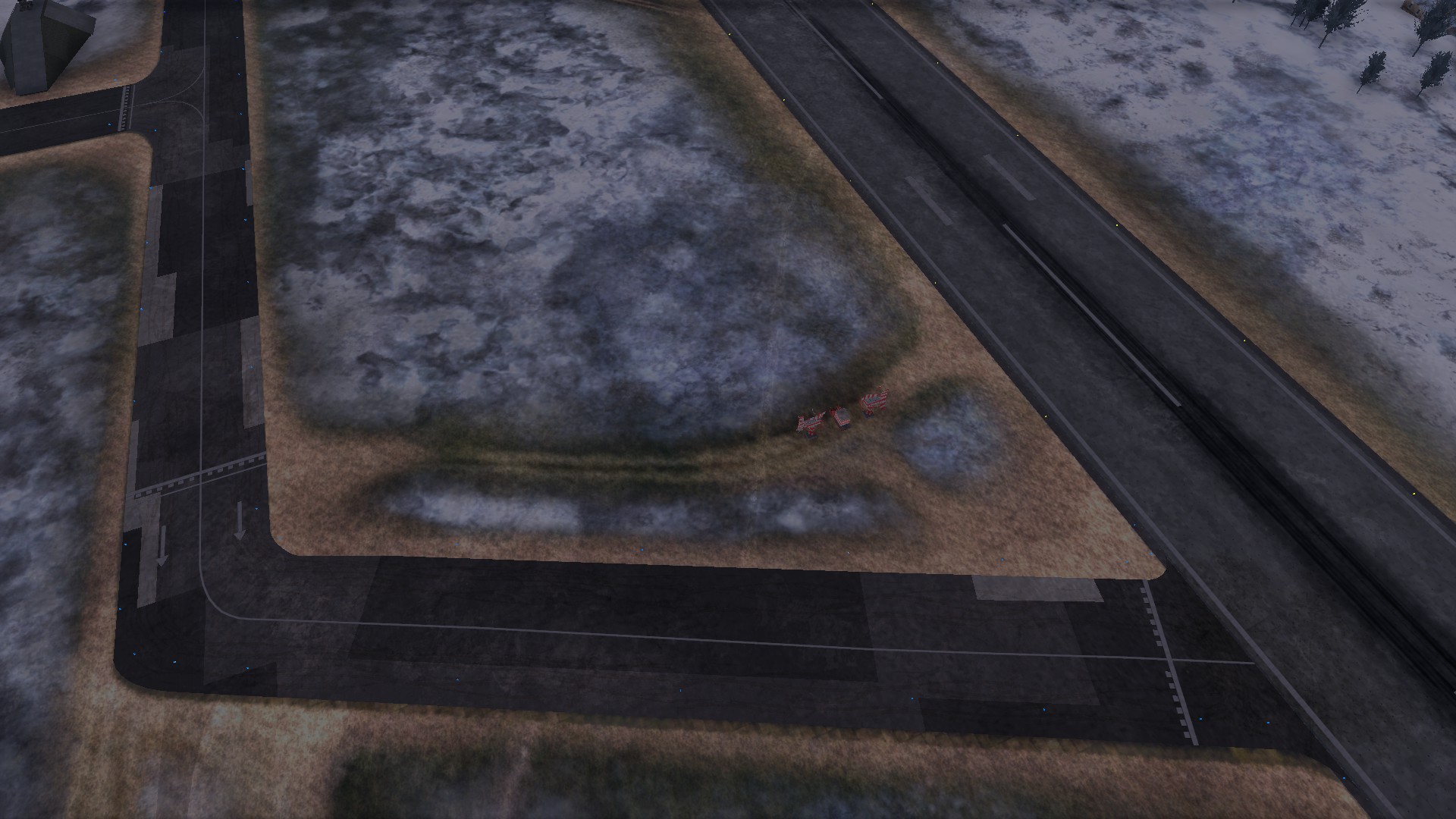
Taxiway markings are white, while ICAO, FAA and NATO bases like Ramstein and Fairford use yellow. White is normally reserved for runways. The holding position markings don’t match any standard pattern I know of, there are arrows on some taxiways that don’t seem to have a meaning, and the taxiway centerline stops at the runway edge instead of leading onto the runway centerline. The blue taxiway edge lights are correct.
5. Runway lighting
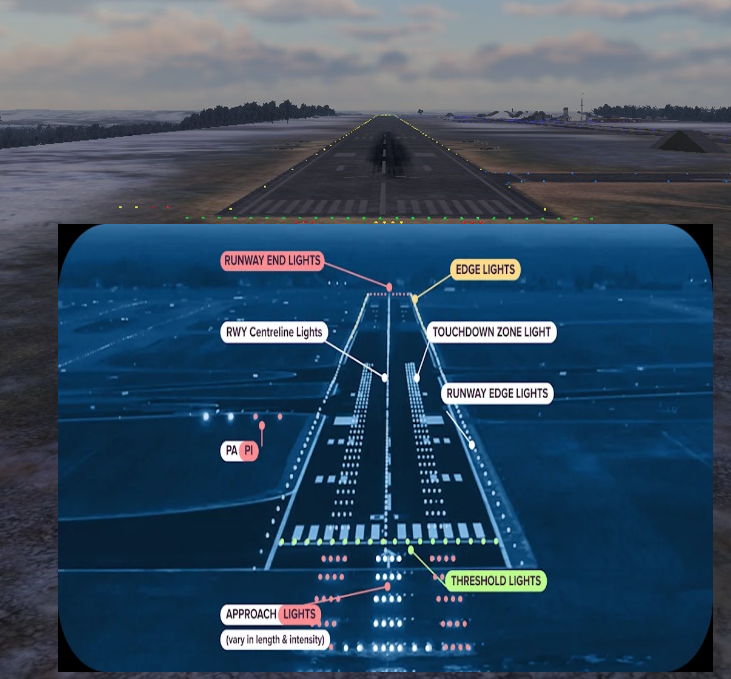
There are no centerline or touchdown zone lights, even though the approach lighting suggests a CAT II/III runway, which requires both. There’s also nothing indicating the end of the runway. On a real runway the centerline lights turn red toward the end, the edge lights turn yellow for the last 600 m and red end lights mark the end. In game, the edge lights are yellow along the entire length.
6. Runway markings
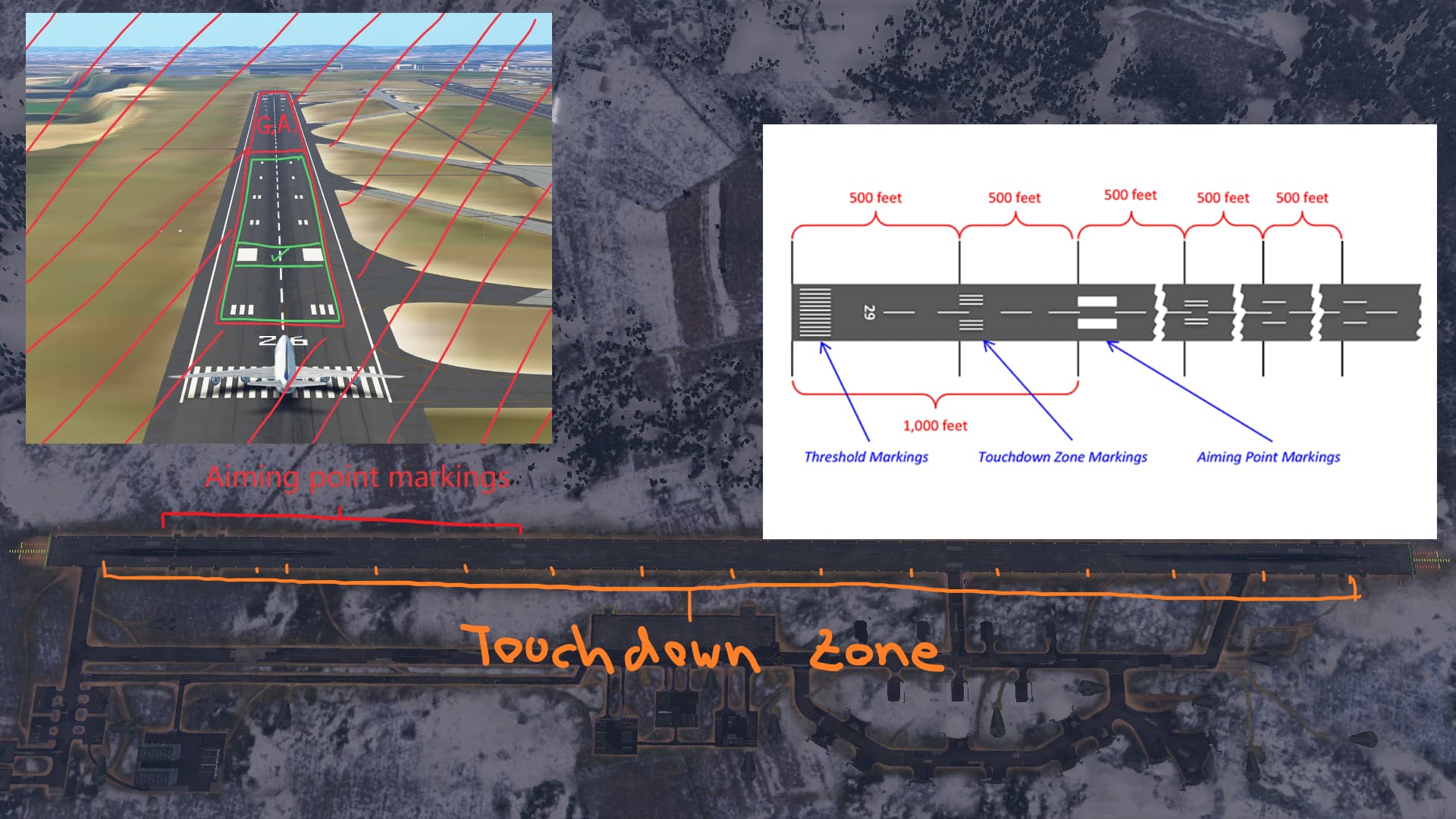
Each end has two aiming point markings, with the second one almost halfway down the runway. Touchdown zone markings run the full length of the runway instead of covering roughly the first 900 m from each end. There’s also a group of four small squares before the touchdown zone that I couldn’t match to any standard marking. If anyone knows what they are, let me know.
7. Threshold

The number of threshold stripes is correct for the runway width. However, the centerline runs through the threshold markings all the way to the edge, the centerline stripes are far too long, and there’s no runway designation number.
8. Strip next to the helipads

There’s a second paved strip next to the helipads, which I assume is meant as a helicopter runway. Its markings contradict each other: displaced threshold arrows sit next to yellow chevrons (which mark unusable pavement), and beyond that there are only touchdown zone markings and the same four squares.
Summary
I know some people will say this is an arcade game and none of this matters. But the effort has already been put in. Someone spent the time adding approach lights, PAPIs, an ILS antenna and runway markings, and the assets are already placed on the map. The work is done, it just wasn’t done correctly. Most of these fixes come down to correcting colors, scale, orientation and placement rather than building anything new.
If you know more about military airfield standards, I’d be interested to hear where I’m wrong or what I missed.