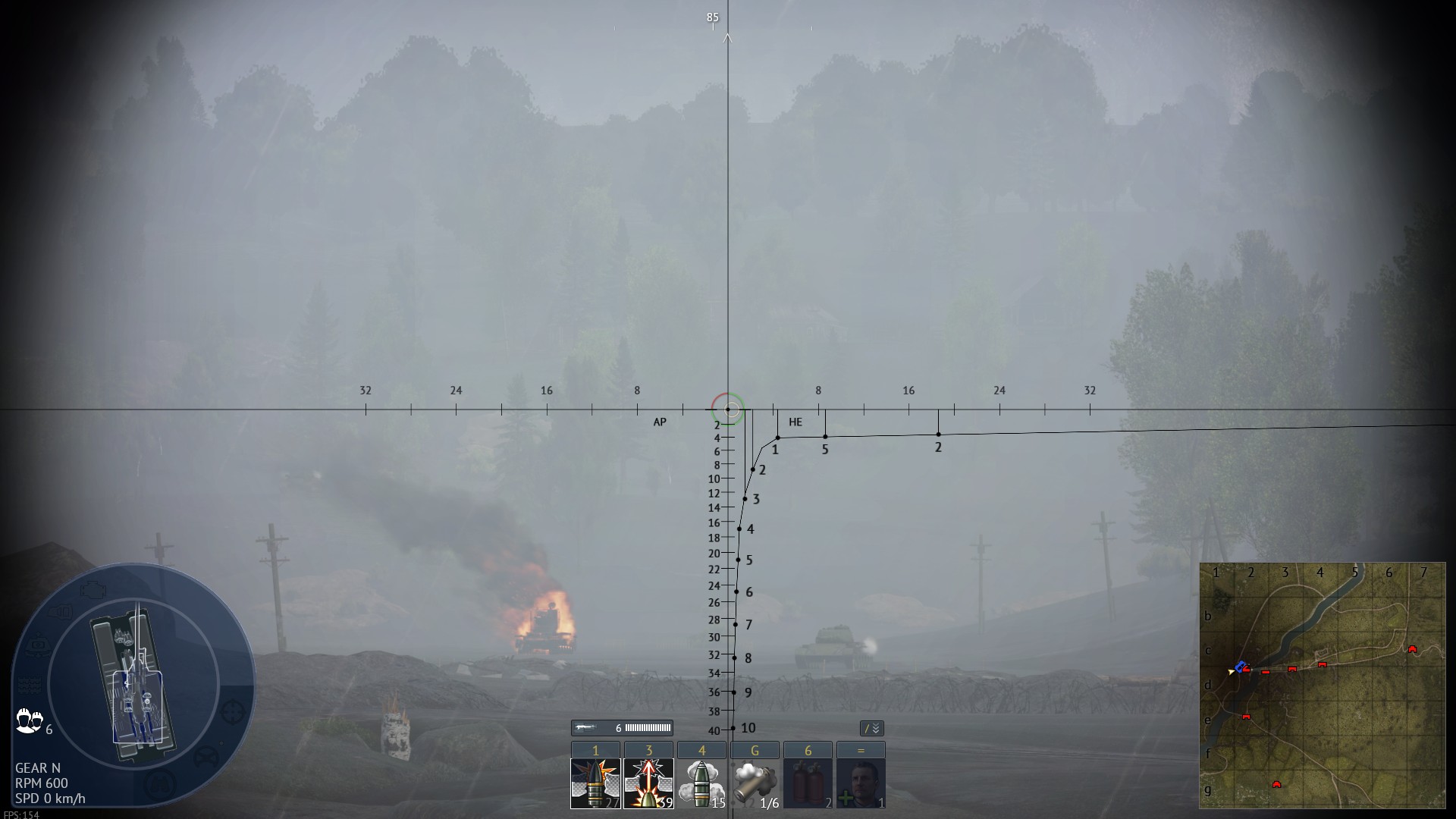
Custom sights are legal, go to UserSights folder, move the attached .blk into germ_pzkpfw_Maus folder. And then put Maus in test drive, go to option, select Ground vehicle Battle Settings, select UserSight on the top, on the right select Reticle, on the drop down list select MAUS_AP. You can do this even when you already ingame, after you put the blk into the folder then press Alt+F9 to refresh. MAUS_AP.blk (13.1 KB)
You only need to know the range values, on the right side is the 75mm, the values is meter, 1 means 100m, the reason its slightly to the right is because of the barrel offset is off center, because our sight is located at the end of the main barrel, then you see it gradually getting closer to the middle as the range increase, the black dot is where the 75mm would lands. Try it on test drive maybe for 5-10 minutes you will like this setup, soon your Maus KD will drastically goes up.