Hej !
my game look so shine hurts my eyes am having very hard time spotting the enemy and sun hurt my eyes!
i tried some settings but they look so bad
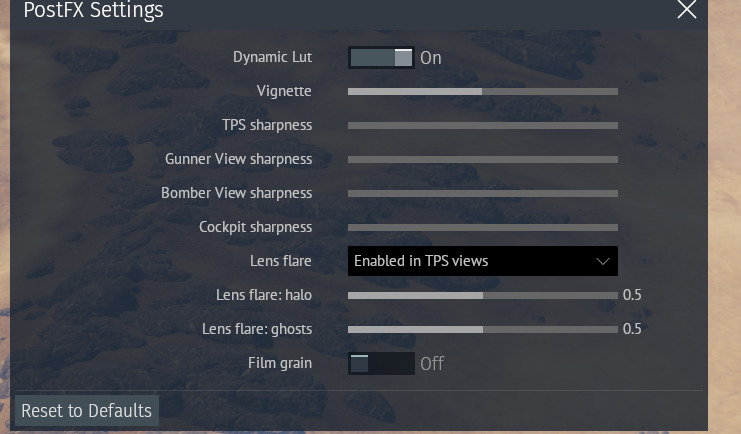
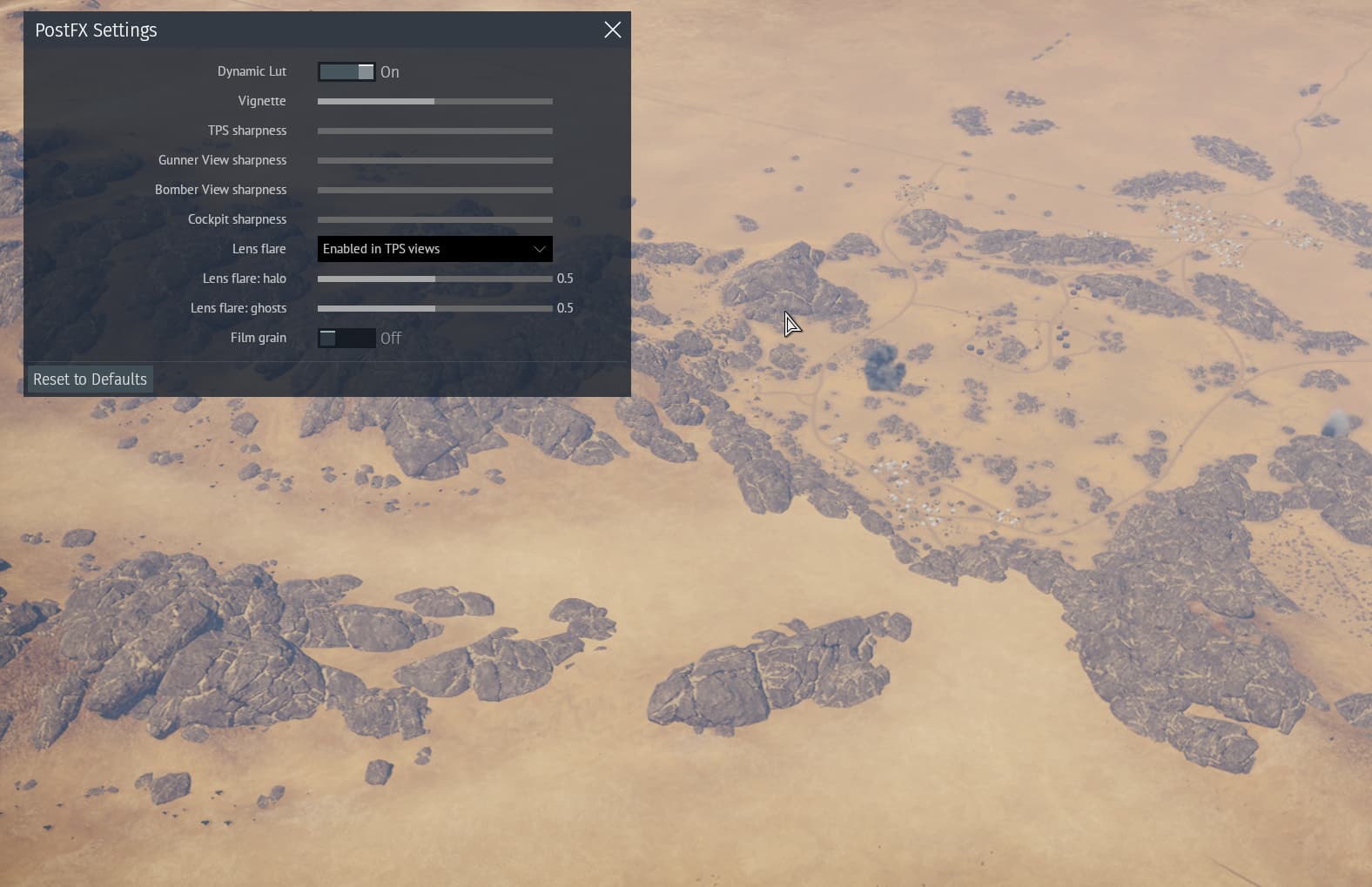
Does anyone know a good postFX setting ?
thank you !
Hej !
my game look so shine hurts my eyes am having very hard time spotting the enemy and sun hurt my eyes!
i tried some settings but they look so bad
Does anyone know a good postFX setting ?
thank you !
Check your Gamma correction slider (Options, on the Main Parameters screen). Make sure it’s not set high (also check Gamma on your monitor settings, unless it’s only War Thunder that is like this)

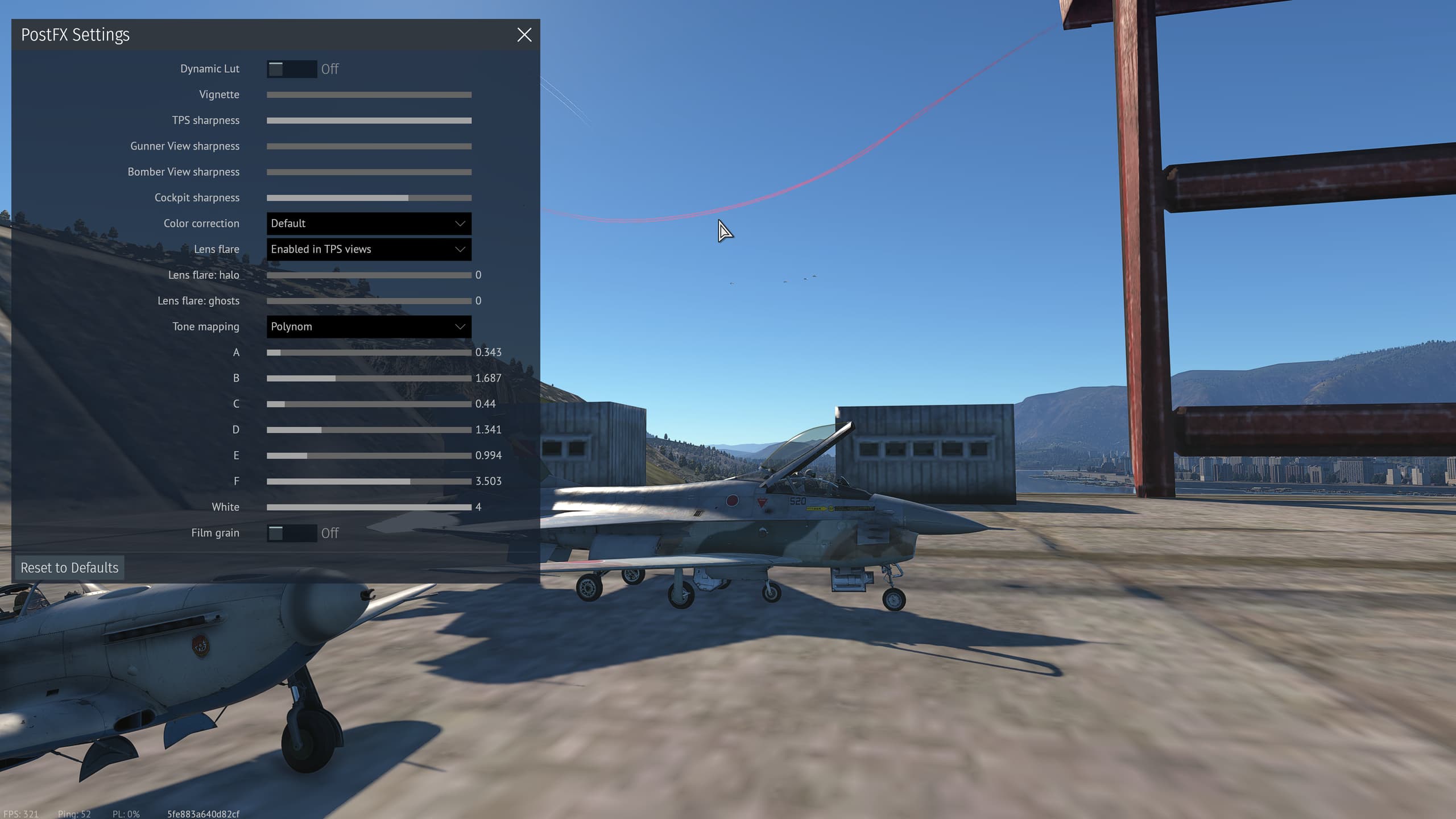
(Also, in Post FX you can deselect Dynamic Lut and play with more settings in there, if you haven’t tried already. The Desaturated (color correction) and Reinhard (tone mapping) was a fav of mine, and polynom (tone mapping) can make some psychedelic stuff happen… but I just use Dynamic Lut these days)
(Edit: Personally I’d turn off lens flare too… don’t need that distraction… but if you like it that’s ok)
It’s for air sim and maximizing spotting rather than brightness, but should translate to ground RB given both are markerless game modes. For ARB I dunno if it makes a difference
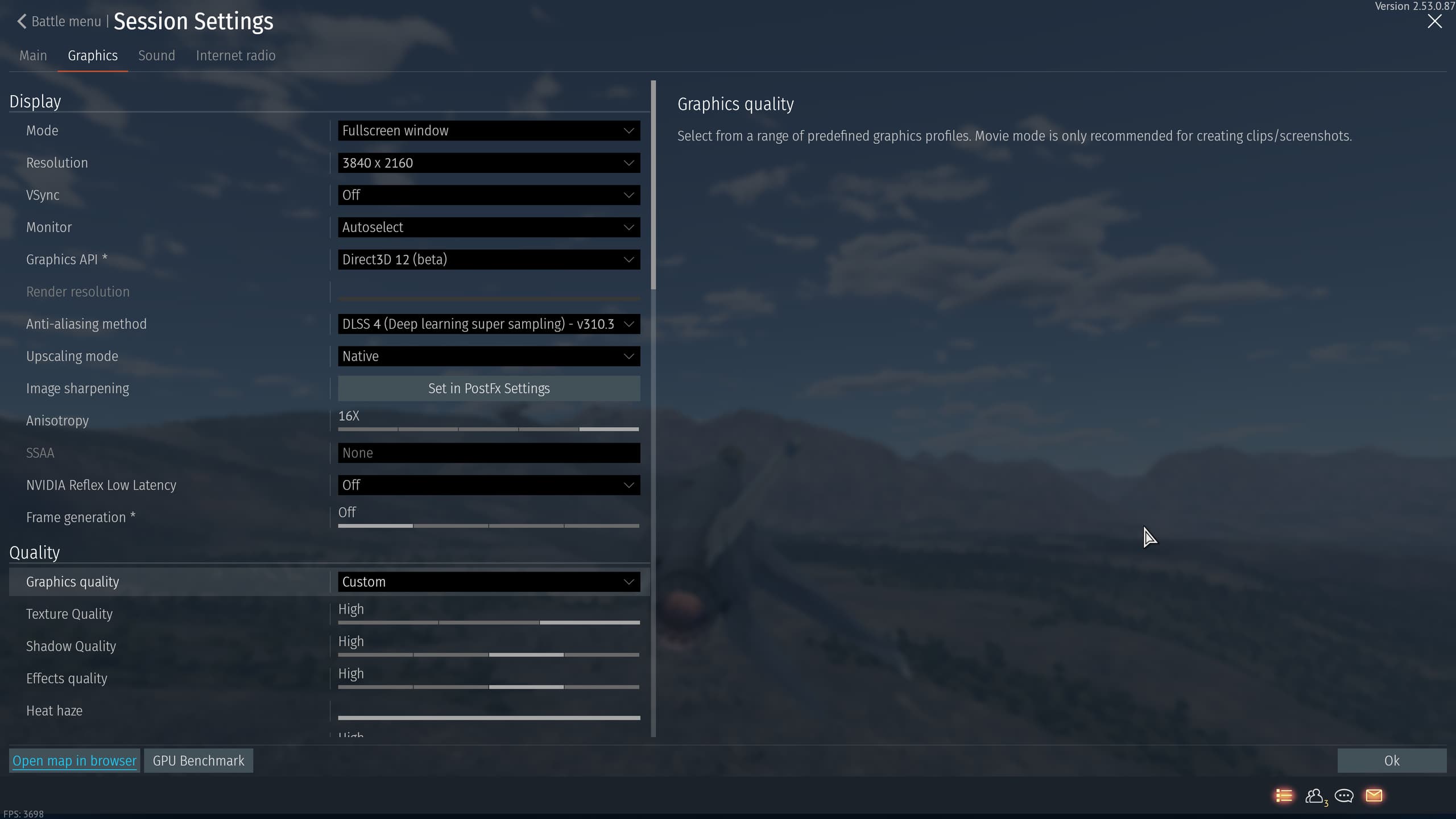
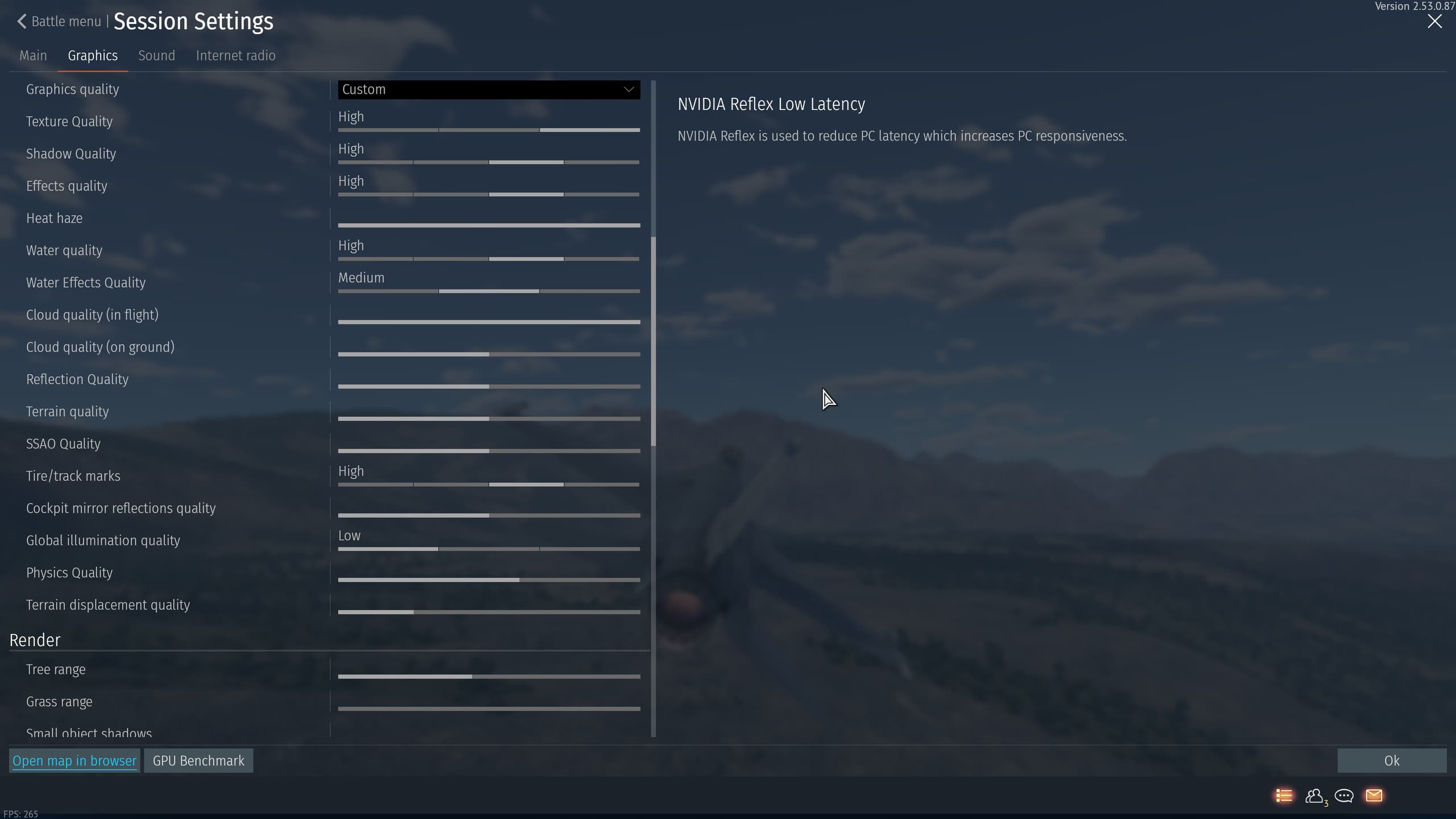
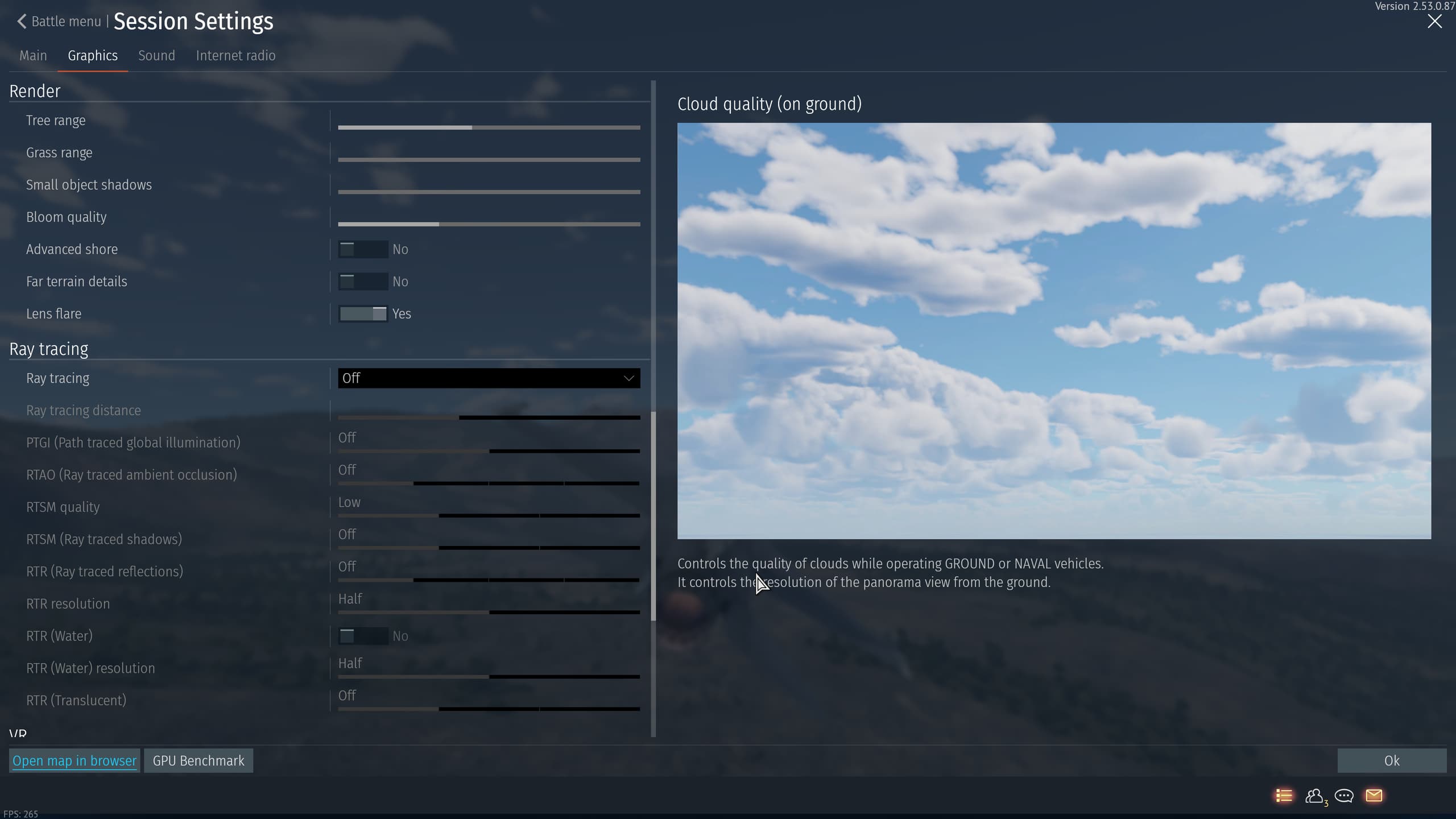
These are my graphics settings:
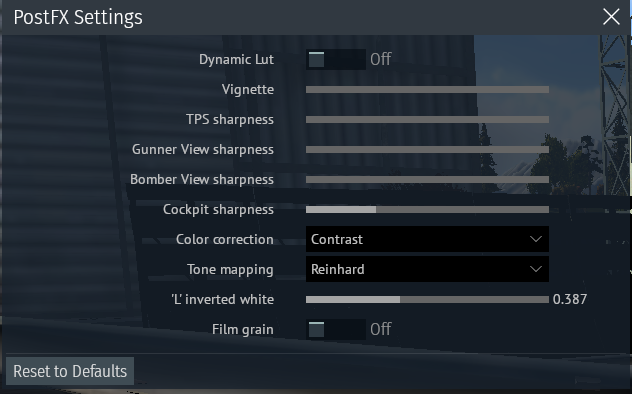
You probably want to adjust TPS sharpness to match my cockpit sharpness.
‘L’ inverted white, Reinhard and Contrast makes the little black dots pop against the sky and glint against the ground. I found it quite pleasant to look at, granted the sun CAN look nuclear during certain times of day on certain maps.
Other settings:
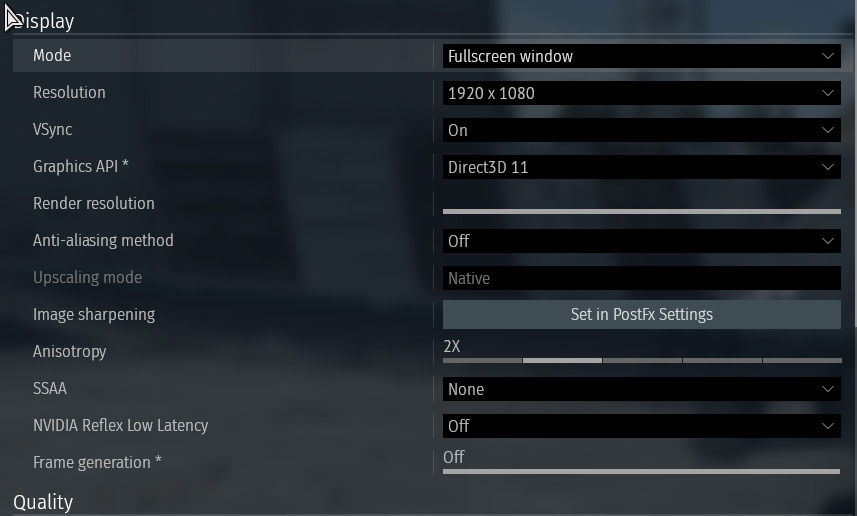
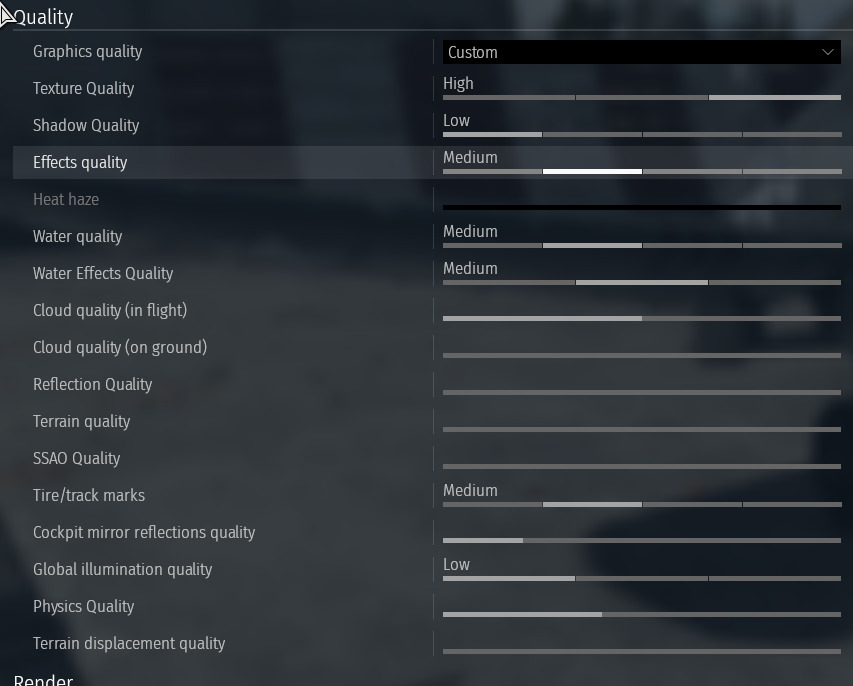
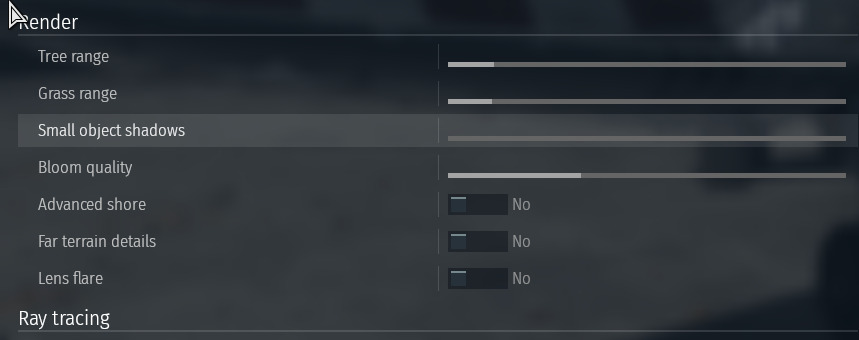
Notable 1: Turn off anti-aliasing. Anti-aliasing blurs enemy silhouettes at long range for aircraft with thin wings AND reduces contrast between aircraft and terrain.
Notable 2: SSAO at 0 makes spotting vehicles easier because it makes them brighter.
Notable 3: Tree Range and Grass range determine when vehicles switch form low LOD to high LOD. Setting it to 0 causes weird flickering, while at max it makes spotting difficult.
The flickering at 0 tree range and grass range (caveat: my videos make spotting harder since I’m playing 1080p and recording at 1080p and then also doing a openshot export. My bitrate settings cause some lossyness):
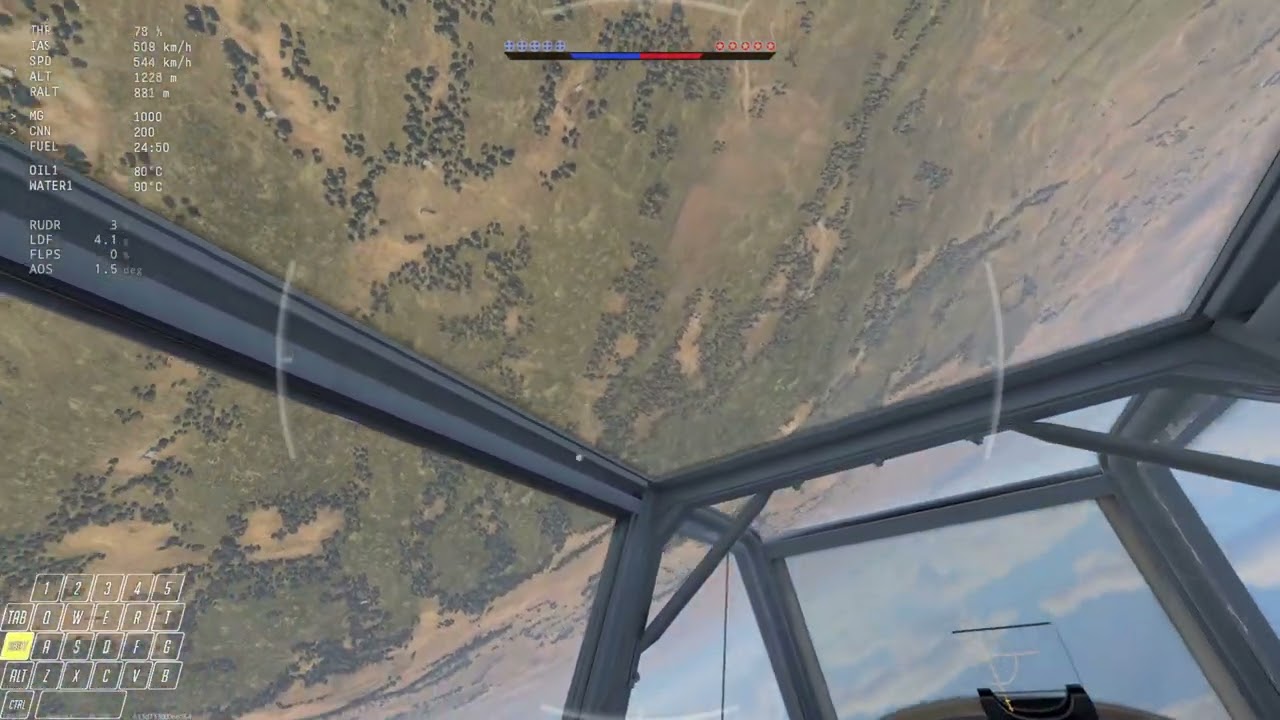
This video is from when Gaijin randomly reset my graphics settings and I couldnt spot anyone to save my life.
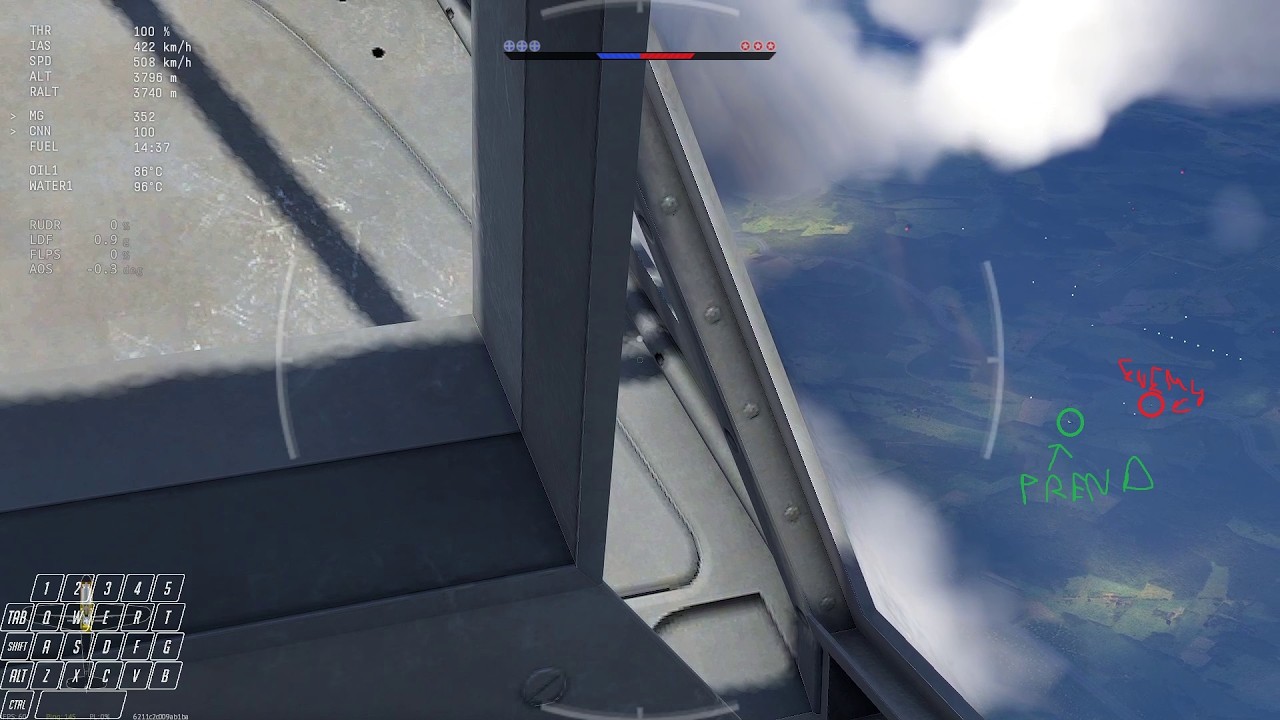
This showcases my current settings where the fixed graphics allowed me to spot a He 111 and a F4U flying under the clouds (like 0.3-1km altitude) while I’m over 3.5-4.0 km up and probably like 3-5 km of horizontal separation as well.
Addendum:
Another thing worth doing is:
Sometimes the game gets weird until you do this and then it behaves normally. I found my spotting gets affected by this.
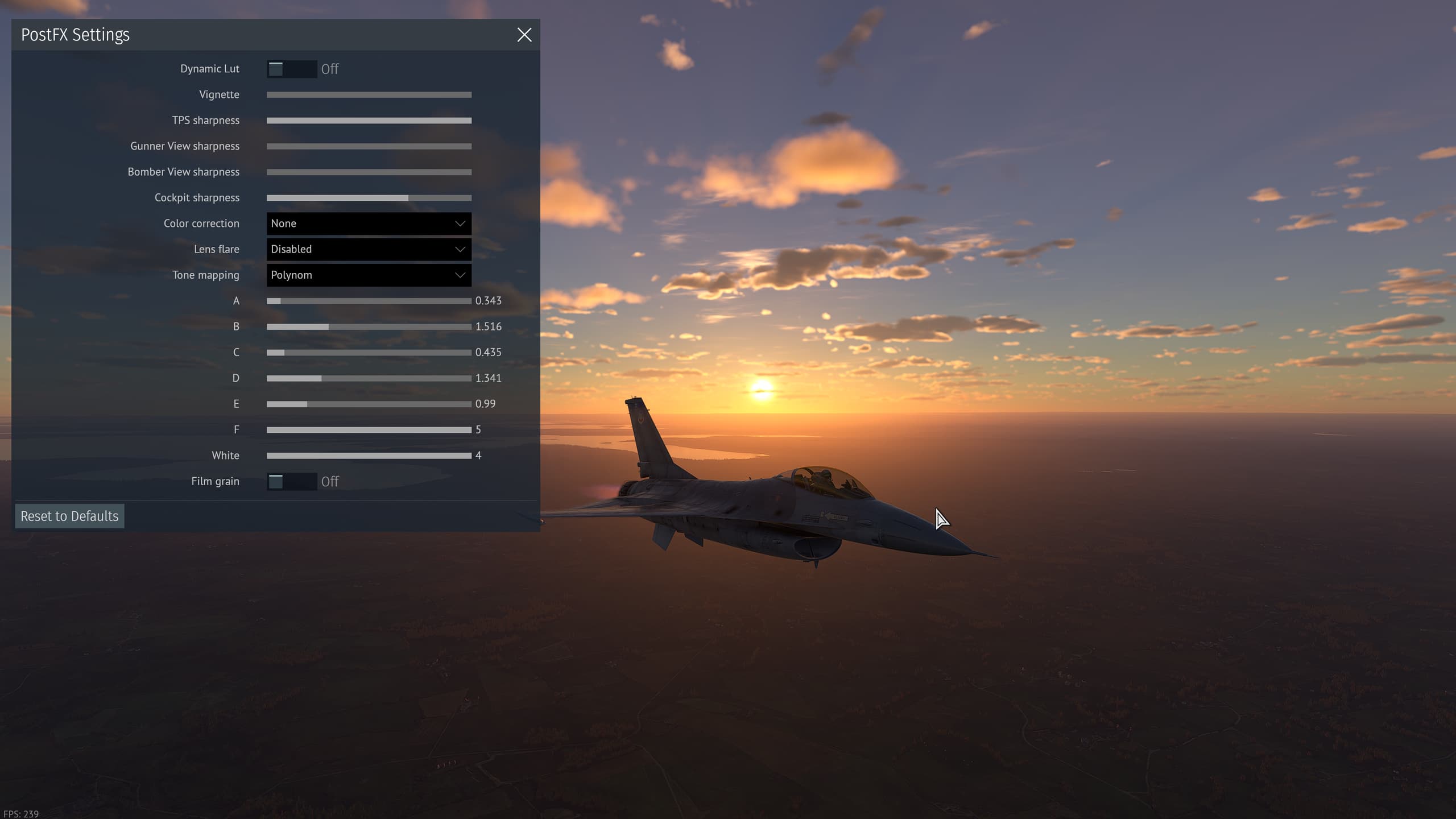
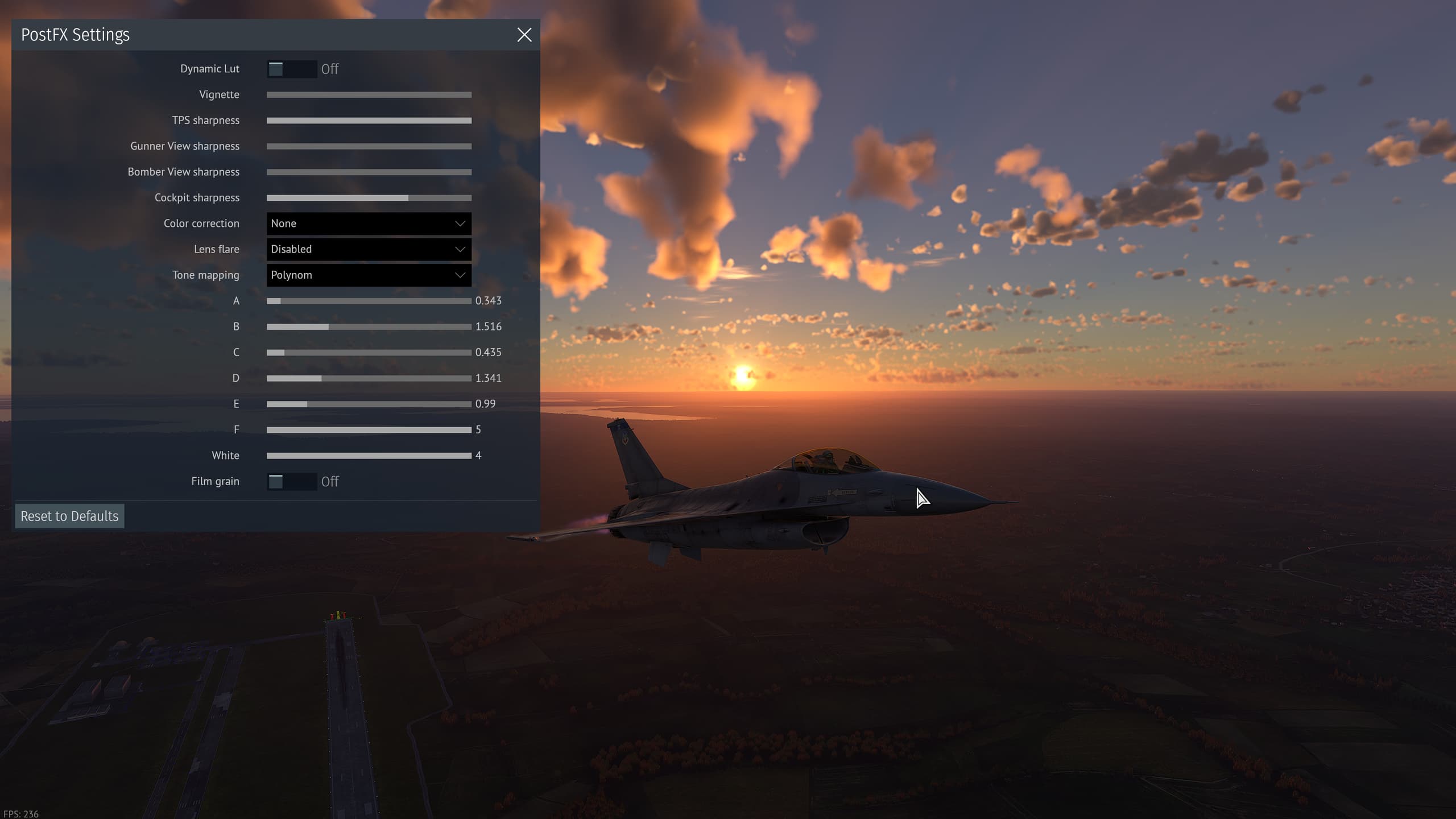
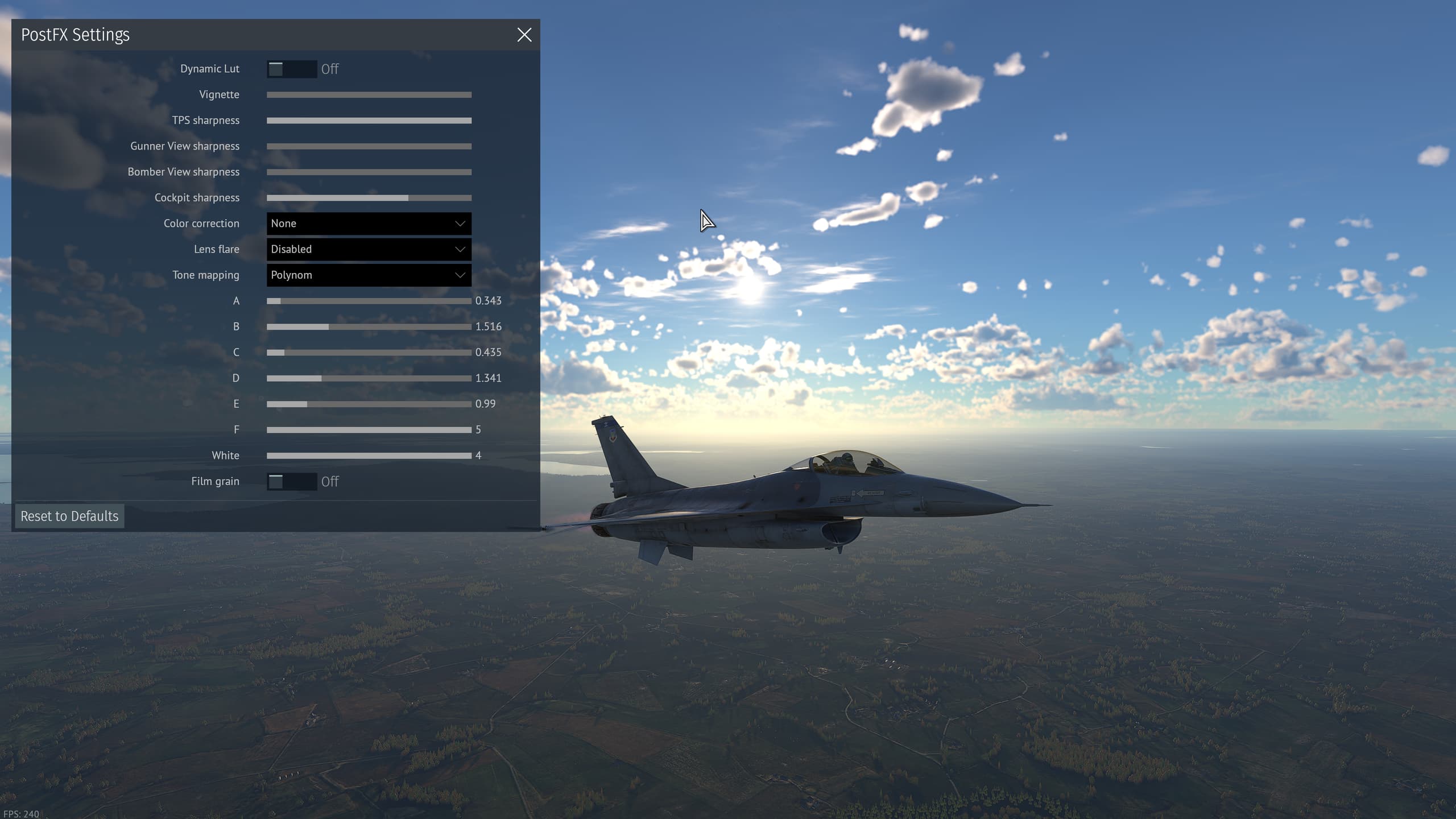
If you’re having trouble with brightness, turn off Dynamic Lut, this will allow you to select between tone mapping types, and the contrast settings. For example, you can set the contrast settings to midnight dark, for the more extreme end of things.
Tone mapping and contrast settings from PostFX are the most important options here.
My personal(made with arb in mind). Fiddle with the sliders and see what changes. Mine is relatively close to Reinhard.
Personal monitor settings will also affect the outcome.
I think mine provides good clarity and contrast.
I could provide my graphics settings, and even my nvidia color, and monitor adjustments. But unless ur playing on a similar panel (which youre 100% not) there isnt much point.
what about this option i saw other comments say turn off lens flare !?

I have it off personally
imo it makes nuclear sun even worse. It’s off for me as well.
wow this lens flare really bad for eyes why it’s even in game weird
after disabling it i don’t have that nuke sun effect!
thank you !
Now that im home, figured i could show what it looks like for me.
8:00 hazy,
dusk hazy,
dusk mist.
then graphic settings - incase anyone wants/needs them?
wow thank you for your time !
really can’t wait to try these settings