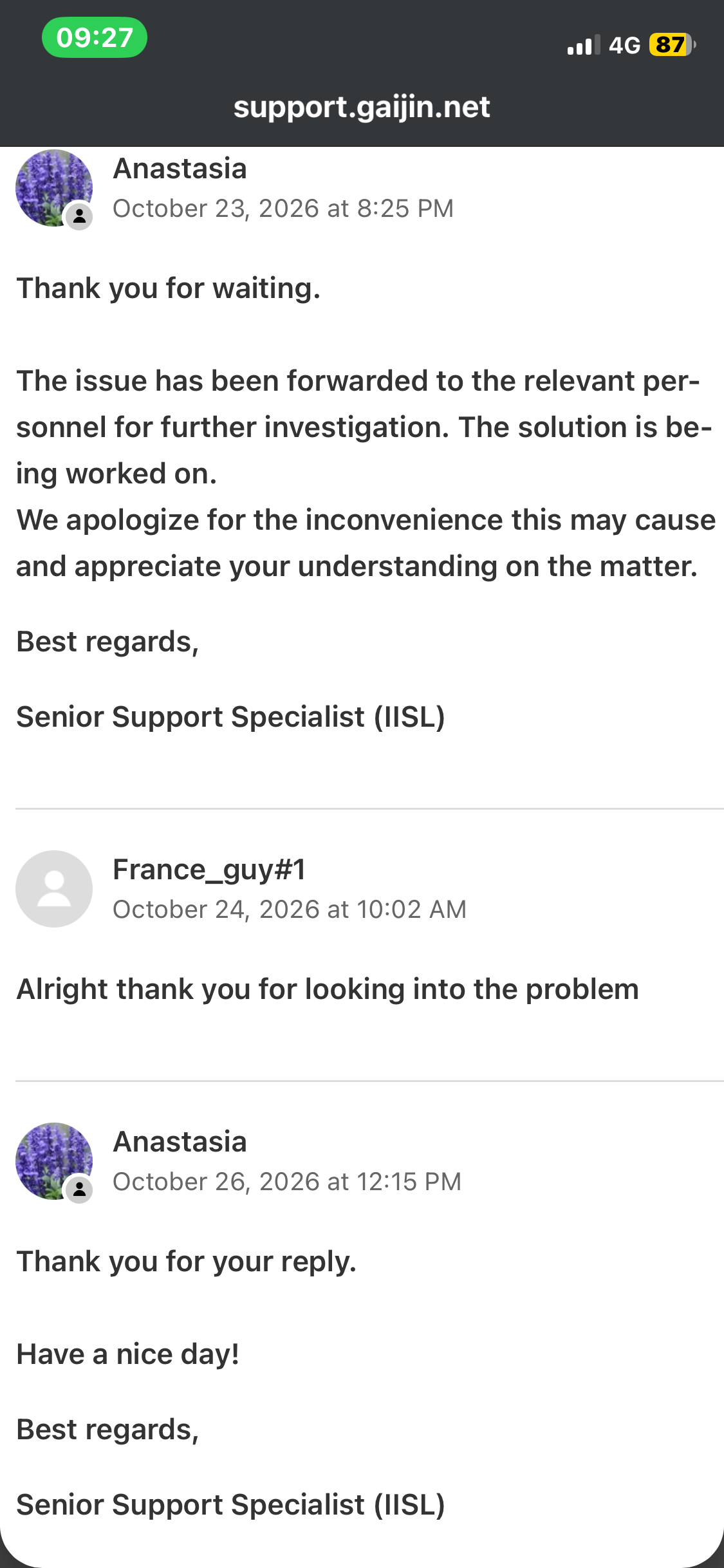
When I launch the game with battleye from the launcher, the game goes through the usual steps and crashes my whole computer before the fullscreen loading screen. The game launches perfectly fine when I run it without battleye on. I am not cheating.
I open the launcher
launch the fullclient game with battleye on
battleye code window thing appears and closes (nothing different)
the warthunder banner window appears (nothing different)
the laptop goes numb with the loading icon replacing the mouse pointer and i cant click on anything, not even on anything on the taskbar
after about a minute i see a tiny “send crashdump to developers? (yes)(no)” window (no error codes)
before i can click yes the computer crashes with a screen that says “windows ran into a problem…” and “restarting”
computer restarts
This started accuring a while after i installed the game on my new laptop on steam. I already had a warthunder account so I launched the warthunder launcher from steam and lauched warthunder from the launcher so that the log in screen appears and i can log in to my old account. This worked fine untill it didnt after about a week or two.
I sought help from ai and together we tried these fixes in this order but non of them worked:
deleted existing settings on the Driver Verifier (there were no setting changes)
uninstalled these apps that came with the laptop: BlueStacks, MSI Center, Nahimic
deleted the battleye folder from the game files and used the “Verify integrity of game files” option on steam to reinstall it
deleted the whole game from steam and installed the launcher from warthunders website and reinstalled the whole game from there
I am not that much of a tech guy but i think that the problem is with my windows having beef with battleye. I am using windows 11 on an MSI Cyborg 15 A12VE. Feel free to ask any questions about the problem, i will try to answer. I will contact gaijin support, just thought i could ask here first and see if someone else has had the same issue as me.
I’m having a very similar issue with War Thunder and BattlEye.
In my case the problem is related to HitmanPro.Alert. If HitmanPro.Alert is running, launching War Thunder with BattlEye can cause a full Windows crash/restart. If I completely disable the HitmanPro.Alert driver/service before Windows starts, War Thunder and BattlEye work normally.
I’m currently on HitmanPro.Alert 3.22.1 build 2073 and the problem is still present. I’ve already sent the latest crash dump to BattlEye support for investigation.
So if you have HitmanPro.Alert installed, it may be worth checking whether it is involved in your case too.
updating my laptops BIOS (was already on the latest version)
this was uncharted territory for me but I think I made sure that it is fully updated, when I entered bios i saw that the bios version was the same as the lastest version I found on my laptops producers website (i didnt update it cuz like i said, uncharted territory, I dont want to accidentally disable my laptop)
Also, I dont use HitmanPro.Alert, it’s not on my laptop but thx for reaching out simpleuser_1
I see that I’m not the only one, I sent this report: "My computer is fully up to date, including all drivers and the latest version of the game.
Sometimes the game launches without any issues, but other times I get this critical error, which causes the game to freeze and prevents me from playing.
Since the latest update, I have been experiencing this critical error repeatedly. It has become increasingly difficult to play the game because launching it feels like a lottery: sometimes it works fine, and other times it crashes with error code 8111000A.
I have tried clearing the cache, but this did not solve the problem. I have also used the file verification option in the game launcher, but it did not detect or fix anything.
I would appreciate any help in identifying and resolving the cause of this issue.
Since the last update, getting into War Thunder has been a freaking pain in the ass for me. Sometimes it works fine, sometimes it throws a blue screen, and I’ve checked all the drivers, updated everything, and especially tried playing other games, and this is the only one that gives me this issue.
Yeah I haven’t been able to launch with battleye on it since the update. I just did a fresh install and it still refuses to launch im trying everything I can think of.
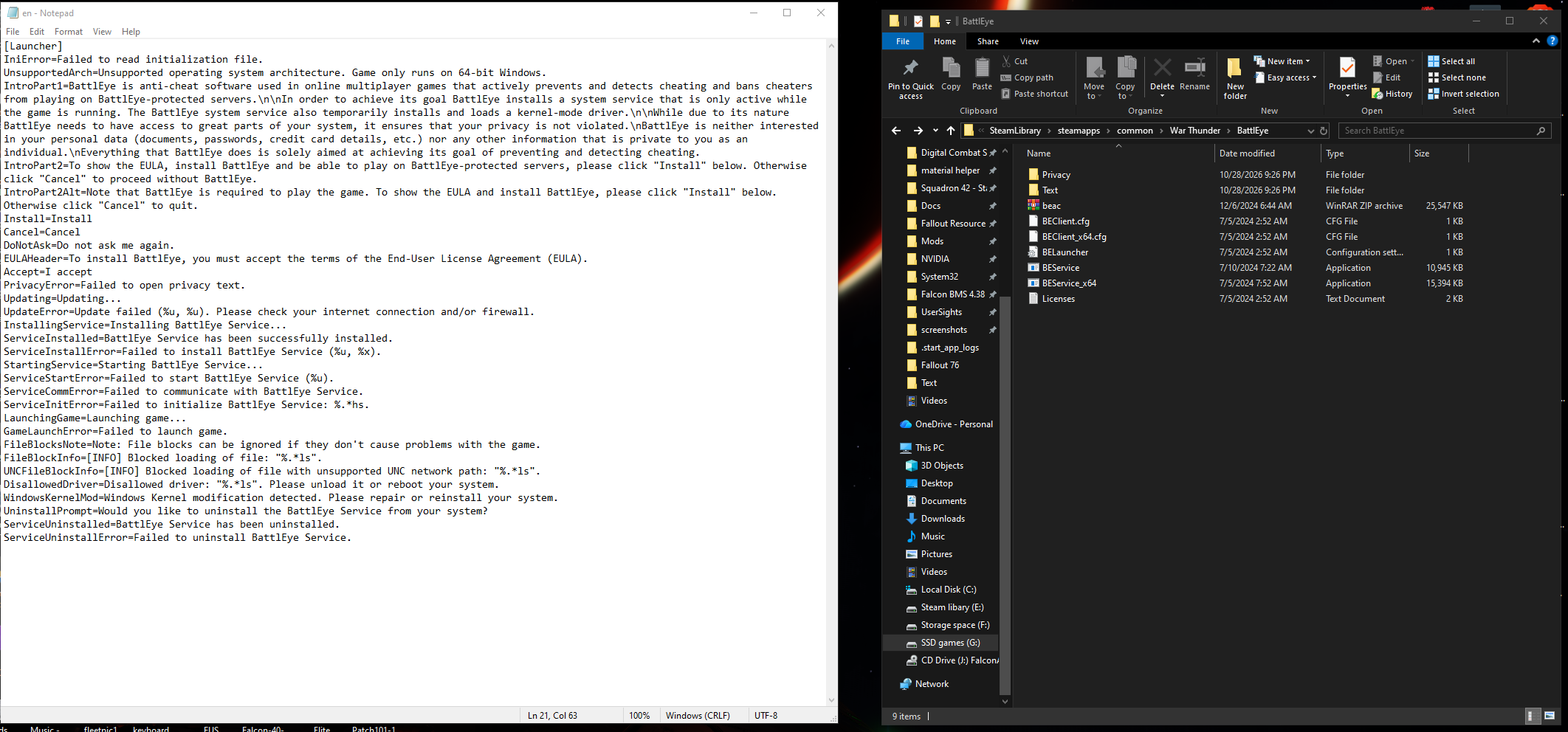
I did look through the Text folder in the battleye folder for war thunder in my steam this morning and saw all of this in the EN config settings. also displaying what my battleye folder looks like because I don’t have the install and uninstall executables like it should have despite multiple attempts through file verifications to get it to work.
I have tried running it in DX12, still doesn’t work for me. With anti-cheat turned off I can “play” the game, just only test drive vehicles since I don’t think I can play online.
I have been having the same issue. The issue is BattleEye conflicting with something. Because I can run the game with it disabled and it’s perfectly fine, but the moment I switch on AntiCheat it crashes my computer.
The only temporary solution I have found is to run Command Prompt as administrator and deleting BEService, then verify integrity of files on Steam and restart your computer. I can’t say if this will work for everyone but it has worked for me. But keep in mind it’s only temporary, because I did it once already but the issue came back after 2 days.
Hopefully they fix this issue soon, because it’s a pain in the ass doing that process everytime I want to play.
Yeah I also have this issue. Happened very recently game always worked fine and still works without battleye I can go into customs and everything even play with friends but I can’t launch the game with battleye or my computer just fully crashes not even a send report to developer crash window appears the game just gets stuck on the loading screen before the full screen loading screen. Has anyone found a fix for this?
yeah I’ve been looking online for help for 2 weeks now, when I’m not working or playing a different game, and going through the Windows Event viewer, and crash logs on my PC just to get a hint where something went wrong and how to fix it. Sadly I’m still having a hard time deciphering all of it because I’m still learning how to read code as I’m self teaching myself how to code in C++
Im back. Thx to the gaijin support team we found a way to fix the game not running with battleye. We just performed a clean boot on windows 11 so the system restarts only with the necessary programs in the background. I tried to identify exactly which process running in the background was causing the crash by slowly turning every program on and trying to run the game, but somehow the game ran even after i turned on all the processes back on. Maybe I forgot some idk. This is the article link the support team sent me to perform a clean boot: Clean Boot (Windows only) – Gaijin Support
I hope this helps anyone having the same problems, imma fly some jets now bye.
We also updated my laptops drivers and other outdated programs, so they might have had an impact too, but in the end, the game only started consistently running after a clean boot. Anyway I recommend gaijin support, they were very helpful and replied every day.
So far, after following the steps in the link you provided and playing one match, I haven’t encountered a Blue Screen upon returning to Windows. I hope this does the trick; interestingly, when launching the game, a notification about installing BattlEye appeared in the launcher, which suggests the issue stemmed from that service.