Ok yeah, just wanted to check that your GPU can use DLSS 4.5, and it can 👍
1 Like
You should be able to at least force 4.5 to work in the nvidia app
1 Like
Y U do dis to me?
Anyway, is there a chance for a title for players who own all of them 234s? :)
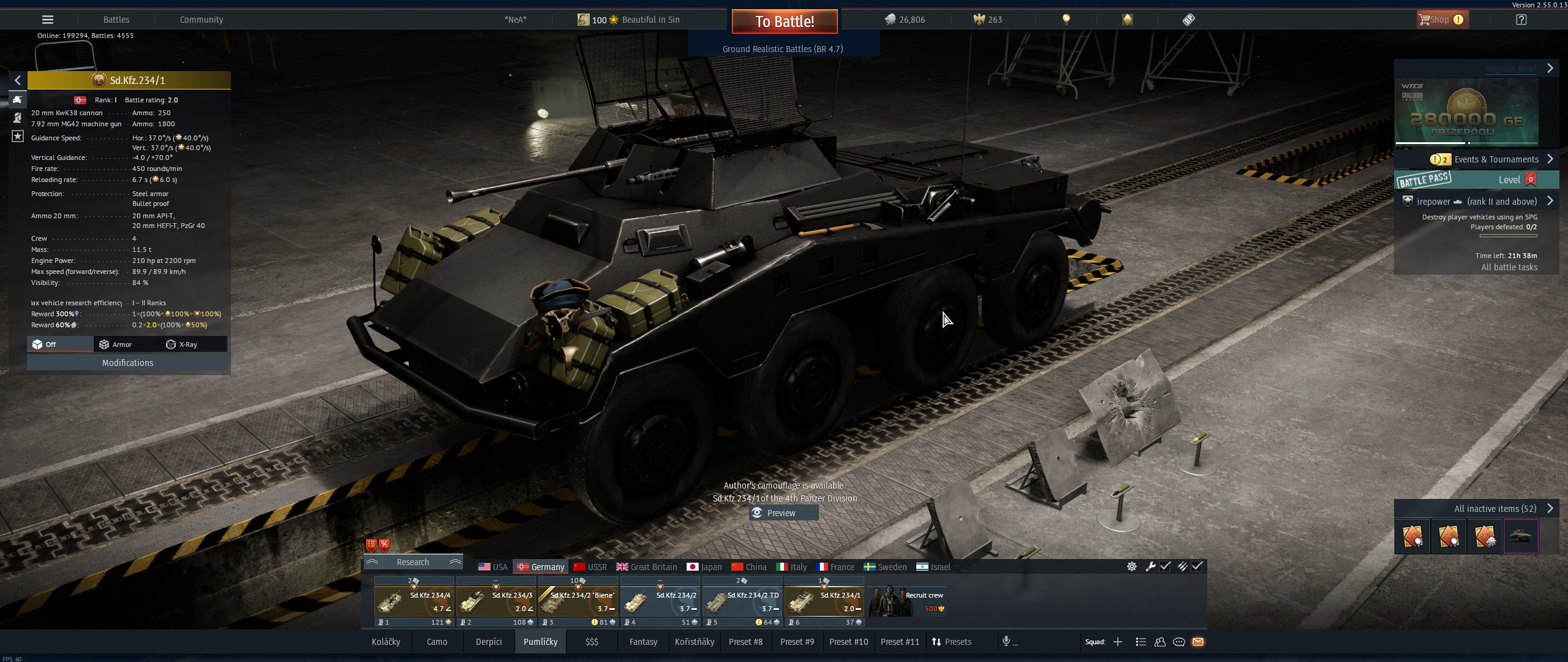
Regarding the new crew skill window – At a minimum we need the quick toggle restored to easily move between ground/air/naval skills. In its current iteration, choosing where to assign points is too cumbersome.
2 Likes
I don’t really understand the new crew skill window. So hard to grasp and to get infos from it.
6 Likes
The text in the options menu has not changed, but the .dll file used for DLSS did.
War Thunder uses 310.5.3, which is DLSS 4.5. This file can be found in “War Thunder\win64” (nvngx_dlss.dll)
4 Likes
it seems with the new update im completely unable to launch without a crash, i believe its graphics related due to the new changes, i am on a lower end piece of hardware but im completely unable to even launch the game and get to graphics settings, ive never had an issue like this before
The fix is done and will be applied soon.
3 Likes
Hey,
In the launcher, please try to launch the game with DX11. Default renderer has been changed to DX12.
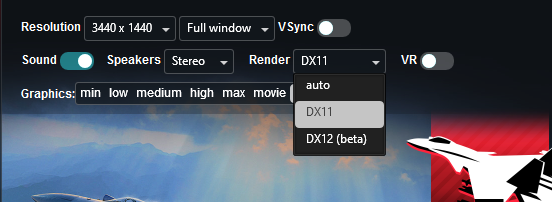
2 Likes
i play thru steam, im sorry this is kind of dumb but how do i access the launcher
i figured it out just being a bit silly
2 Likes
The only times I ever disengaged the graverse gearbox on Challenger 2 was to manually rotate the turret from the outside while pushing the barrel, which I’m quite certain is also the intended use of the decoupler found in the 35t/38t series, as well as other vehicles with this 25°/s traverse rate. This system enables the crew to perform maintenance tasks which require the turret to be moved, but without using the engine or turret drives.
Aside from how difficult it is to rotate a heavy object from the inside, disconnecting the traverse gearbox also means that if the vehicle is on a sideways slope the turret will slip under its own weight purely due to gravity.
While exact proof is difficult to find, I think you (and Gaijin) have misunderstood the purpose of this system.
1 Like
Glad to hear that, could you maybe ask if this is allready known Internally?
https://community.gaijin.net/issues/p/warthunder/i/NfrTWt9iwyRo
Zusammenfassung
DLSS preset depends on DLSS option used.
Info from Nvidia FAQ:
DLSS 4.5 Super Resolution adds support for 2 new presets:
Model M: optimized and recommended for DLSS Super Resolution Performance mode.
Model L: optimized and recommended for 4K DLSS Super Resolution Ultra Performance mode.
AFAIK DLAA uses model K by default, same as in DLSS 4.0.
Different presets can be forced in the Nvidia App.
5 Likes
Not to deviate too much here but someone at Nvidia needs a talking to. Who comes up with that as the name for a mode…
4 Likes
So it seem like for people that want best graphics, disable DLAA and enable preset M, the less ultra performance one? Lol
AI made the preset names lol
The armor section of the statcard has always been pretty much useless, so I don’t mind that they cleared it for actually useful info.
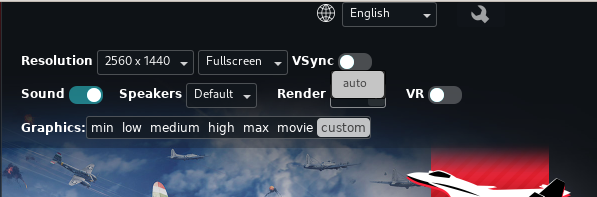
You might know, currently I’m on linux and it only shows auto, and by how the game performs it appears to be selecting DX12. Which has massive performance problems on Linux when using NVidia graphics cards. Do you know of a way I can force DX11?
Go in game - Options - Graphics and not far down you will see this, there is a dropdown.
You can select DX11 there . . .

Graphics API is the setting, from what I read a CM mention earlier is that
now DX12 (beta) is the default setting, so to go to DX11, a player needs to manually
change that there where I showed it.
Hope that helps
1 Like