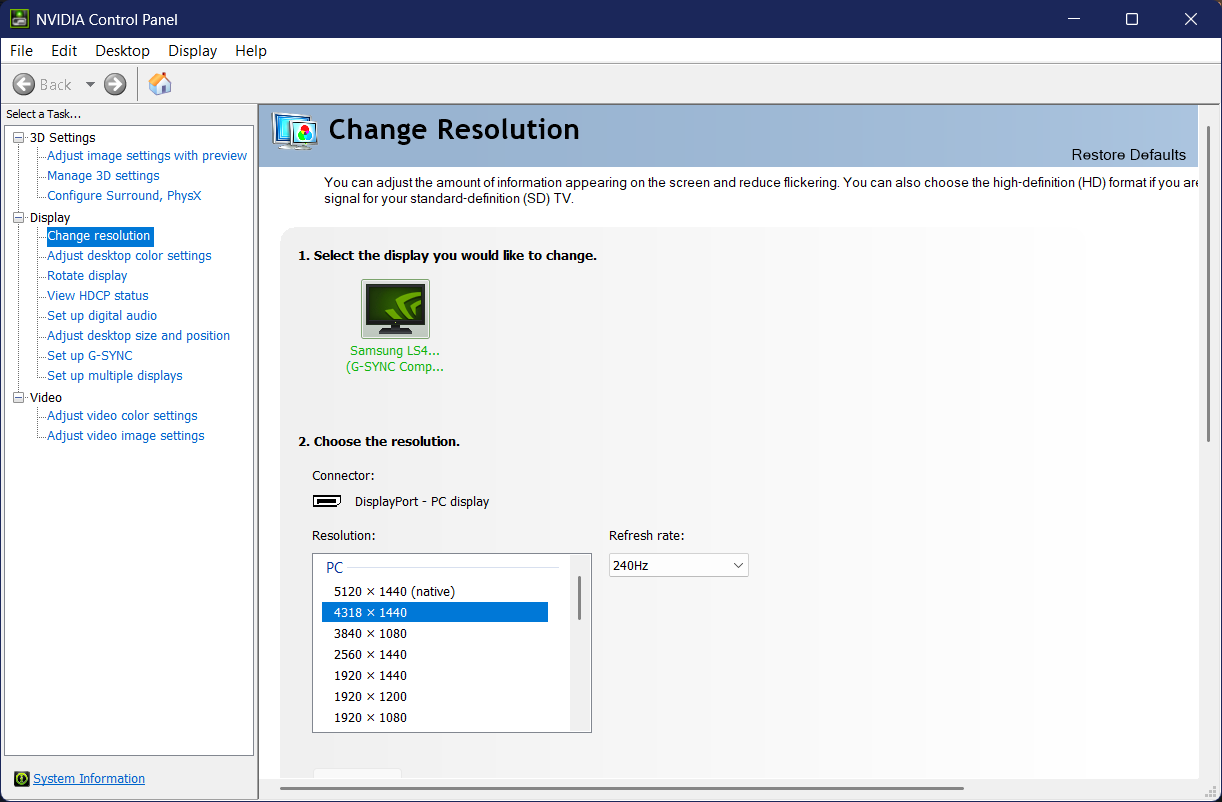
I play War Thunder on a 32:9 ultrawide monitor with a 5120x1440 resolution. War Thunder goes into a different view mode at resolutions beyond 27:9 which restricts vertical FOV.
This restriction greatly hampers my situational awareness in ground battles where I need to maintain eyes on the sky, so I set a custom resolution in my config.blk file that is two pixels narrower than what a 27:9 resolution would be on my monitor — 4318:1440 — and set config.blk to “read-only” such that it wouldn’t change it back on me without asking first.
This worked for me for the longest time, without issue — but when I booted up War Thunder today, the game felt the need to apply stretch scaling to fill out the screen, which I think looks just awful. I have tried everything in the usual toolbox to try and fix this:
- I double-checked my NVIDIA Control Panel settings, and indeed, they are still set correctly (Aspect ratio scaling, on GPU, override scaling mode set by games). I also double-checked
- I double-checked my config.blk file, nothing has changed
- I unchecked read-only on the file, booted up War Thunder, changed my resolution a few times, and repeated the config.blk adjustments — still stretched scaling
I’m out of tools, at this point. I’m wondering if anyone else has run into this problem or has any potential fixes they could suggest? Thanks in advance.