hello, pls help me, idk why my soundmods doesnt work in my steam launcher WT. recently i download pixelstorm launcher and gaijin devserver and then on official wt server i cant turn on sound mods
reinstalling game doesnt help
You have turned on the setting in game under options “custom sound modifications”?
From WT Live//FireXsoldiers post:
INSTALLATION
1. Find the “config.blk” file in your warthunder folder.
2. Open “config.blk” with notepad and find “sound{ }” in the “config.blk”.
3. Under “sound{ }” add these line: “enable_mod:b=yes”
4. Now find the sound folder and make a new folder and call it “mod”.
5. Download a sound mod and drop the files in the newly created “mod” folder.
And then you’re DONE.
You have extracted the sound mod and placed it in your War Thunder folder under → War Thunder → sound → mod folder?
That’s all there is to making them work.
You have turned on the setting in game under options “custom sound modifications”?
Wheres this option? i dont remember this setting
I do all instructions about 2-3 times
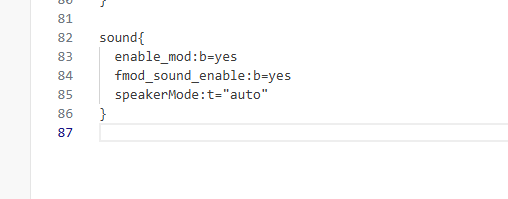
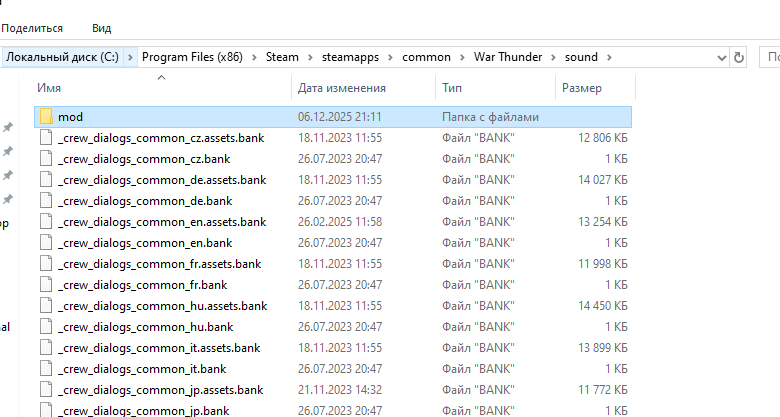
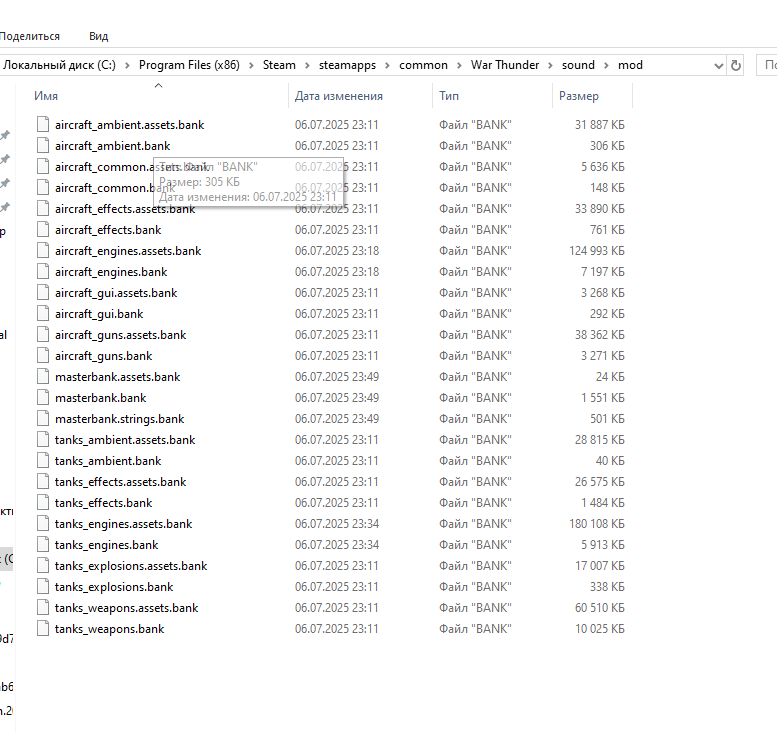
Everything I see there looks correct. When in game at the hangar, it should state in the upper right corner, “Sound modification enabled”
You’ve confirmed that when in game, you’ve set under options => custom sound modifications to Yes?
okay i just dont save “enable_mod” in correct place, ty