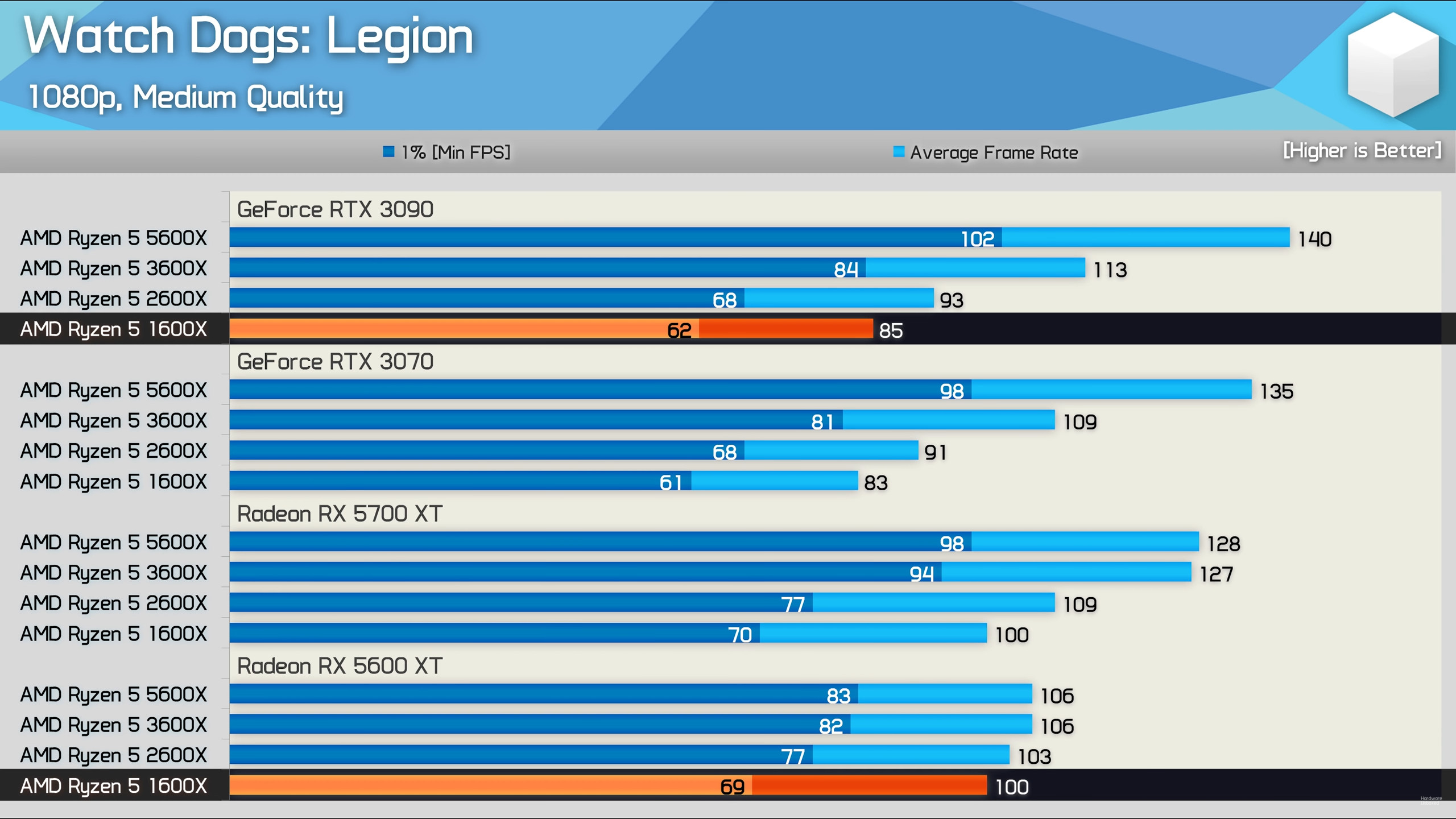
You talked about overhead, when there is nothing like this on AMD GPUs, but Nvidia on the other side have driver overhead, that’s also known and tested on different hardware sites. So with a weaker CPU it’s better to use AMD instead of Nvidia.
So the one who doesn’t know what he’s talking about are you…
AMD has more driver overhead in DX11 and some particular DX12 titles, war thunder being one of those titles, stop being a triggered fanboy, real world testing proves you wrong, grow up
triggered fanboy doesn’t realise all drivers have overhead, triggered fanboy should get his facts straight before fanboying about companies, silly triggered fanboy
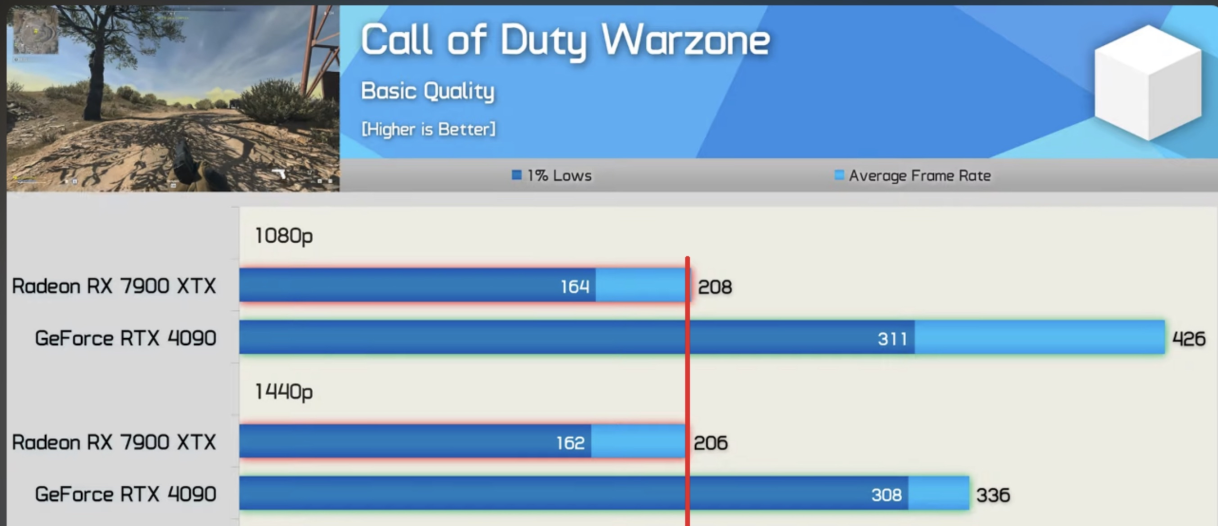
Where show your little benchmarks spams, GPU overhead??? And of course a 4090 is faster than 7900XTX, nothing new.
This here shows you, that your are wrong, because testing GPUs doesn’t show overhead, only testing with different CPUs and same GPUs show it.
I tested my 70ti against a 70xt from a friend of mine, his game was running on FSR4, dlss4 won in terms of performance gain and final quality by a wide margin in some parameters
Try Vulkan. It’s great for AMD cards. Especially 9070xt. With Ray Tracing on Ultra you are going to get 90fps+ without FSR. Brightness and colors are fantastic. It is way more stable than DX12 beta. Ask AI on how to activate as it is not officially supported in the menu.
Locate War Thunder folder (Steam: C:\Program Files (x86)\Steam\steamapps\common\War Thunder).
Go to content subfolder.
Copy pkg_main.rq2, rename it to pkg_vulkan.rq2. Use Notepad to empty file named pkg_vulkan.rq2.
Run launcher (not the game): It detects the file, downloads ~few GB of Vulkan shaders/packages (progress via wrench/check files if needed). Wait for full update.
On the launcher chose render Auto and run in Windowed mode. Close the launcher.
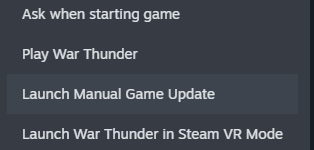
Go to Steam. Go to the game. Right click on it chose properties advanced and add the command “-renderer:vulkan” no quotes
Launch the game via steam.
If it works it should show Vulkan 64bit in the upper left corner of the window. Then you can revert to full screen mode.
thanks for help but i still don’t understand any of that 😭 i apologize for wasting your time
i will ask my dad or brother if he could dad to help with this.
Rx 9070xt or any AMD GPU with Vulkan is way better than the same card with DX11 or DX12 Beta. Specifically rx 9070xt on Vulcan outruns by a decent margin 5070ti even with rtx enabled with ultra settings. You don’t even need FSR to hit 90+ fps. Tested on 3440 X 1440 resolution.
Currently i have the 9060XT 16GB and i have about a 10-20% chance whenever i tab out and back in my game freezes for video driver was hung and restarted, lowering video quality.
Common issue that has nothing to either with your GPU or your monitor. Even more frequent if you run the game on DX12 beta. The most effective fix (not 100%) is to run the game windowed or full screen windowed. But this is ugly. I run the game on Vulkan for a couple of days now and don’t this issue that i use to have as you do. But I can’t be sure that it won’t happen again.