Regardless of how the game is closed, whether by stopping it in steam, pressing alt F4 or using the “exit game” button in the hangar, on the next boot the game throws a warning saying that the game crashed due to sound mods. This is misinformation, and annoying, because it adds another pop-up alongside the already too many pop-ups when opening the game. How can i remove it?
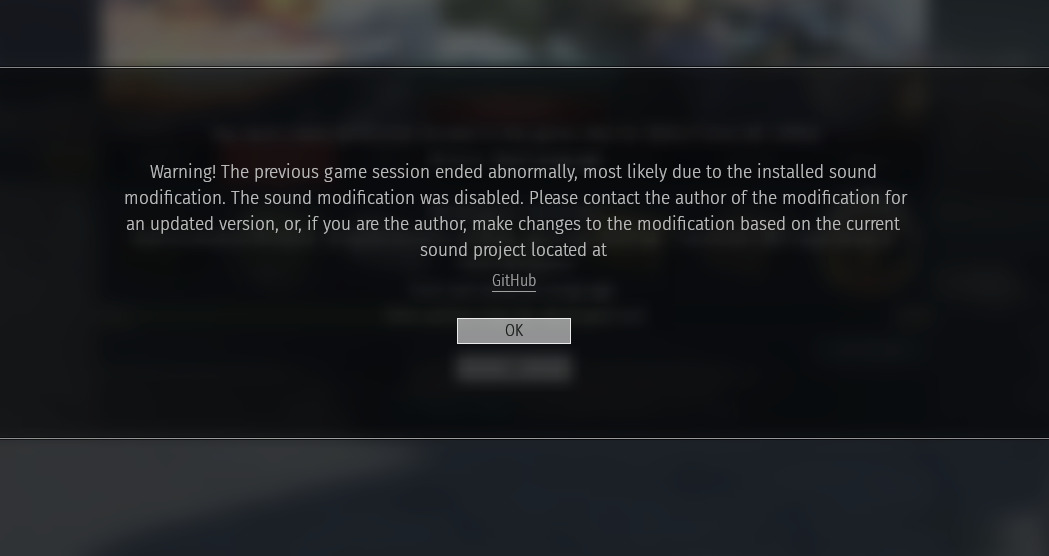
i cant blame gaijin for not wanting to be blamed and spammed with bug reports when someones sound mod breaks their game
1 Like
I alt F-4 the game all the time and I have seen this warning exactly zero times, go yell at the guy that made the dodgy sound mod.
What sound mod are you using then?
none, I also only get change logs and event notifications as pop ups, so it’s an issue with your 3rd party software.
You’ve seen it zero times because you don’t use sound mods, making your statement irrelevant. No third party software is in action whatsoever either, so i’m not sure what you’re talking about
The sound mode is 3rd party doffus, you use mods you deal with the problems they cause.
Sound mods are a first-party feature baked into the game, and it’s certainly not software
I’ve used sound mods and never had this warning ever: you should report this in the bug report website for Gaijin: Community Bug Reporting System (check if anyone had this issue before, if not, you should go ahead and create one)
Did Gaijing make the sound files? no? it’s 3rd party.
Oh? did you park a tank outside your room to provide your sound effects or something?
I get you are probably trying to avoid false allegations of cheating due to the negative connotations of the term “3rd party software”, but mods are in fact software.
Mods are mods, software is software. I don’t know why you’re trying to start an argument here, i want to remove this error because it’s misinformative and annoying. If you don’t have a solution, don’t reply anymore, thanks.
The warning was only added last major update, might be why you’ve never seen it
And my point was the issue is probably the mod crashing the game.
And soft ware is basically anything digital, the game is software, mods are software, the music you stream while playing is software.
But I agree this is going off topic, I’m not trying to pick a fight, just point out that it’s probably more an issue with the mod. crashing the game, not with the game.
I will leave it at that and just wish you good luck in resolving the issue.
yeah, probably
I’m no expert in this, but have you tried removing your sound mod?
1 Like
And this message is saying that something went wrong, linking you to a github that likely tries to have some sort of guide or info about checking what went wrong.
Check the reply above, as I’m sure you need to figure out what is doing it. Remove it all, start over, and see where it starts breaking again, then just don’t do the final step or the addition that makes it start having issues.
1 Like