Question about my mouse

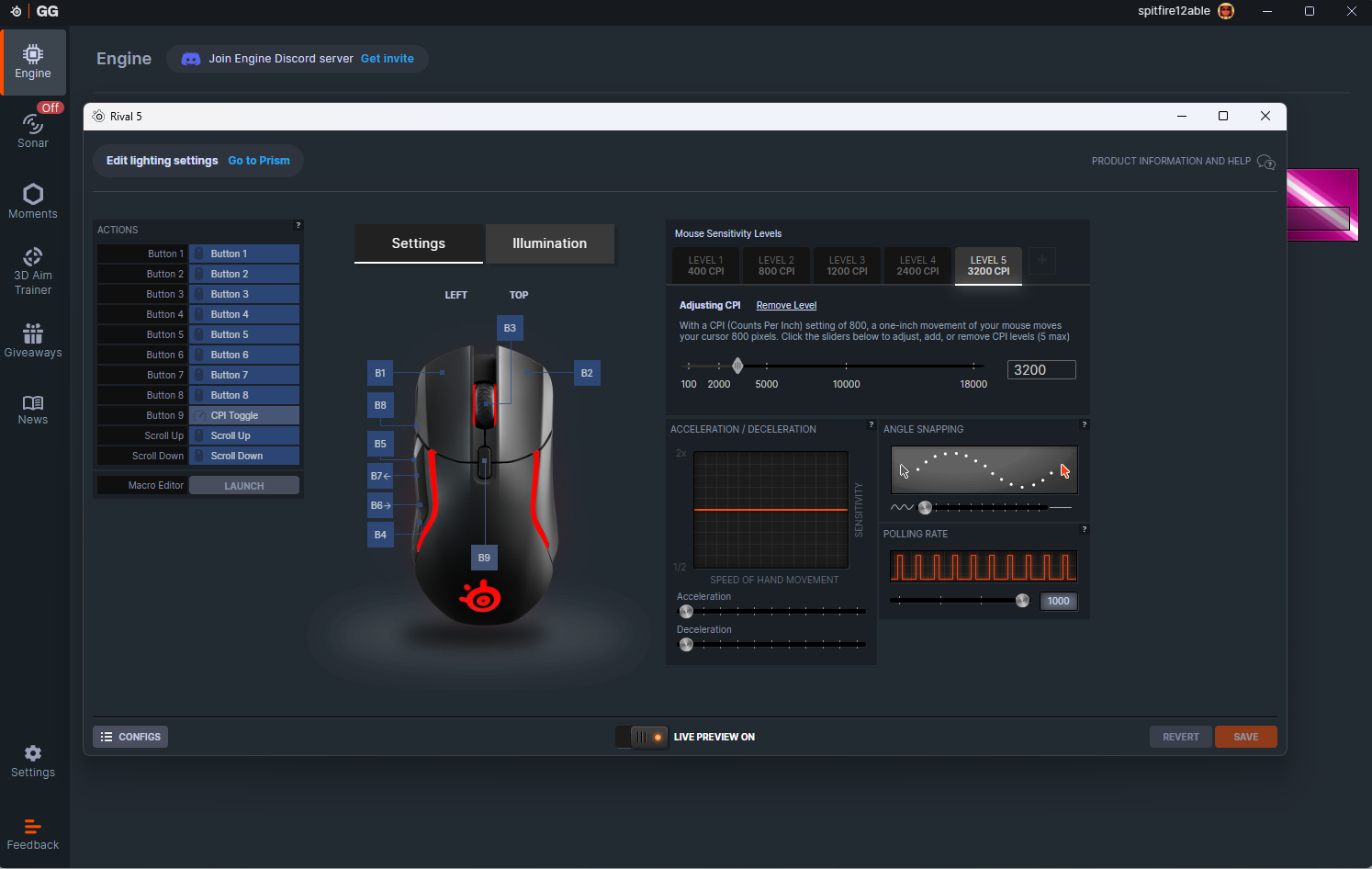
hi ive recently got a mouse that supports more buttons but im unable to se them up in the control list evn though the additional buttons are set up as seperate buttons

any advise on how to set them would be nice. i know you can set the up to work as keyboard buttons but thats not how i want to use them as rather use my mouse buttons to free up my keyboard a bit

I also have a mouse with extra buttons and i have no issues binding them to key binds in the in-game controls settings.

What happens when you select a key bind to change and press one of the extra buttons?

but it surely shouldn’t have to set them as keyboard buttons makes no sense when you can set them as there own button

I’m not sure i understand what you mean.

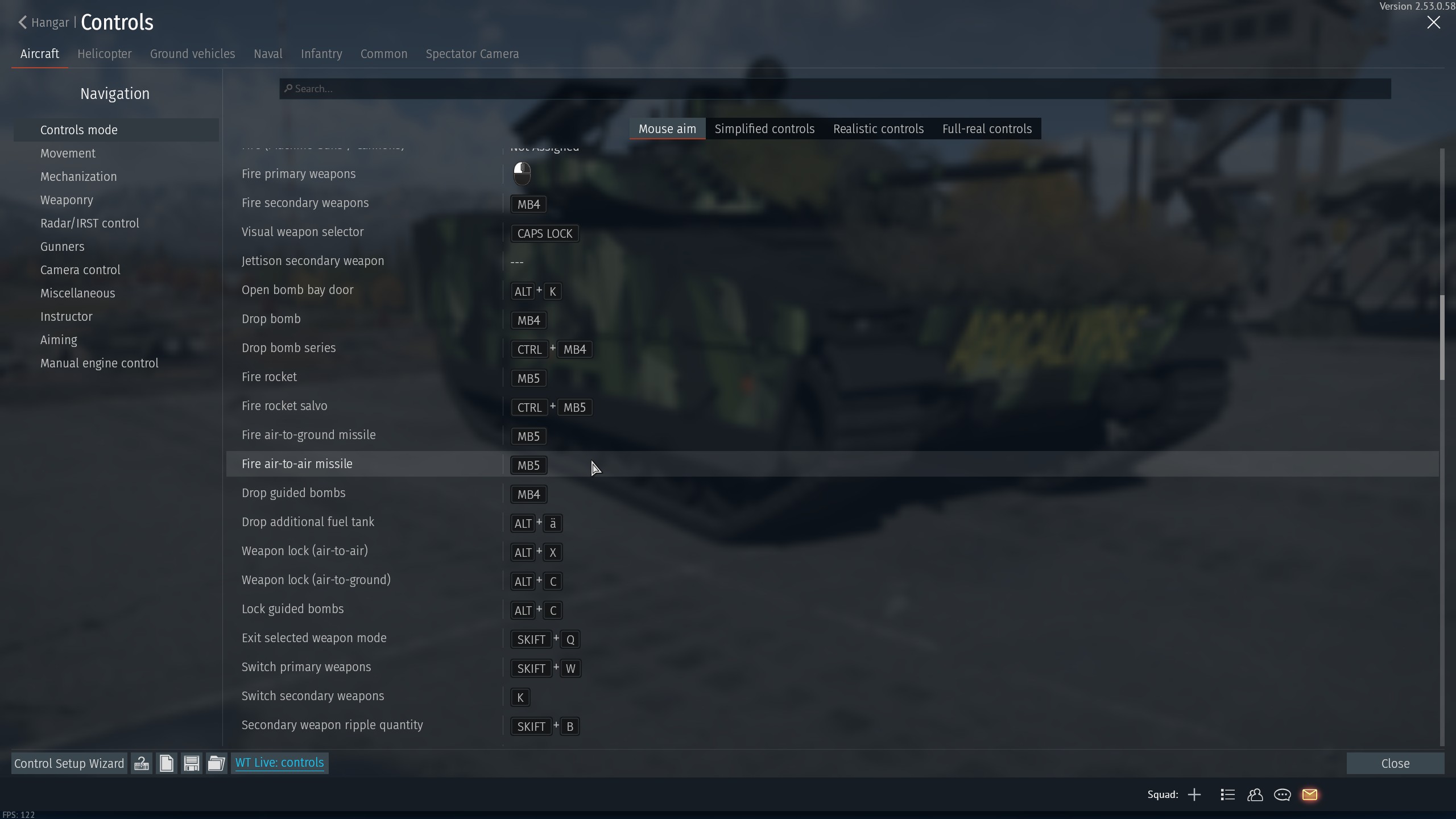
I just go into the controls settings in-game, select a key bind i want to change, press the mouse button i want to assign to it and it does it normally.

It then looks like this for me:

Where “MB4” and “MB5” are two of the side buttons on my mouse (MB = Mouse Button).

yeah i can allocate my mouse buttons up to mb5, but my other buttons from mb6-mb8 i can not allocate

I don’t think wt supports that many mosue buttons. I have some of my mouse buttons setup as numpad keys (I have a 60% keyboard). And even if I had a regular one I would not use the actual keypad for keybinds.
just seem strange that you build a game and not support that many mouse buttons, nearly all good gaming mouses have 8 buttons or more

I have the same issue with my Steel Series mouse and I fixed it by reassigning the non-functioning buttons a keyboard function key like F24, etc.

For some reason War thunder doesn’t register certain mouse buttons

Well it is strange but also not straneg at all. This game has been out for over a decade. Most mice back then had no additional buttons afaik.

Still not an excuse but I doubt they changed their keybind code much in those past 10 years.