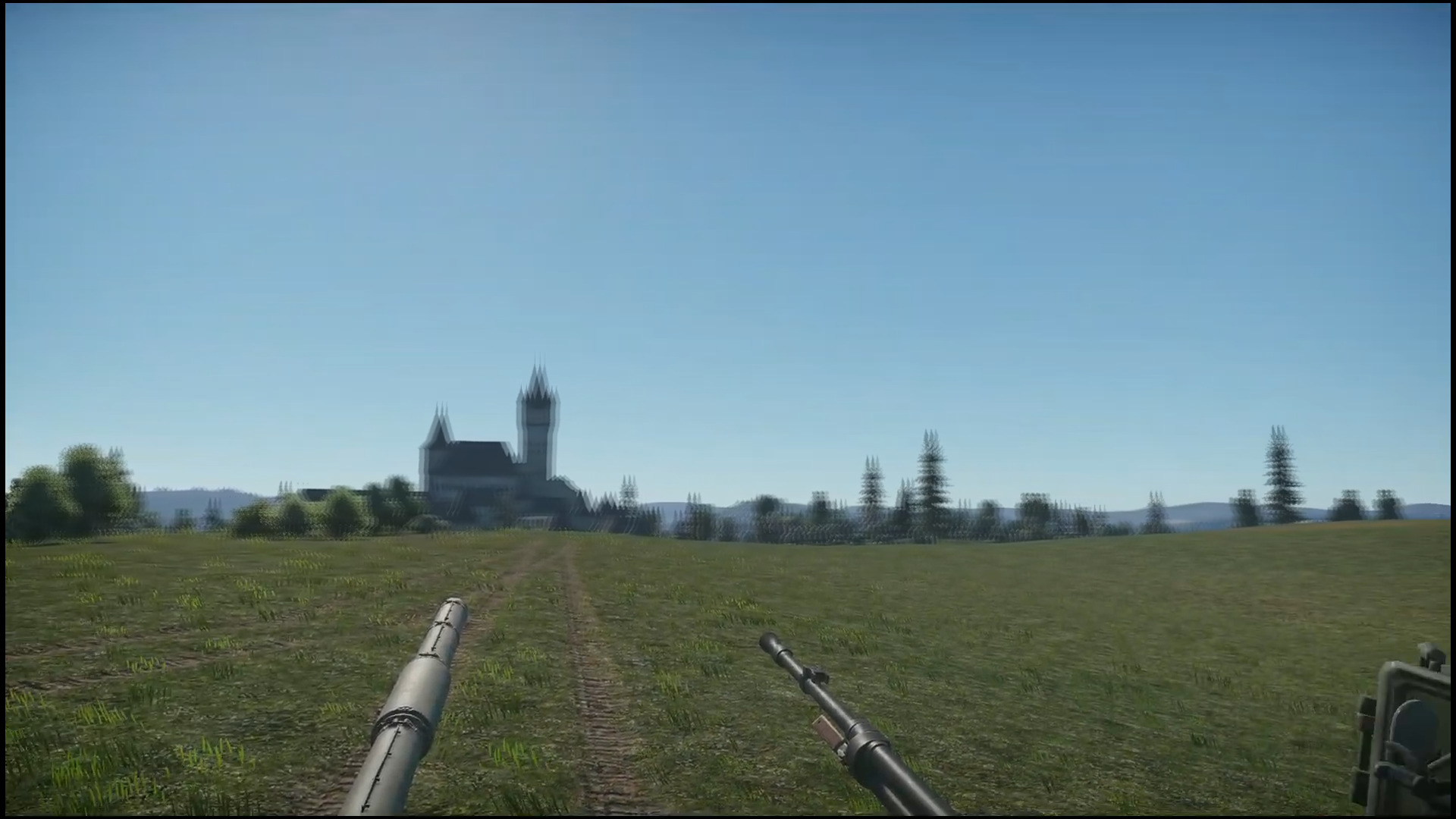
Hello guys, i have a strange ghosting effect when i move my camera ingame, the effect intensifies when i move it faster. i tried every graphics setting i could think of … still the same.
The effect literally is an almost crosseyed vission type where another ghost image of the appears next to the original one.
I recorded the thing and i uploaded it on youtube. looked at the video same thing BUT when the effect happens if i press pause the paused image is crystal clear so i 'm not sure it’s from hardware because if it would be from hardware i would be able to pause the thing on my screen.
I need some good hearted soul in here that has a good monitor to look at the video and see if you can see the same effect or not because if you can’t see it … it’s my monitor.
here is a photoshoped image of what i see when i move my camera. (the effect is photoshoped because i literally can’t print screen it, all print screens are clear.)
Note that the castle has ghosting when i move my camera, take a look at the video ans see if you have the same thing on your monitor, or is the image clean?
Here is the video: https://www.youtube.com/watch?v=Rsf8t63QlbI
Have you unchecked camera motion blur in graphics?
yes, on, off makes no change. If possible please take a look at the youtube video and see if you see the same thing or if the image is clean on your screen when i move the camera.
Yeah no clue then. Your video shows the castle get blurry on moving the camera
I see the same thing on the image as in the video.
Isn’t that just a result of low framerate/fps?
What refresh rate is your monitor?
(here is a great site for comparing framerates: UFO Test: Multiple Framerates )
Constant 60 fps , 60 hz monitor.
Do you use any upscaling or frame generation settings on your graphics card?
Ooff early dlss heavy ghosting flashbacks.
That’s what i was thinking about x)
I disabled all of them in my gpu and ingame. this drives me crazy because it’s giving me insane eye fatigue and migraines like you wouldn’t belive.
Also what’s getting me is the fact that i can’t catch the effect on recording.
I record the video doing what is doing and if i pause it during the effect . . the frame is clean. If it would be a hardware problem or artifact it should be encoded in the video.
Well it’s not a hardware issue. I think we can all see the smearing in the video. Must just be something with it being 60fps. Have you tried unlocking your fps cap even if your monitor is only 60hz
no, will do and report back
1 Like
What anti aliasing method are you using?
same stuff… i got 350+ fps no change sadly.
i tried all of them, same thing
And this issue is only in WT?
i tested other games too and some ghosting is present but is so minimal it almost can’t be perceived. In WT however it’s crazy.
That’s why i’m trying to find out if i need a new monitor or something else from my pc does this.
What kind of monitor do you have? Might be wortwhile checking the GTG response time on it.
But the odd thing is the ghosting shows on the video you captured. Now that could be because it was captured/uploaded at 60fps. Can you somehow check the fps of the video recording? Maybe try uncapping the fps to get to 350 and recording again to see if you can capture a high fps video and maybe check that one frame by frame.