It’s really weird that it’s only using 5% GPU. Have you done anything in the nvidia control panel for War Thunder. Or maybe it did it on its own.
Try setting WarThunder to DirectX12
I didn’t change anything in the NVIDIA control panel:(
doesn’t work:(


Its using your integrated gpu
Go into device manager under display adapters there should be your integrated gpu name and disable it, then reset pc
Try to reset nvidia control panel settings
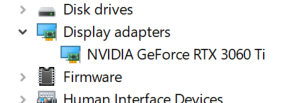
Um, I don’t have any other GPU showing :(
still doesn’t work :(
My game was very smooth when I first opened it, but in a few seconds, there would be only 10fps left. I’m wondering if the computer thought I was running it in the background, and I asked ChatGPT and tried everything, but still doesnt work:(
Tried just reseting graphics back to default?
You could also trying deleting the cache folder in the main directory and then running a verify install. Has been known to fix issues in the past.
I do also wonder if its some wierd shader issue? So you could maybe try doing the same again, but with the compiledShaders folder
I have tried resetting the NVIDIA control panel, but it doesn’t work. And I just tried deleting both the cache folder and compiledshaders folder, but sadly, it still doesn’t work. And I just tried the GPU benchmark (in-game one), and this game told me that I should run smoothly on movie level, but like bruh I can’t even play the game
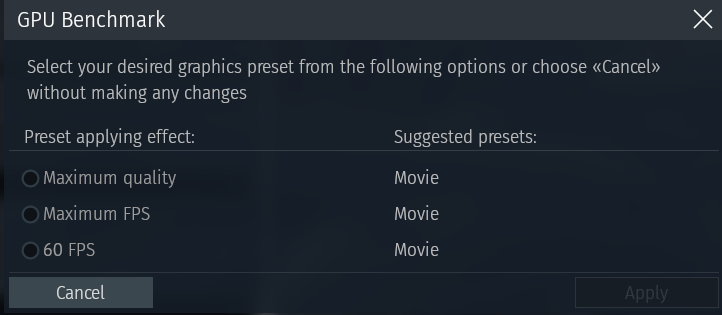
1 Like
Other than a game reinstall. Im out of ideas im afraid. it is very wierd. You may need to contact support
Sadly, I have already tried reinstalling the game, but that doesn’t work. I think I should contact Gaijin support (tho idk if their support system works)
well , one of my friends has been having similar issues with war thunder aswell, myself saw that on the last couple updates for some reason the game is just running worse , no idea on what is causing it but on a rx6400 is just impossible to run in anything other than ultra low , same thing for vega 7 ig its not the same issue as you but idk
Check if you have the option to enable ray tracing, I agree with the others it sounds like it’s running off of your igpu, even though you say it’s not listed.
No idea if this video will even help, but I remember a setting elsewhere to prioritize the dGPU, and even to the point, disabling the iGPU to force that dGPU usage.
This video shows how to force dGPU usage in windows settings I hadn’t seen, so worth some looking maybe.
Also, maybe enable the overlay in gamebar to show you the GPU usage and compare it to the dGPU usage, then you’d know which one it’s using.
Just checked that, yes, I can use ray tracking if I switch to dx12
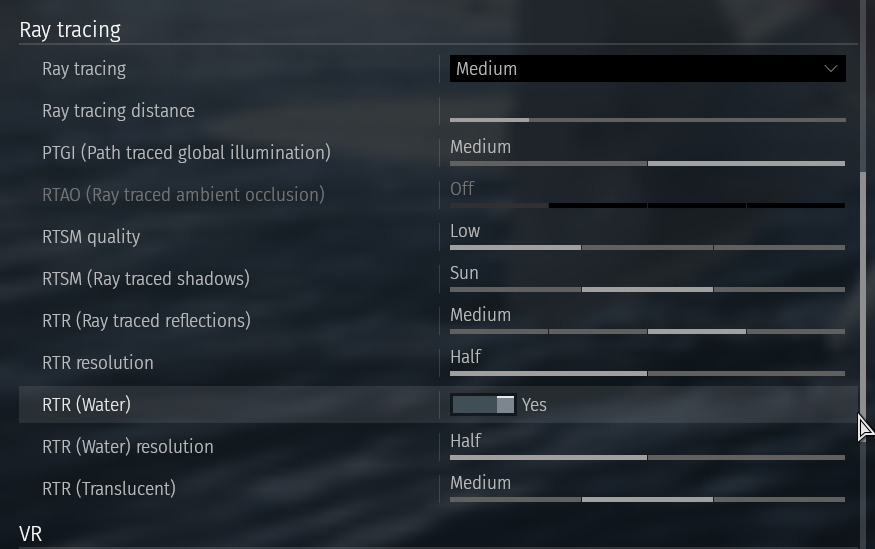
Both Gamebar and Task Manager are showing the same usage of GPU, and I just tried what the video said, but it doesnt work;( and I have tried using NVIDIA Control Panel and setting the game’s priority to high in Task Manager to force my game to use dgpu, but neither helps.
1 Like
I format my PCs every so often for the most random reasons. xD
I’ve also been reading the linux setup isn’t so bad.