sim maps* my bad
1 Like
What…
You can spawn further and faster in carrier than in a base.
I’ve always thought on leaving maps is kind of selfish as you give up on the team you’re sided with.
However, I’ve been thinking on not playing any variant of Port Novorossiyk for a good while now, maybe this thread will be my particular catalyst.
1 Like
i still need to fly 20 minutes to get close to anyone thats not flying at me, also most sim maps dont even have carriers, sinai, canion etc
That just how sim is.
Your putting the problem at the other.
You decided to play with harrier you accept the bad things about it.
Simple
I never leave based on map. If I’m put into a battle I’ll fight to the end regardless of how much i like or dislike the map. I don’t even ban maps.
I do leave maps I don’t like. I don’t have the degree of masochism to force myself to endure awful ones.
In SB EC, I despise Denmark/Afghanistan/Vietnam at WW2 brackets and dont join either. Issue is it often devolves to a 4 vs 4 where most of the enemy are in bombers. If it was a full 16 vs 16 itd be different.
1 Like
You don’t need one to do decently in dogfights and furballs! (at gunfight brackets. Cant speak for jets).
Mouse & Keyboard, no VR, No headtracking needed. No expensive anything beyond a decent enough GPU and CPU for smooth Warthunder.
Give my controls a try. They take a week or two to learn but once you do they offer great situational awareness and control.
How can you aim properly with binary controls? Like, you can only push control surfaces fully or not at all, so you’d have to press/release constantly, that sounds really hard to master
I don’t.
I use my mouse to adjust pitch and roll, Q/E to adjust coarse rudder, mousewheel for fine rudder.
HEADS UP: The “`” key gets cited. In game, this is called “GRAVES” if using English keyboard layouts. On Danish, it’s ½. On Hungarian, it’s 0. You can find this key right atop your TAB and left of “1” for the number row.
CAMERA
- WASD to turn head.
- 1, 3 to lean left/right.
- TAB+W/S to lean forward/back
- RMB to raise head, TAB+RMB to lower head.
- 4 to instantly look back
- `+mouse wheel to zoom in quickly/reset zoom
- Z to zoom in quickly/reset zoom
- V to zoom out quickly
- X to reset to gunsight.
RUDDER
- Coarse rudder is handled by Q and E. Q and E also control differential braking
- Q and E to increment rudder deflection by rapidly (around 6-9)% when quickly tapped.
- Tap twice for (12-18)%, it stays held down like in IL-2.
- Tapping opposite directions decrements (e.g. 0% rudder, you input 4Q3E and it adds up to ~-6% left rudder).
- Press 2 to “lift foot” from rudder pedals to reset to trimmed default.
- Fine rudder is controlled by mousewheel. Scroll up to increase rudder%/Angle of slip - in other words: Right rudder. Scroll down for left rudder. With my mouse, 1 “tick” of locked mousewheel corresponds to 2% rudder (G502 Hero).
I recommend practicing coordinated turns in test flight to get used to the fine rudder input. It’s mostly for coordinating turns, coordinating flight and fine aiming with the nose. Best use case I found is to open with Q/E for when you roll left/right and then adjust with mousewheel to minimize your slip or get your nose on target.
COMMS
- F6 for “I am at COORDINATE XY and at altitude Z.”
- F7 for “I am at COORDINATE XY and at altitude Z, and I have confirmed hostiles please assist.”
- F8 for “I am at COORDINATE XY and at altitude Z, and I am sorry I cannot assist as I am returning to base.”
- K + 4 + 5 “I cannot assist as I am reloading.”
- K + 4 + 8 “I cannot assist as I am repairing.”
- F6 + K + 3 + 1 “I am at COORDINATE XY and at ALTITUDE Z, and I am on my way to assist.”
ENGINE
- ALT + I to start
- NUMPAD - to enable MEC
- NUMPAD /, * to disable auto radiator and prop pitch.
- NUMPAD 7, 9 to set prop pitch
- NUMPAD 5, 8 to set mixture
- NUMPAD 4. 6 to set radiators AND oil cooler (they’re adjusted together)
- NUMPAD 1. 3 to set ONLY oil radiator (offset relative to radiator)
- NUMPAD + to shift supercharger gear
MISC
- Cursor Left/right for rudder trim
- ALT + Cursor Left/Right for aileron trim
- Cursor up/down for COARSE elevator trim (useful to pull out of dives and otherwise overcome stiffening/compression)
- TAB + Mousewheel for fine elevator trim (1 tick is about half% elevator trim.)
- TAB + ` for fine elevator trim (1 tick is about half% elevator trim.)
- ALT + HOME for trim fixation in test flight.
- ALT + - for canopy
- . for gunsight
- R to reduce flaps, T to increase flaps
- ALT + G to retract gear
- n to view scoreboard
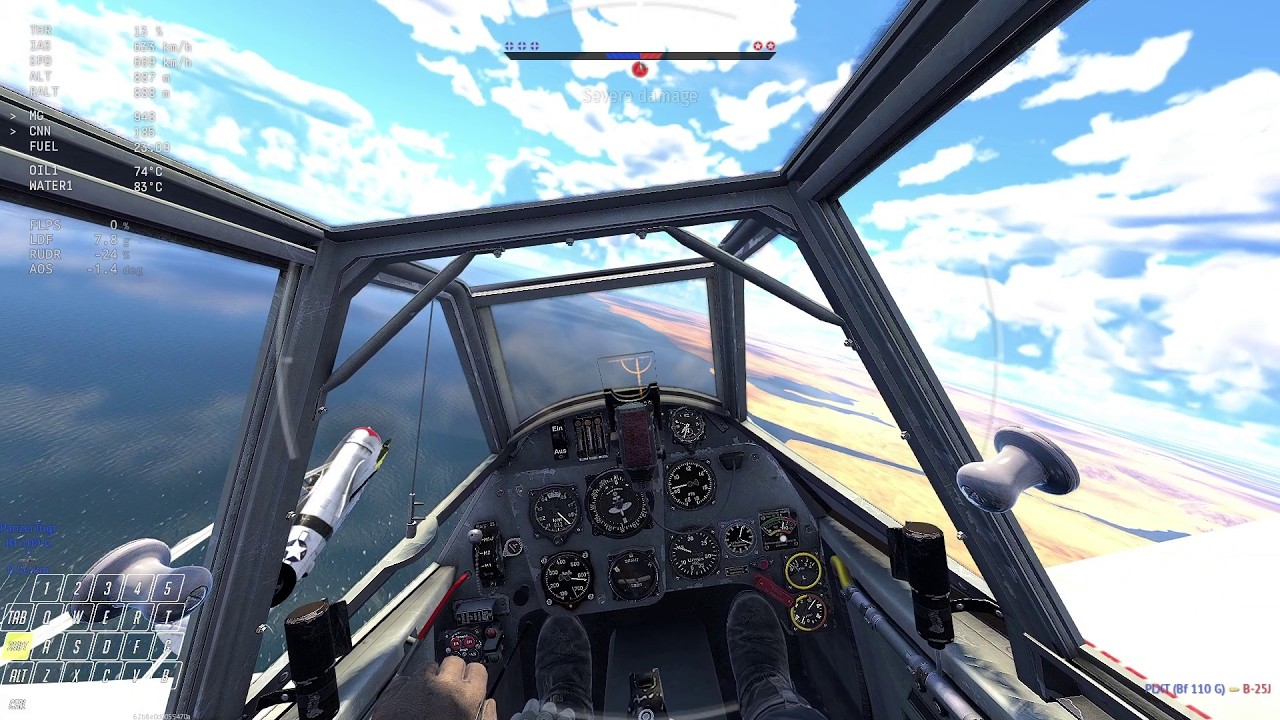
Here, have a live gameplay demonstration. It has my control inputs all on screen except my mousewheel and overlay also shows rudder position.
Wait you use your mouse to adjust the amplitude of your controls? That’s possible? Dang
No that is how sim maps in arb are, sim is great with the harrier
yes and i decided to leave the match and accept the crew lock?
cool for you :thumbs_up:
Yup! Hence offering to try my controls.
Another nice match for showcasing it:
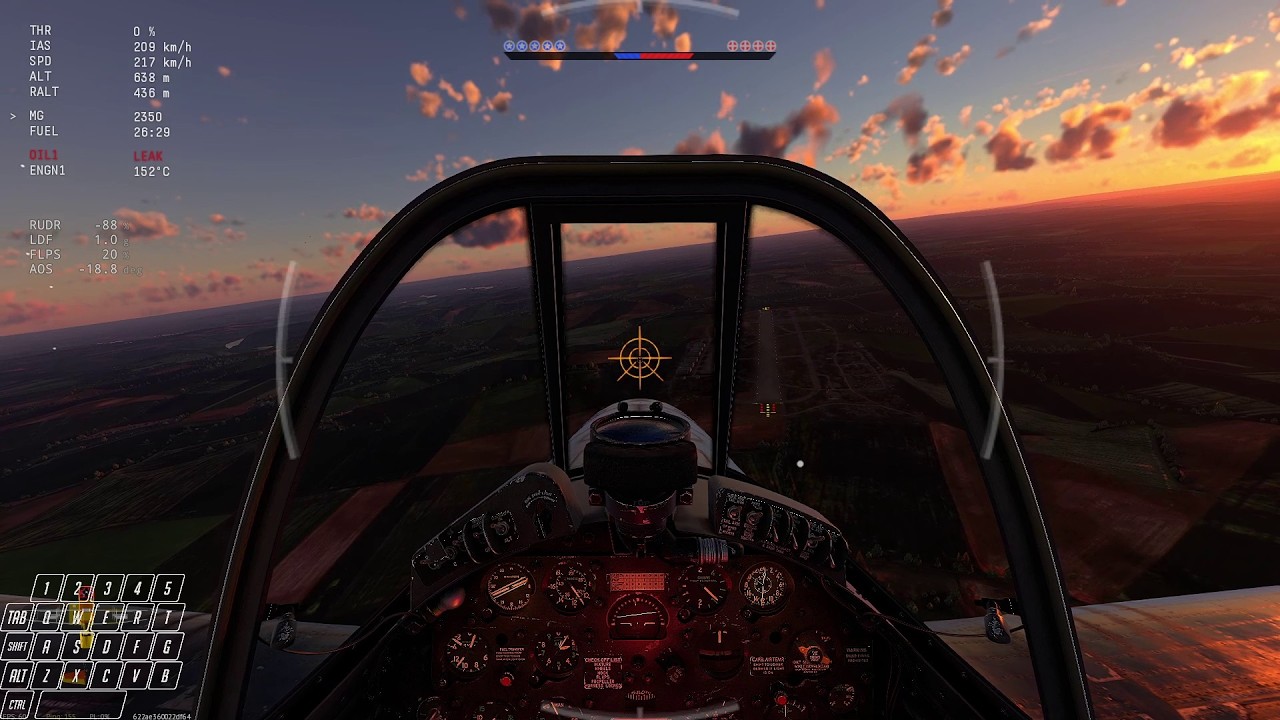
Includes a forward slip to land to showcase the rudder nicely.
1 Like
What plane?
First video is 109 F-4, second is F4U-4 (.50 cal variant).
Probably works just as well with jets but I dont wanna make claims I cannot support with clips.
1 Like
Well anyway that’s interesting, I’ll save it for later when I’ll have time to learn
1 Like
Man as a Diode
I usually leave 1 or 2 cap gamemodes after dying.
They suck.
Full uptiers are honestly so frustrating when they’re chained back to back.
The game needs more decompression across the board or a new style matchmaker. A 0.7 spread or, everyone’s top tier would be fun to try (obviously that would require BR changes).