hello
does anyone know what is anti lag for is it good or bad?
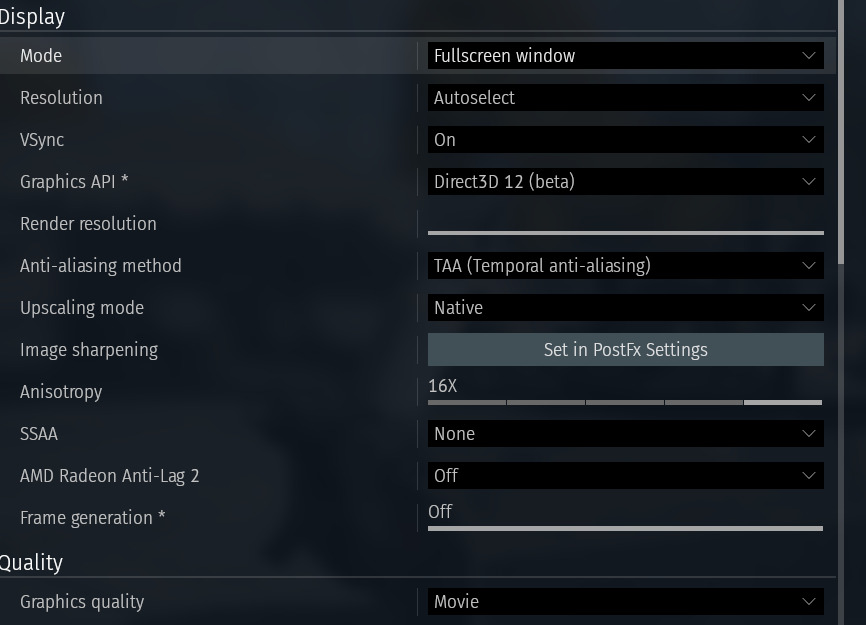
my game have weird lag spikes it’s very annoying how do i fix it?
i did not have these issue with my old laptop i got this pc like months ago
i also have weird flickering in fire and effects / shadows
Have you tried using direct3D 11 in graphics API?
1 Like
no is it better?
i will test it and see if i still have this issue !
am sorry am so bad with tec stuff my dad bought this new pc am not good with pc stuff am still used to my old laptop 😭
Edit
i also used the DX 11 with anti lag 2 is this good or bad?
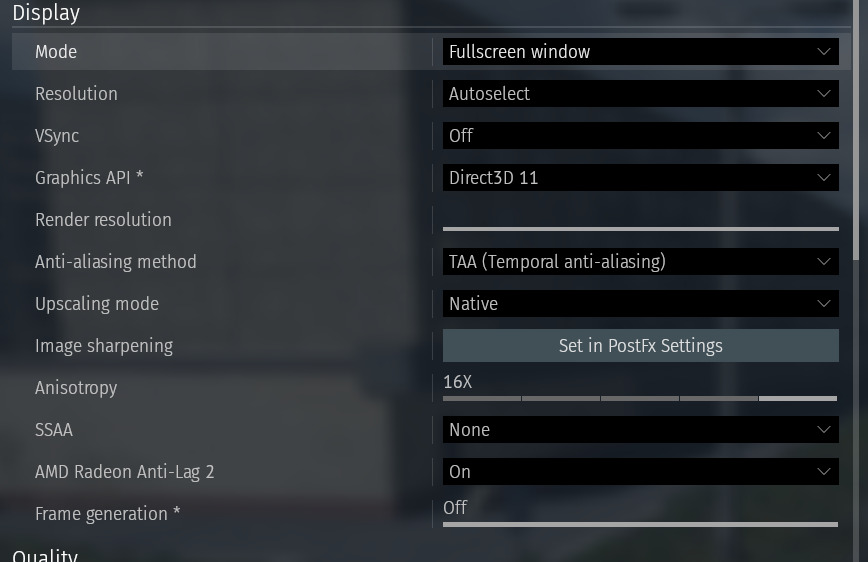
I cannot say about anti lag as I have an nvidia gpu but I know that direct 12 can still cause some issues.
Just try changing some settings and see what works best.
Try changing antialiasing down a bit maybe even anisotrpoxy and see if it still has issues.
Basically try different settings presets untill you find one that works.
Try medium setrings even and then go up.
1 Like
i test in other games but i don’t have issues with DX 12 at high settings or lag only in wt
but seems DX 11 have less lag spike but i still get random spikes of lag
Also i wish if devs give more info about DX 12 is good with new pc or bad
The inplementaion of dx12 in war thunder is just not the best. As I said try changing different setrings until you find one that lets you have a smooth game.
am using DX 11 but in some maps the ground textures and trees keep respawns and flickering.
in my old laptop i did not have these issues at all :(
am so dump with computer stuff no clue what’s the cause of this
i went to war thunder guides and bug reports and i made sure all my drives all up to date and my dad reinstalled windows 11 with drives for me and still same issue :(
am try to reinstall war thunder maybe that fix these weird issues
AMD Radeon Anti-Lag 2 is designed to reduce end-to-end system latency between your input (like a mouse click) and the on-screen response, thereby improving game responsiveness.
To address the issue of constantly flickering ground textures and trees, you could try enabling AMD’s FSR (FidelityFX Super Resolution) upscaling technology. Additionally, a fundamental but critical step is to ensure your AMD graphics drivers are properly installed and updated to the latest version , as this is essential for both features to function correctly.
1 Like
wow thank you best explanation. omg when i click with mouse it way faster in response thank you so much this help me alot!!