Hey everyone!
Some of you may remember my older videos about optimizing War Thunder for VR. Back then I realized there was a bigger problem than just finding the “best VR settings”: War Thunder keeps changing, and many players basically have to choose between having the game configured for VR or configured for desktop.
VR often needs completely different graphics settings, controls, sliders, and profiles. Switching between the two could mean messing up a setup you already spent hours getting right.
That’s why I originally made War Thunder VR Assistant v1.0.
The idea was simple: save your VR and Desktop configurations separately and switch between them before launching War Thunder.
Then somebody commented on my original Reddit post asking:
“Could the app also load different custom control files when switching between Desktop and VR?”
And that question basically sent me down the rabbit hole. :D
I started talking with people from the VR community on Discord and asking what problems we could realistically solve ourselves instead of waiting and hoping they eventually get addressed in-game.
Three months later, I ended up rebuilding a huge part of the app.
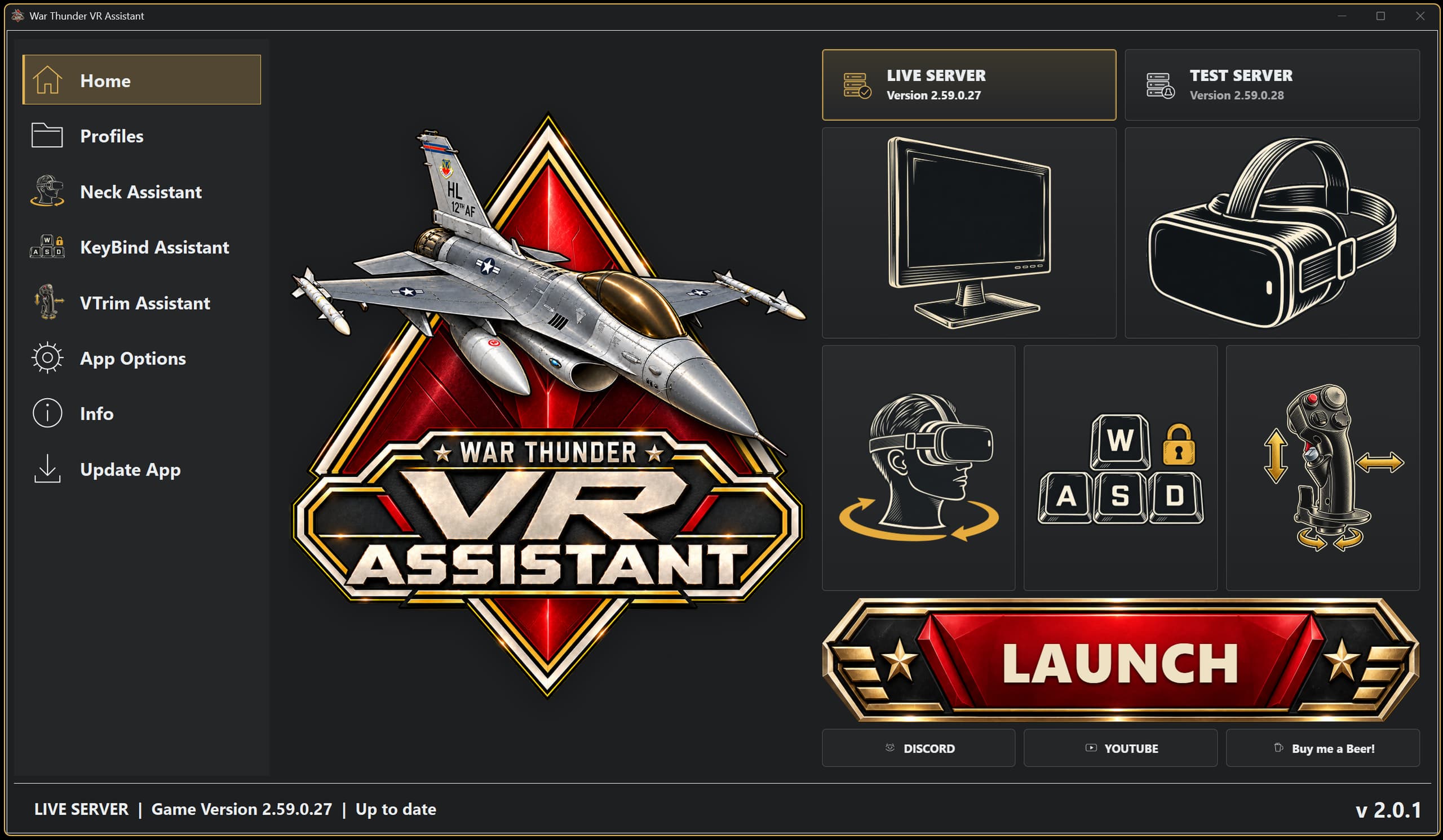
VR / Desktop Profiles
The profile switching system has been completely reworked.
You can now switch between your Desktop and VR graphics/settings profiles directly from the main screen, including the custom War Thunder control configuration you want to use with each one.
The app can also launch and update War Thunder, so the idea is to make switching between Desktop and VR as seamless as possible.
Neck Assistant
This feature actually came from somebody in the community who uses a wheelchair and can’t physically turn around far enough while flying to check behind them.
I started looking at existing VR rotation tools, but the ones I tested either didn’t work properly with War Thunder or rotated your view in strange fixed-degree steps.
So I built my own system called Neck Assistant.
Instead of just emulating mouse movement, it works with OpenXR / VDXR / SteamVR automatically and offsets the VR rotation itself, giving you additional head rotation while still using your normal physical head movement.
Ironically, while developing this I managed to hurt my neck while playing with my daughter, so for a while I accidentally became the perfect test subject for my own feature. 😂
KeyBind Assistant
War Thunder also has several useful functions that are effectively hardcoded to keyboard keys.
For example, N for the tactical map, as well as some VR head-position controls.
KeyBind Assistant lets you assign those functions to your HOTAS.
So if I bind a HOTAS button to Tactical Map, pressing it causes the app to send the corresponding keyboard input to War Thunder.
This has been especially useful for me in Ground Simulator because I don’t have to start searching for my keyboard while wearing a VR headset.
Advanced HOTAS Switches
Another thing that always annoyed me was physical switches.
On many HOTAS setups, War Thunder basically treats a real ON/OFF switch like a normal button.
So I added Advanced Switches.
For example:
Switch ON → Gear Up
Switch OFF → Gear Down
Or:
Switch ON → Laser On
Switch OFF → Laser Off
It’s a small thing, but having the physical switch actually match what the aircraft is doing makes the whole HOTAS experience much more immersive.
And yes, flipping the laser switch ON before teaching somebody some manners is significantly more satisfying. :D
VTrim – Virtual Trim & Aircraft Profiles
I also added VTrim, which expands what you can do with your HOTAS axes, curves, and trimming.
There’s a Default Profile that represents your normal setup, but you can also create individual aircraft profiles.
So your Spitfire could have one set of Pitch/Roll/Yaw curves while your F-16C has completely different curves and trim behavior.
The app can detect the aircraft you’re flying and automatically switch to its profile, so you don’t have to manually change everything every time you switch aircraft.
VTrim also lets you adjust things like trim speed/intensity and customize your controls further than before.
Experimental Flight Assistant
There’s also an experimental feature called Flight Assistant.
The idea was to provide a smoother HOTAS experience and something somewhat inspired by systems such as auto-trim, while working differently.
It uses telemetry exposed by War Thunder through its local telemetry interface and was designed to assist with aircraft stabilization in certain situations.
This feature is currently disabled.
One of my main goals with this project is making sure the tools I release are designed around War Thunder’s Terms of Service and don’t put users at risk.
Rather than assuming my interpretation of the rules is correct, I’ve contacted Gaijin for clarification regarding this specific feature. Until I’m comfortable that it is acceptable, it stays disabled.
I’d much rather remove a feature than release something that could potentially cause problems for people using the app.
So that’s basically where the project is now.
What started as a tiny tool for switching VR settings somehow turned into a much bigger project built around problems that people in the VR and Simulator community kept running into.
There’s still plenty I want to improve, but I’m pretty happy with how far it has come.
I also made a full video explaining the app, installation, and setup here:
🎥 https://www.youtube.com/watch?v=ZRLjRJn_Pq0
And the official website/download is here:
I’ll keep developing the app and improving the website over time.
And as always, if you’re playing War Thunder in VR and there’s something that constantly annoys you, feel free to tell me. Some of the best features in this app literally started with somebody saying:
“Wouldn’t it be nice if…” 🙂