I’m experiencing the same issue. I experience a severe drop in FPS immediately after combat begins, followed by intermittent sudden drops in FPS (stuttering).
I have one theory regarding this issue: I suspect the shader cache is being reset every time the game starts…because it’s behaving just like when you completely delete the cache folder.
Immediately after a match starts, the cache is empty, causing stuttering (due to shader cache generation in the background). After a few matches, the stuttering stops. This symptom is very similar to the issue described.
Normally, the cache should remain even after closing the game client, so this stutter should not occur. However, currently stutter occurs during the first few matches after launching the client each time, so we suspect this is likely directly linked to the bug.
That said, data remains in the WT cache folder, so it could be a loading issue or there might be another problem…
Incidentally, I’m also experiencing this issue with the X3D (7950X3D) and GeForce (RTX 5070 Ti) combination.
Sorry for the long message.
Played again today and the first few matches were alright. Not that there’s a correlation, but I got onto Port Novoro and immediately got horrible frame stutters. One thing I paid attention to, or noticed, is that my GPU usage tanks every time there frames drop/lock up/stutter. So whatever is happening is causing the GPU to just… not work. CPU usage is always ‘low’ and never close to max. As expected with this CPU.
the server are horrible since the update … absolut laggy server and wow i am dead and still can drive and see the enemy jumpy from a to b couse of desync … WTF have they done
I used to play on ultra graphics and such around 3 years ago. Right now my game lags even on low graphics. Worst of all, the game constantly crashes for God knows reasons. Every single day I play this game, I get at least one game crash.
Yea me too, now my rx580 can’t even run on medium at 60 fps anymore , i was used to play on high settings and now im on low/ultra low to get decent frames overall, in some cases i get lower than 30 fps such as when im playing with the su33 for example .
Such an dumb thing cuz they haven’t changed anything noticeable in the graphics but still the performance keeps getting worse and worse each update
I’m going to try that next. I went ahead and deleted the game and did a fresh install to see how this goes. I was going to try DX11, but I like RT too much. If it’s still horrible, I’ll disable that and try DX11 to see if that fixes it. Unfortunately, I didn’t try it before I wiped everything.
I have a question: what is the wattage of your computer’s power supply? Based on your configuration, your power supply needs to be at least 1000W. If it doesn’t reach that wattage, the graphics card may not have enough power when playing games, causing it to throttle and thus reduce the frame rate.
I have a 1300W Platinum PSU (Lian Li Edge). But just to clarify I can play other extremely intensive games, like Star Citizen which is 90% CPU and 100% GPU, without issue.
So complete reinstall did not effect anything. A few games, and then back to the same issues. I have now switched over to DX11 which annoyingly disables RT, to see if this alleviates the issue.
I’ve been having this issue since last update, deleting the shaders cache every few games was solving it for a short time frame, and now its back in force.
I’ve had this issue since last update. I haven’t been able to solve it. Originally it appeared to be my CPU maxing out. But I’ve since figured out that it just gets worse when my CPU is being maxed and is otherwise constant. Lowering my graphical settings did nothing. For a short period deleting the cache folder before booting the game would solve it for a short time, but as of now that has stopped effecting it.
Frankly, I’m at a loss. I’ve tried everything I could find short of a fresh install on the forums related to this issue. Its made the game unplayable 75% of the time. I cannot for the life of me figure out what to do about it and its beyond irritating to have drops from 150 FPS to 10-50 FPS that freeze my entire game for seconds at a time.
It is only warthunder aswell, I have no interrupts anywhere else. I can tab free while the interrupts are happing and have no issues. It is only the game.
As I’m writing this with the game on my second screen it continues to freak out and stutter even just sitting in the hanger. Unacceptable.
Yeah definitely seems like they broke something with DX12 this last update. Even with Ray Tracing off in DX12 I was getting the same result, so it appeared to not have any associative effect. At least when X is on X happens. Just that RT is obviously only run in DX12.
Just had extremely bad freezes in DX11 (on fresh install). Would be 2 seconds of perfect, 2 seconds of freeze, on and off until I died. I went ahead and cleaned the nVidia cache following their instructions in conjunction with DDU. So we will see.
Here’s video showing slide show effect. At the beginning the fps is around 17 to 20. Then it suddenly returns back to 160.
This happens only when RTX is enabled.
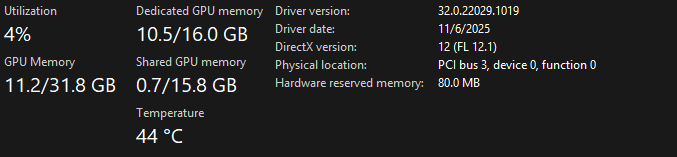 it’s amd card 9070 something idk XD but am having weird stuttering and weird not everything render and fps don’t cap when HAGS is on in dx 12