@Sophié follow this thread, enable fsr 4.0. Should help
1 Like
Image upscling, basically it renders game at lower resolution then up scales it which leads to more frames
2 Likes
…well, FSR4 is working on RDNA3 (even on RDNA2) under Windows (DX12) since 2-3 days ago, but one needs to use custom compiled DLL file that uses INT8 instructions (instead of FP8).
Now my question is, is it allowed to change DLL files manually at all?
On other hand, it is much easier to use something like Upscaler Swapper or even Optiscaler, but then again, question is the same, is it allowed?
Do not modify game files/use optiscaler on a multiplayer game, the anticheat might not react very well
I know, I just wish Gaijin would update FSR to 4.0.2 so that even we with older GPUs could use it with this FSR 4 (INT8) dll…
2 Likes
Its on 4.0.2 , but you lost a lot of frames
Make sure to use the “Native” profile if you want it to look good (and of course add some sharpness, post FX in game settings or with Radeon image sharpening 2 on the Adrenalin software)
TSR is fine but exhibits a lot of shimmering (terrain, trees…)
1 Like
FSR4 is better, much better then TSR…
2 Likes
Ngl I find upscaling to produce awful image in war thunder specifically, fsr 4 is usually extremely stable in my experience but war thunder? It’s so bad I don’t use it, thankfully fsr4 native is fine and leagues better than any other AA method I have access to.
1 Like
after trying out dlss 4.5 today I am a changed man, it looks better than native I can’t lie. Everything is so sharp. far better than fsr 3
2 Likes
I’ve been with Radeon for a few gens now, fsr 4 is good but redstone was pure unfiltered trash
1 Like
I got both essentially, as my pc uses a 5070ti while my sister has one with a rdna 3 gpu, and man I gotta say Nvidia’s tech/software features completely outclass Amds.
1 Like
Rdna 3 users got shafted hard, it’s funny the only thing redstone brought was very good 2x framegen, but they didn’t even manage that and we got terrible framepacing
1 Like
I really thought we rdna3 users were gonna get int8 fsr 4 with Redstone but instead amd decides to just cuck their older customers 😕
1 Like
my friend bought a 6750xt in 2023, that was months old at the time. got shafted hard, its still a good card for raster at least, i like my 9060xt but im not the fondest of the feature set. fsr 4 is good but thats it.
1 Like
maybe fsr is going open source, that would be cool
1 Like
is there anyway to use the fsr 4 dll in wt for rdna 3 gpus? currently trying to use optiscaler to inject fsr 4 but anti cheat is blocking it
1 Like
I don’t think the optiscaler will ever be viable in war thunder, since the anti cheat block every custom archieve on the game files.
Some time ago i was looking if reshade would work in the game, but i fell on the same quote, we cant change or add anything on the game files.
1 Like
With the Latest AMD Driver 26.3.1 you can use FSR 4.1 with RDNA4.
I deleted Wathunder\cache and Warthunder\compiledshaders and ingame is now 4.1* shown. Have fun.
1 Like
This is mainly for RDNA 2/3/3.5 GPU architectures. So, amd 6000, 7000 series and also their various APU hand held versions. If you are on amd rx 9000 series, disregard this completely. You can do all of this in driver.
Super easy way to put fsr 4 into any game that supports fsr 3.1 at least. One click install. This works for any game.
Lemme tell you, night and day difference on my Xbox. It’s actually insane how much clearer and less smeary fsr 4 INT 8 is compared to fsr 3.1.
Fsr 3.1 is some of the most abysmal garbage I have ever witnessed.
tutorial if ya need it
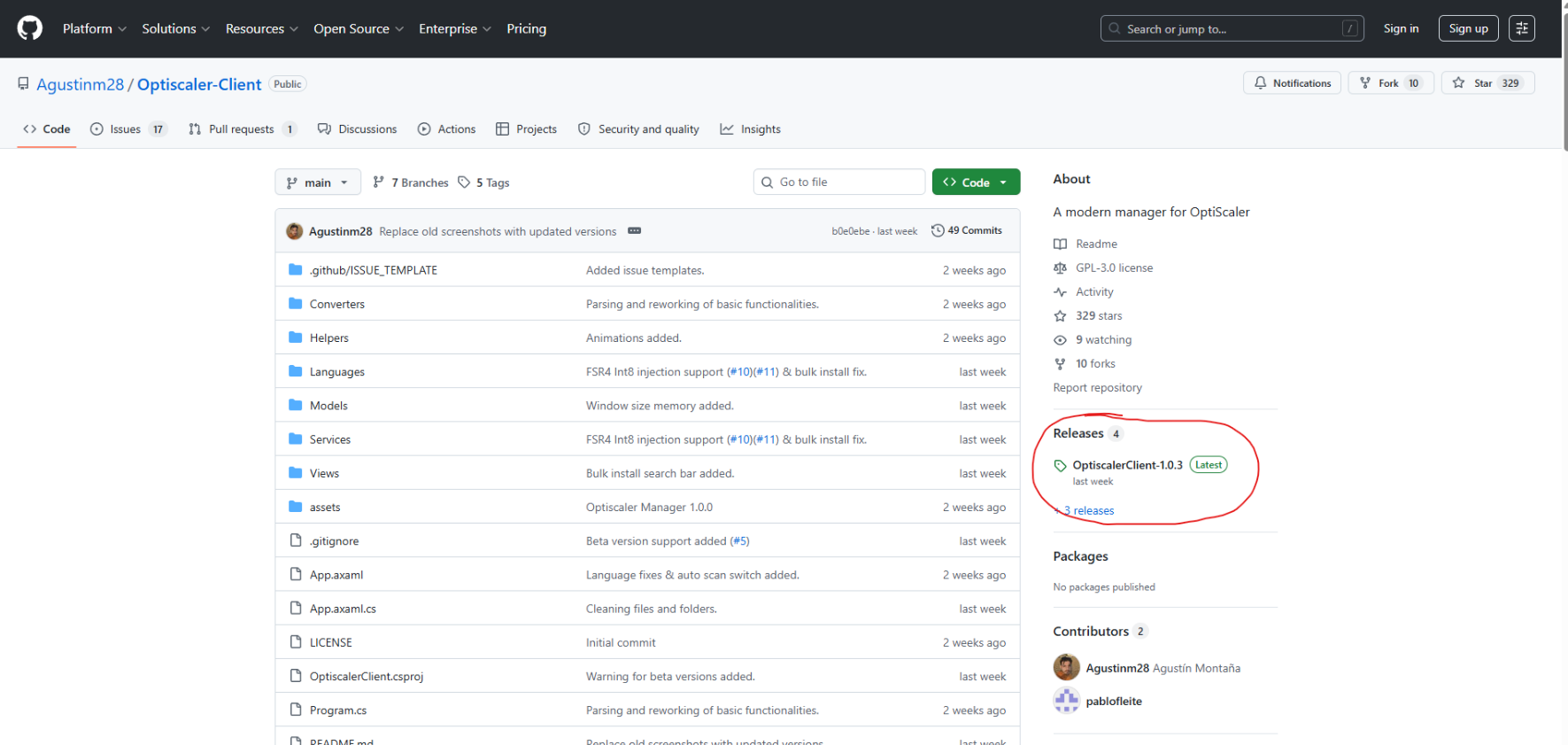
After pressing the link at the top, click the section highlighted in red
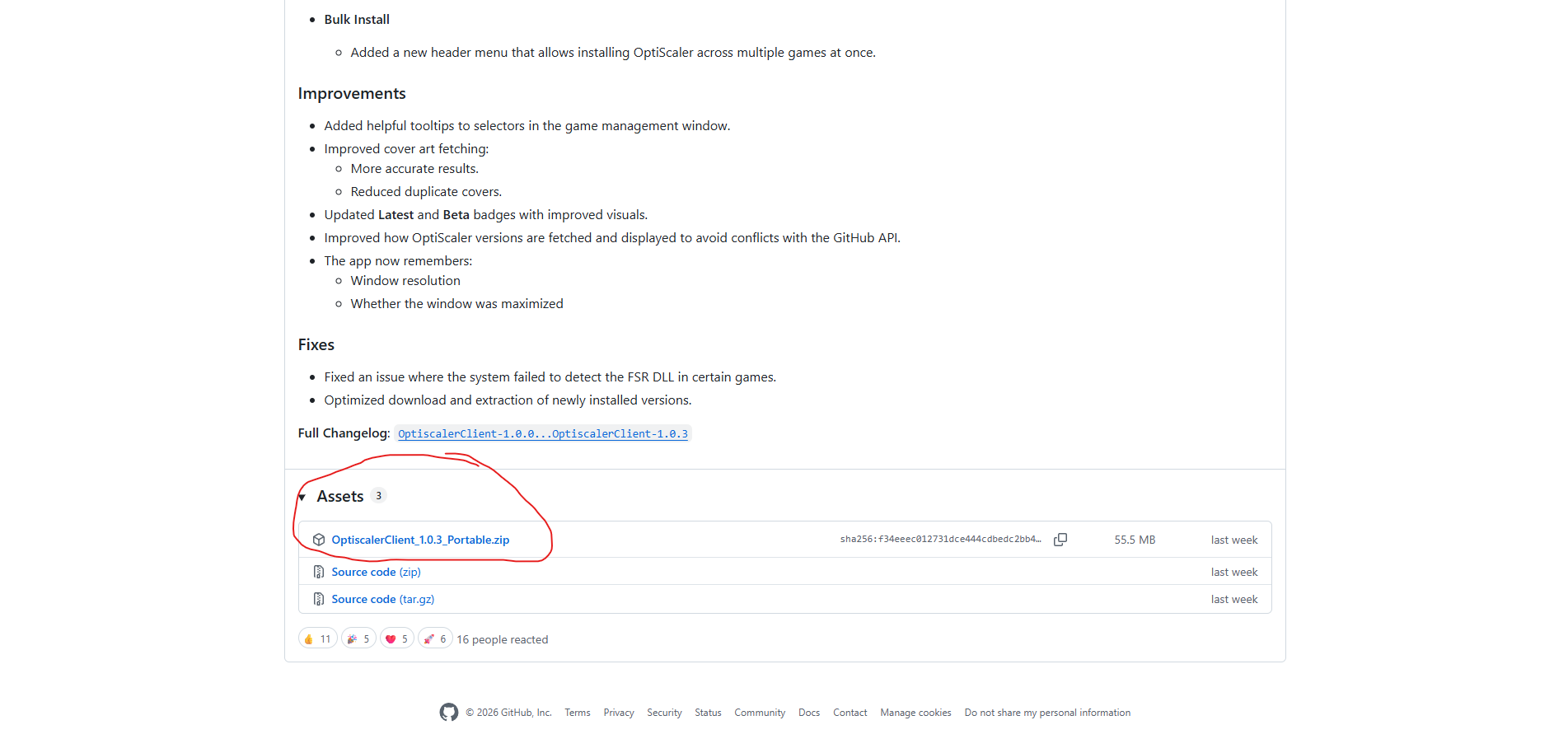
After that, download the portable circled in red
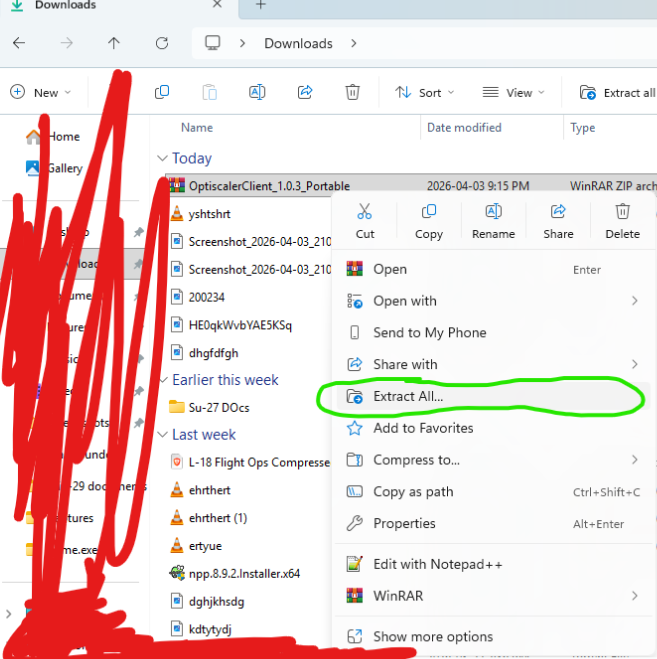
After downloading, go to your downloading folders and extract the file
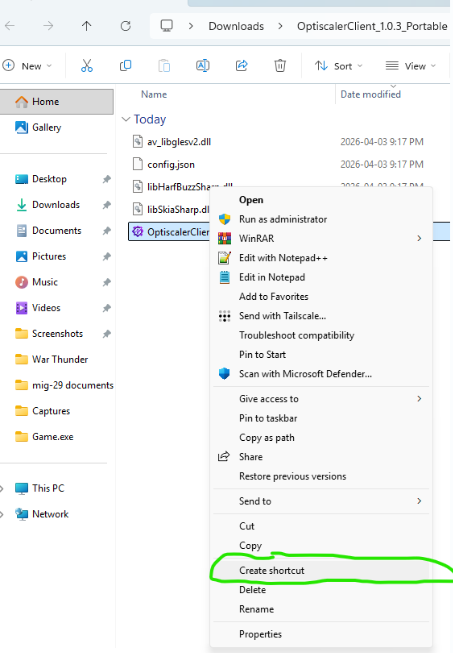
After that, I recommend creating a short cut for the client and putting it on desktop so that you don’t have to go to the folder every time you want to open up the app.
After downloading, just press quick install next to the game. This is circled in blue

Voila, you’re done
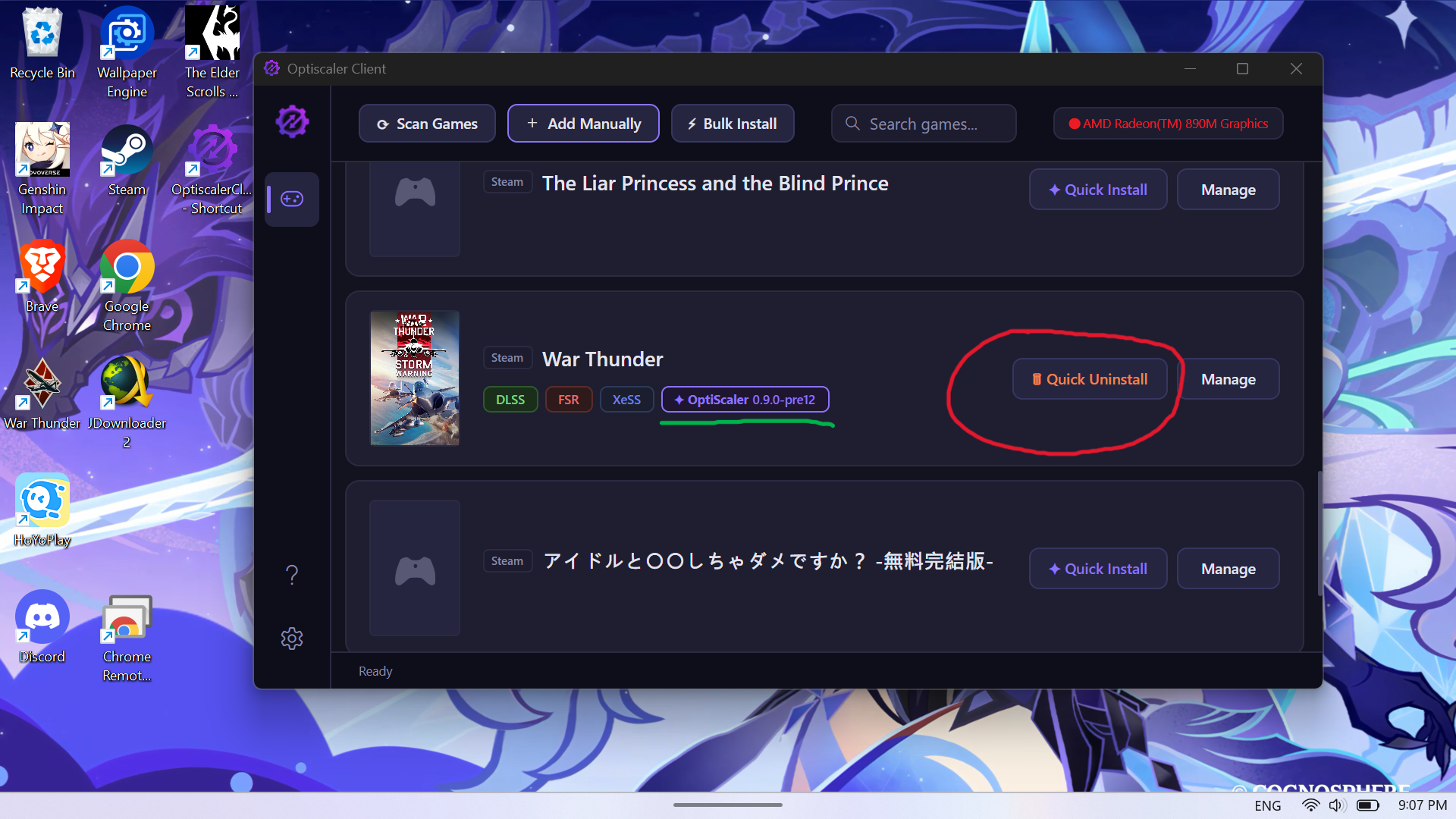
If there’s any issues, like game crashes or battleye/anticheat rejecting the DLL, you can easily uninstall by pressing quick uninstall, circled in red.
Also, to verify if the new optiscaler dll is injected, just check if the part underlined in green is there
If you need a full step by step tutorial, you can watch this video
Spoiler
If you want a visual comparison of fsr 3.1 vs fsr 4 int 8, here’s a video on that