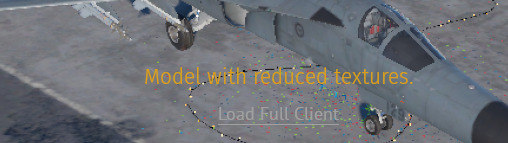
It always appears when im in a game or in hangar, and only started appearing after i installed the wt upd today for the infantry stuff.
It always appears when im in a game or in hangar, and only started appearing after i installed the wt upd today for the infantry stuff.
load with the full client
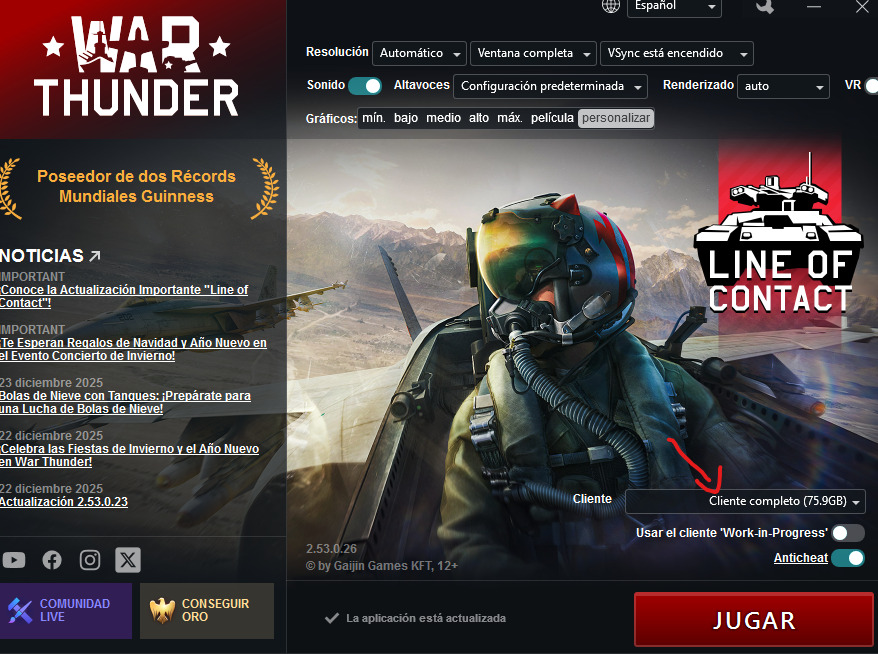
Ah i realised i started my game too soon before everything finished downloading, ty man
You can remove it by editing localization settings:
testLocalization:b=yes line into debug section in your config.blk:debug{
(other options)
testLocalization:b=yes
}
lang folder.remove-warnings.csv file inside the lang folder and paste the following text into it:"<ID|readonly|noverify>";"<English>";"<French>";"<Italian>";"<German>";"<Spanish>";"<Russian>";"<Polish>";"<Czech>";"<Turkish>";"<Chinese>";"<Japanese>";"<Portuguese>";"<Ukrainian>";"<Serbian>";"<Hungarian>";"<Korean>";"<Belarusian>";"<Romanian>";"<TChinese>";"<HChinese>";"<Vietnamese>";"<Comments>";"<max_chars>"
"low_quality_model_in_hangar";"";"";"";"";"";"";"";"";"";"";"";"";"";"";"";"";"";"";"";"";"";;
"btn/load_high_quality_models";"";"";"";"";"";"";"";"";"";"";"";"";"";"";"";"";"";"";"";"";"";;
"mainmenu/custom_lang_info";"";"";"";"";"";"";"";"";"";"";"";"";"";"";"";"";"";"";"";"";"";;
file:t="%lang/remove-warnings.csv" line at the end of “locTable” section in lang/localization.blk file:locTable{
(other references)
file:t="%lang/no_ModelWithReducedTextures.csv"
}
All of this is explained here: Instructions for the user localizations | War Thunder Wiki