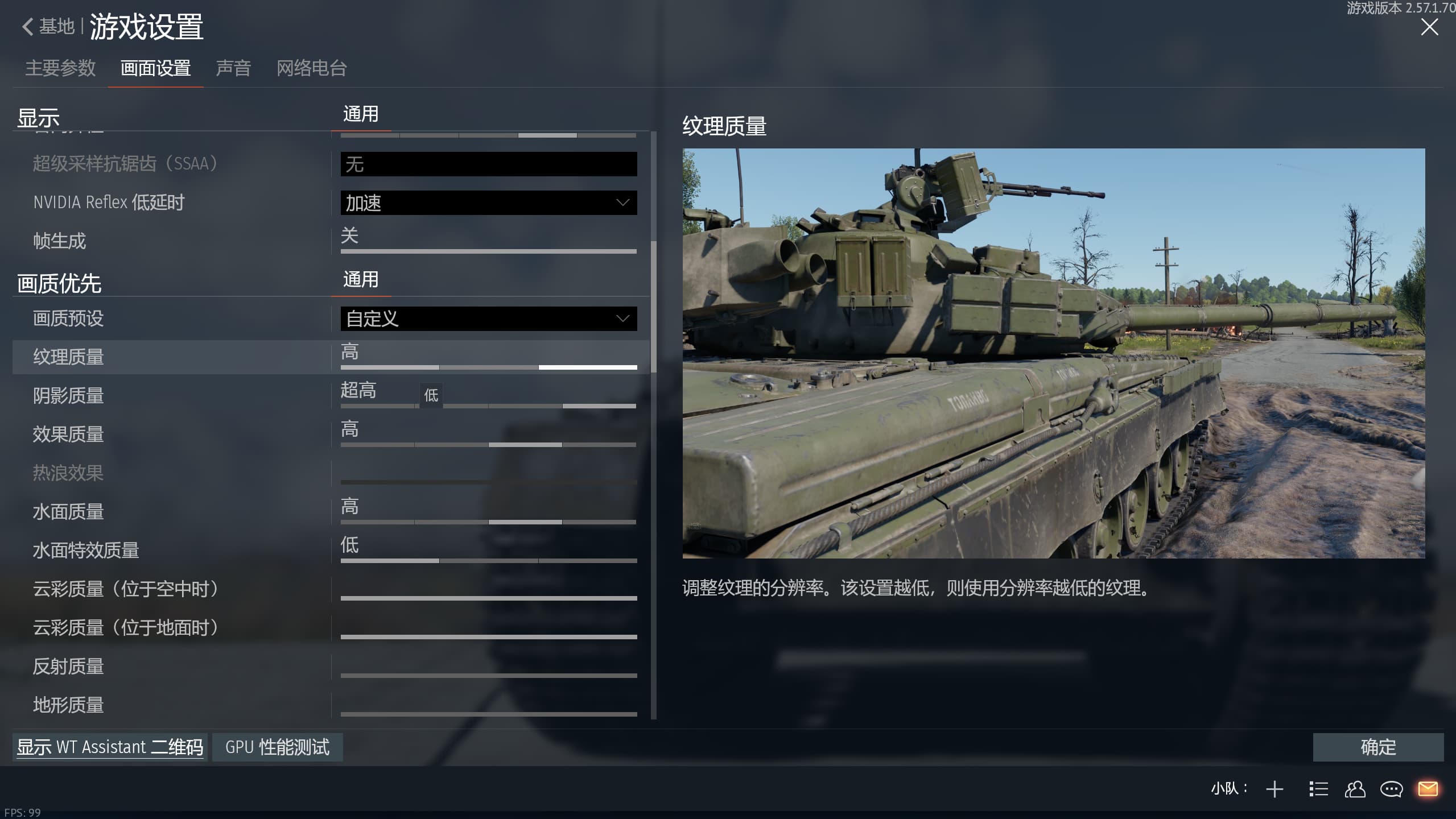
I ran into a problem with the game—I can’t change the shadow quality or effect quality in the game, and I’ve tried a lot of ways but none of them work.
Those options are usually greyed out because another graphics option or preset controls them, because the selected renderer does not support that combination, or because the configuration file cannot be updated.
Please check the following:
- Move from a fixed preset to Custom.
- Disable Old videocard support/compatibility mode if it is enabled.
- Check whether ray tracing, ULQ or an upscaling preset is locking the dependent shadow/effect controls.
- Apply the change and restart the client; some renderer settings do not update live.
- Make sure config.blk is not set to read-only and that security software is not blocking writes to the game folder.
If the controls remain locked, back up config.blk and your control-export file first, then let the launcher generate a fresh graphics configuration. Do not delete control files or saved keybinds. Please also post the selected renderer, GPU, driver version and a full screenshot of the graphics page, because the exact dependency can differ between DX11, DX12 and Vulkan.