Hey i recently made a post about my problem of not receiving an item i made a ticket and they responded that i need my steam id they responed to my ticket in 6 hours i responded to their message after 1 hour and then i waited but do i need to make a new ticket or just wait for their reply its been 1 day since then and i havent heard anything, SO should i make new ticket or keep waiting?
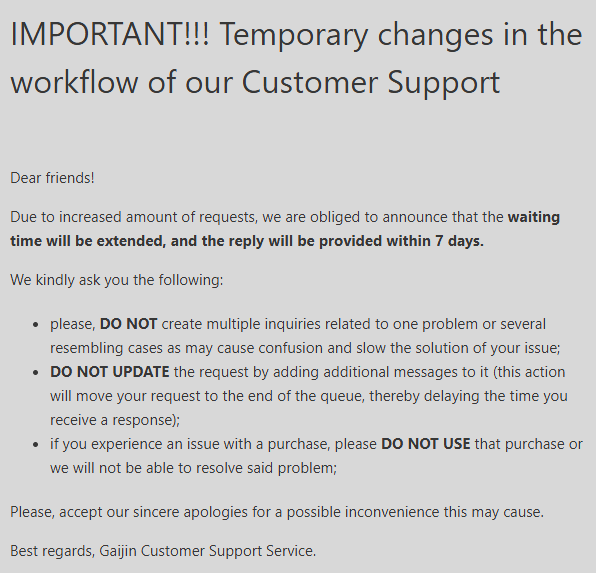
Replies take time, sometimes weeks, depending on how busy they are and how much they know.
yeah but im down -35 euro and thats alot for me
You should wait, making a new ticket or replying again will send the request to the back of the queue again.
Thank you this is really good to know
1 Like
Wow they just gave the pack to my level 0 account omg i cant believe this im so frustrated
Don’t use it & send them a reply. They’ll be able to swap it for you. Can’t do much about it here.
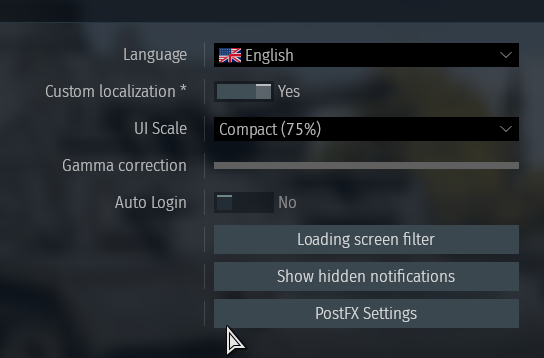
Help now i cant play on my main bc it auto logs me into the wrong account and the auto log is off
Can i bind a email to my wrong account to use the (swap account) button?
Click on your profile ingame & you should be able to switch users. Bottom right. I wouldn’t bind an email to an account you don’t use.

theres no switch user

are you using steam?
yeah
Steam will auto log you in.
Right click the game in steam > Browse local files > Run the .exe.
Or if you have the .exe on your desktop exit steam and run the .exe, It should prompt you to login screen or give you the option to switch users.
If that fails disconnect your internet then run the .exe, it will take you to the login screen, Connect your internet then re-login.
You can also do
Right-click War Thunder in Steam > Properties > General > Launch Options , and add
-nosteam
But i’d leave that until you’ve done the other options.
1 Like
Wow this helped me btw ty for sharing but i cant buy with my steam wallet anymore and can you tell me how much time do i still need to wait i sent my last message at may 8 and its been 3 days and i heard nothing back should i make a new ticket?
1 Like
Launch the game and click on the Golden Eagles menu whilst in the hangar and you will be able to purchase them in the Steam browser. You can also click “order” on store-only premium vehicles in the research trees and purchase packs via the Steam Wallet.
Make sure the steam overlay is enabled.
Far as i’m aware that should work, Double check the name to make sure it’s your account and not a default one created.
If that doesn’t work then give it a few days, The weekend has just passed & i’m sure support are busy answering a lot of emails atm with purchase issues given it’s the sale.
1 Like