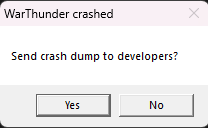
I don’t know why my game keeps crashing after the update. Every few matches, the game starts to stutter before finally crashing. This never happened before the update, so I’m confused why it’s happening now.
I don’t know why my game keeps crashing after the update. Every few matches, the game starts to stutter before finally crashing. This never happened before the update, so I’m confused why it’s happening now.
send your hardware specs.
Do you use dx12? i find it too unstable
intel i5 12400F
NVIDIA GeForce GTX 1650
16GB RAM
i already switch it back to dx11 i didnt know why the game switch it to dx12. The crash are very random, sometimes it happen after 5 game or less and sometimes it never happen
me to. after the update my game keep crashing in middle of the game. i use the Dx11.
I’ve uninstalled and reinstalled the entire game - still get [FREEZE DETECTED [8111000A]
I’ve uninstalled (DDU) and reinstalled the GPU drivers - still get [FREEZE DETECTED [8111000A]
I downloaded a previous GPU driver (2 updated back) and then uninstalled (DDU) and installed the older GPU driver - still get [FREEZE DETECTED [8111000A]
Contact support for help. You can find support and instructions on how to contact them here: https://support.gaijin.net/hc/en-us/articles/360000262858-How-to-submit-a-support-request

(screenshot from: https://support.gaijin.net/hc/en-us/articles/200070471-Error-8111000A-Freeze-Detected )
I have. I’ve been speaking with Dimitri. Since our last email, I have done the rollback of GPU drivers that made no difference. YES, I have tried both the DX11 and DX12 with no success.
This PC is less than a year old and is more than is needed to play the game. The issue happened overnight and I see no other issues with anything I do on the computer to include movies in HD.
Got the same issue reinstalled the whole game verified files, reinstalled drivers nothing works
I have 7900XT, 7700X, 32GB DDR5 6000MHz
Same issue here
RX 9060 XT
7 7700 X
32GB DDR5 6000MHz
same issue looks like driver instability randomly freeze black screen and won’t come back
RTX 5080
9800 x3D
32GB ddr5
Same issue here, really annoying. Only started after the update.
Rx 7800XT
Ryzen 7 9700X
32gb RAM ddr5
Same issue here, but while playing air vehicle , after update
RX 7600xt
intel i5 gen 12
32 gb RAM ddr5
Some maps are known to cause freezes on older hardware (and modern hardware tbf) when spawning an aircraft. Is this an isolated incident or does it happen on multiple maps?
Same here, found an article from a few years ago and it suggested updating drivers so i did, no good. Then it said putting specs on high, they are, still no good. Final suggestion was to reinstall the game, so i did. Still doesn’t work, it’s obviously a problem their end.
I have a gaming PC, loads of free memory, everything up to date, no viruses etc, etc. Guess my 3 year signing in record is gone then.
It’s weird. It is happening on driver versions at least 6 months old but at least from personal testing on my 3060 laptop it doesn’t have issues iwth latest but does with RTX 5000
You can log in to War Thunder mobile to “pause” the login streek to keep it at what it is until the next time you log in on PC. There is also some leeway with missing logins for a few days.
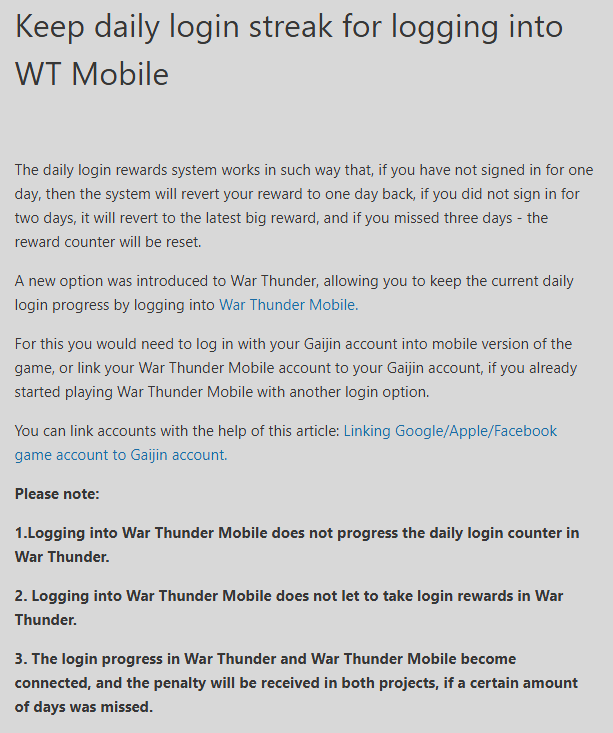
Thanks for the info. I have an update and it may help others. I managed to get the game working by putting the render on DX11 (NO OTHER RENDERS WORK) and lowering the graphics to high from max (why i have to do this i have no idea as i’ve always had it on max and have a gaming pc)
Obviously it’'s a problem their end but by doing this some may at least be able to play the game until they fix the issue.