Sure,
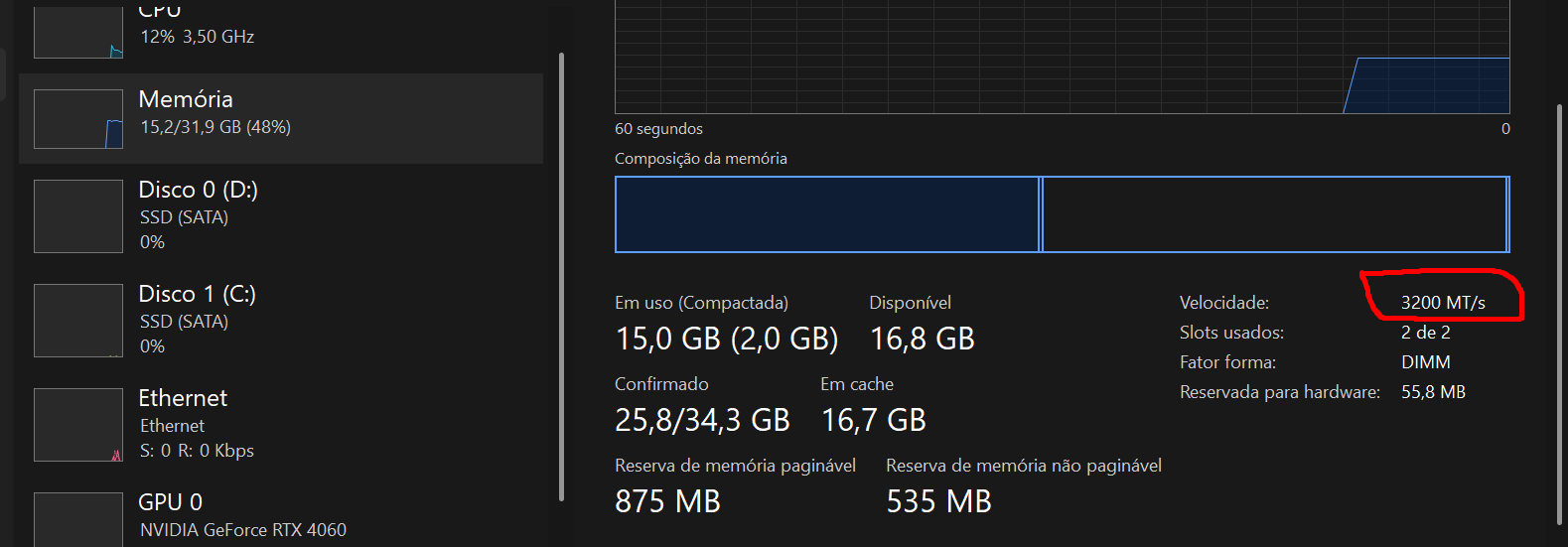
Sorry PT-BR language in screeshot.
You could potentially check the health of the disks? If that is ok then might be a bug in the game or smth
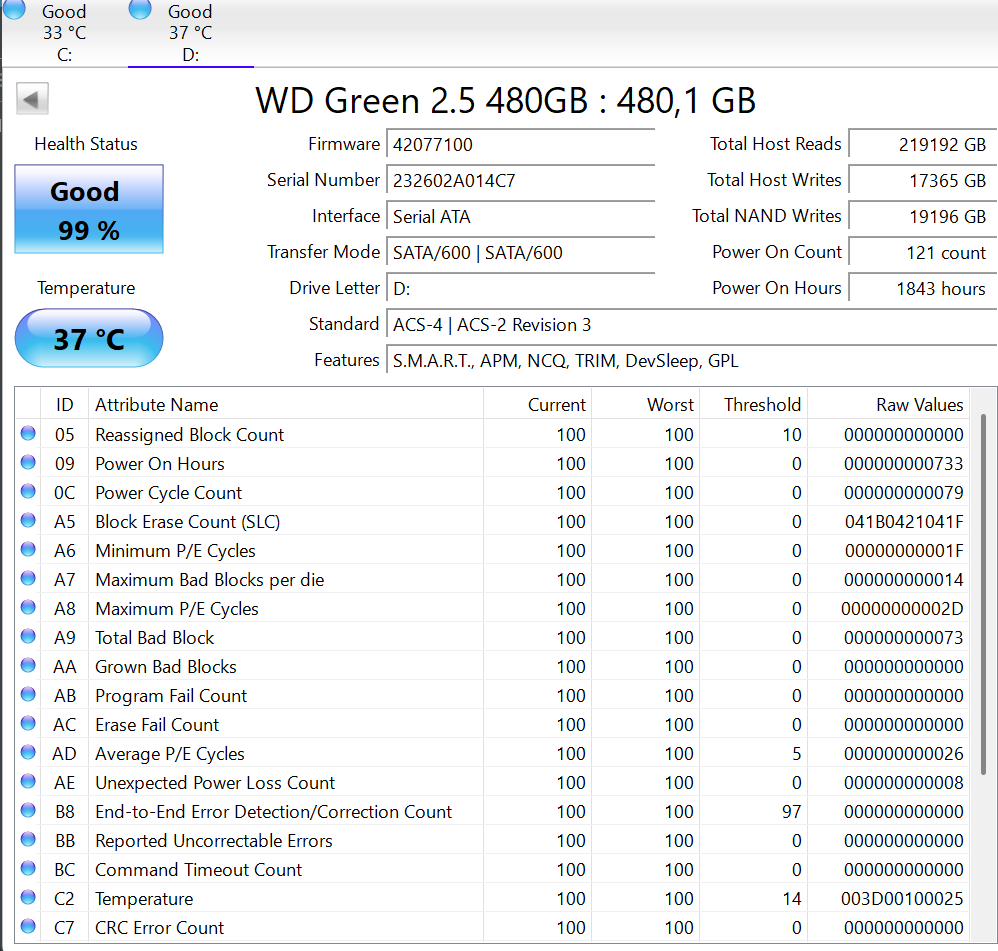
It’s perfect where War Thunder is installed
I have a freind who have similar issues with huge fps drops when spawning even if he have a perfectly fine pc. I personaly think this is more a game/server issue, don’t forget that the game is running on a 15 year old code.
To be more precise i think it has to do with game/server optimisation when dealing with certain hardware, especialy the new one, because i don’t have such issue on my 10 year old laptop (grantes i don’t have much fps to begin with but i would notice going from 28 to 10 fps)
It’s like I said here in one of the comments, the game lacks optimization because the problem is not with the player’s PC but with the game. Because I’m not a computer layman, I tried to fix the problem in different ways, but I couldn’t,
so there is nothing else I can turn to if not the developers themselves appealing for it to be resolved.
I used to play with a GTX 1060 4GB and an I5 7400 with 12GB of ram which at most reached 2,200MHZ with luck,
I had no problems with FPS dropping and now with a PC much superior to the one I had, it is simply dropping from a constant 100~150 fps to less than 40 FPS and sometimes reaching 20FPS.
And it doesn’t make sense for me to create another BUG REPORT since on the other forum there are recent players pointing out this problem,
However, there are no definitive answers or solutions so far and from what I saw in one of the comments on this topic, I have a stronger PC than my CURRENT one, updating my PC again won’t do ANYTHING to the problem.
Then I have no clue. I have shared most of the knowledge i have. I know that i had stutters and a new NVME fixed it. Try making a bug report and send them a DxDiag or something
I appreciate the attempts to help, but as you saw we have a user who has a PC 3x better than mine and honestly, not even updating the PC will solve the situation. This should really be addressed with the DEVS so that it can be corrected, it is not healthy for the community to face yet another problem with several reports on both forums.
you can be rendering at 16k max raytracing, and the game will STILL only 50% gpu clock speed and wattage
Really ?
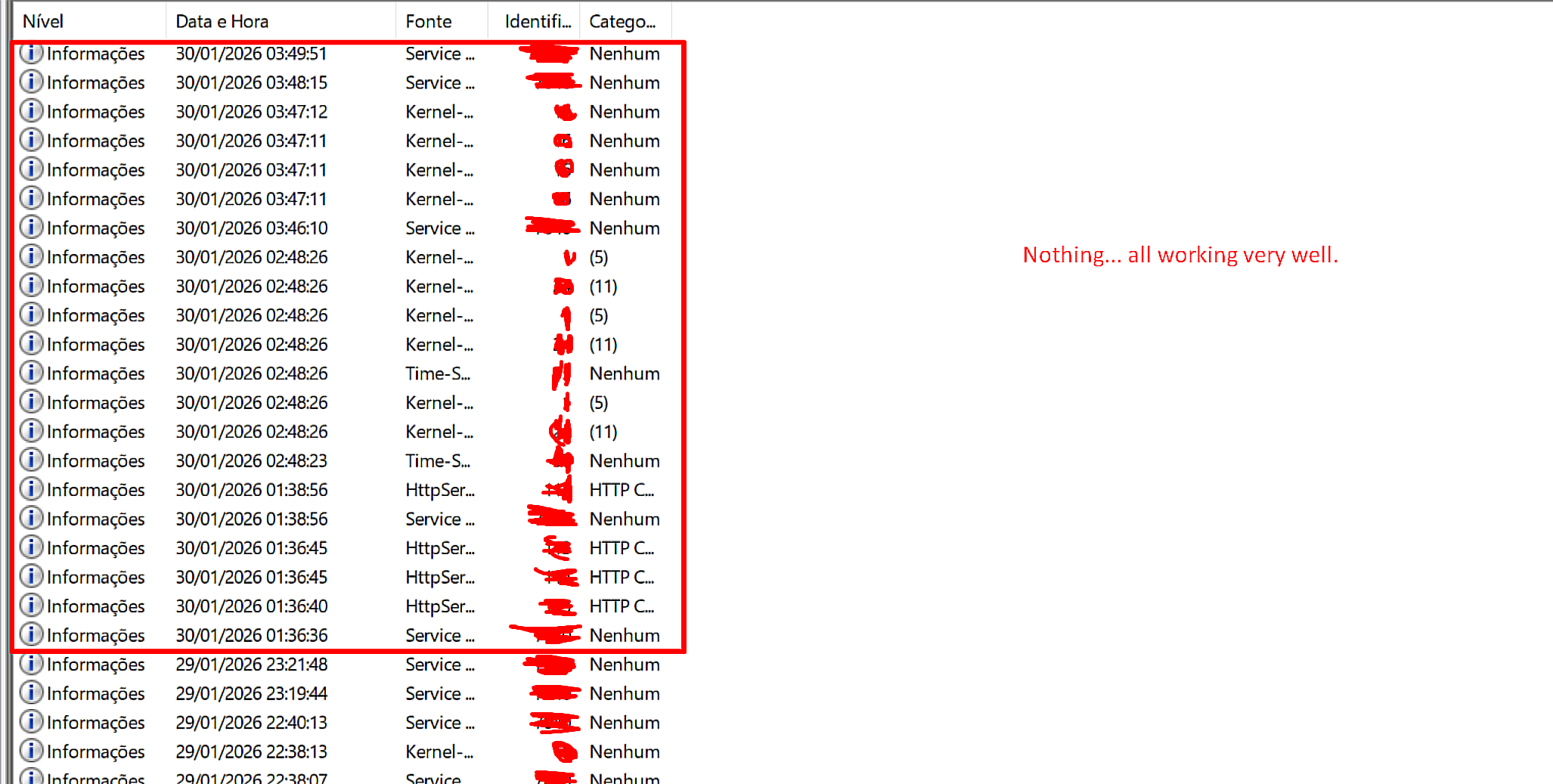
One thing you can do if you’re running windows is to check the “Event Viewer” to see if your PC is throwing any errors when the fps drop happens.
search for the “Event Viewer” and open it, click “Windows Logs” top left, double click “System” in the list that comes up. Now you can see all events on your PC and the timestamps for them, look for any warnings or errors that happen closer to when the game starts dropping fps.

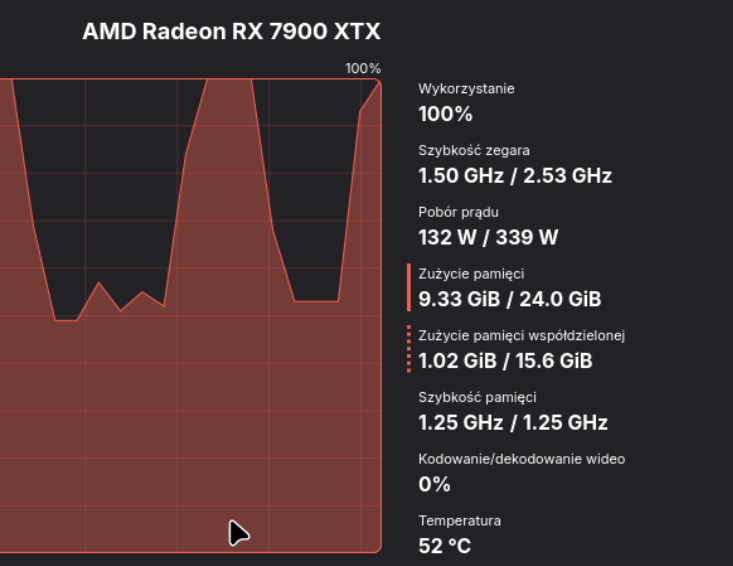
yeah, im at my wits end with this game. nothing changed on my end and all other games work fine, but i must do a song and dance in bug reporting for something instantly obvious in 1 sec of testing
I checked here the times when I was playing and having these problems in the event log, it seems that there were no failures recorded during the game time.
There were failures at other times but they were not directed or linked to the WT that would harm its full functioning.
This is a wrongful assumption. Sometimes really odd things that throw errors can effect things that you never expect them to effect.
Like this for example (timestamp to 6:15):
The wifi/bluetooth adapter drivers had errors that caused failures for the input devices so every time he used the wired mouse or pressed the wired keyboard the game would stutter. That logically makes zero sense. but it can happen.
Try playing and note down the time of when the issue starts and see if there are any errors at the moment the issue starts.
Sure, certain files can directly affect how Windows behaves and, as a result, impact the performance of any game installed on a PC that’s a fact. However, during the time I was logged into the game trying to troubleshoot the issue (from 1:36 AM to 3:50 AM), no errors showed up at all.
The only error found so far in older logs was related to Windows Update, which I’ve already fixed since I hadn’t installed a minor Windows 11 update. Even after installing that update and doing everything I already mentioned in these comments during that same time window ( 1:35 AM ~ 3:50 AM ), the problem still wasn’t resolved. Because of that, I believe the issue is game-related, not something tied to the user’s hardware or system.
We’ve gone through similar situations in past WT updates where the devs had to refocus on optimization, and maybe it’s time they do that again to improve players’ quality of life.
If every time players report issues even after trying multiple fixes on their own the game team keeps blaming the user’s machine instead of the game, then there’s nothing that can really be done. It turns into a tug-of-war where, on one side, you have players who report problems and invest time and money into the game, and on the other, a team that hides behind denial instead of addressing the reports, breaking player expectations in the process.
I appreciate your attempts to help and the tips you shared I genuinely took the time to test them and check if there were any errors or issues that could significantly affect the game. Unfortunately, nothing was found that explains these sudden FPS drops.
That said, if you know of any other method that could help identify the root of the problem and that I can realistically test, I’m more than willing to try it to solve this issue.
Anyway, thanks for your time and for trying to help.
In that case i recommend filing a performance issues report as described in my first reply above.
Hey Necronomica,
After a more in-depth analysis using MSI Afterburner as a monitoring platform, together with the statistics provided by the game itself, I arrived at a possible explanation for the sudden FPS drops, even on mid-tier or higher-end PCs.
It was observed that FPS drops begin to occur more frequently when server latency exceeds approximately 70~100 ms. Beyond this threshold, the game appears to enter an unstable rendering cycle, which significantly increases CPU load, even on systems that are otherwise capable of running the game comfortably under ideal conditions.
Although the hardware can maintain high FPS in offline scenarios or under low-latency conditions, a considerable portion of system performance ends up being consumed in an attempt to maintain a minimal and consistent response between the client and the server.
The main effect perceived by the player is stuttering, caused by large variations in frame time. In practice, the CPU attempts to “bundle” frames with very different rendering times, for example:
This variation results in:
It is important to emphasize that this issue does not clearly appear when analyzing average FPS alone, as the critical factor here is frame time inconsistency.
In online games, the client constantly depends on server data, such as:
When ping becomes high or unstable, the client must:
This process generates additional CPU overhead. Even when there is no packet loss (PL) or apparent issues with the user’s network, instability in server communication can delay essential calculations, resulting in stutter and continuous FPS drops during matches.
This happens because, when the client receives multiple server responses at irregular intervals, it must process corrections within a short period of time, directly impacting performance.
In my case, I use an 800 Mbps connection; however, since I play from South America (Brazil), my average ping ranges between 150 and 170 ms a value that may be considered high for North American or European players, who are typically accustomed to playing at 40~60 ms.
Even so, for a large portion of South American players, this ping is generally considered acceptable and playable.
That said, even with a stable connection, I rarely encounter similar issues in other games that rely on distant servers. As an example, in Escape from Tarkov, I regularly play on North American and European servers with pings between 100 and 120 ms, without experiencing noticeable response issues, firefight inconsistencies, or rendering problems.
The same applies to Arknights: Endfield, which currently only has servers in North America and Europe, and does not present sudden FPS drops or latency-related stutter, even during heavier missions and expeditions.
Given this, the conclusion is that the issue is not latency alone, but rather how the game handles client<––>server communication, especially when there is greater geographical distance.
If possible, I would appreciate this analysis being forwarded to the responsible team, as I was unable to demonstrate this behavior in a clear and didactic way through video, in addition to the limitations of the forum interface, which already contains several similar reports, including from users with high-end PCs.
I sadly have no contact with the developers and no way to forward this kind of information to them. The only way to correctly get issues like these to the developers is through the bug reporting system with the correct files attached so that they can look at the logs and code the moment the issue occurs to be able to pin down the cause and start wokring on a fix, general descriptions like these can be helpful but is almost never enough without the files they ask for on the bug reporting site.
You can bug report it here (just search a bit first so that you don’t report something that is already reported and known about): (Gaijin.net // Issues)
A guide on how to report bugs can be found here: ([Navigation] Technical Knowledge Base | War Thunder Wiki)
On the bug reporting site you can select the “performance” category and look at what files they ask for and the description for how to get and/or create the files.
Okay, it’s really complicated.
Thank you for your attention so far.