Minor quality-of-life suggestion here. If players are curious about a vehicle they’ve seen in match, the search function in the in-game tech tree will only give a result if the vehicle being searched for is visible to that player.
For instance, past event/gift vehicles which are not available on the marketplace are hidden in the tech tree if not owned by the player. This means that in order to view these vehicles in the hangar, one must go to the wiki, search for the vehicle there, and then click the “Show in game” button.
Leaving the game only to open a hidden menu in the game itself feels unnecessarily complicated for obvious reasons. It would be more straightforward if players could simply search for the hidden vehicle in the tech tree search bar to view it in the hangar, even if the vehicle is not available for research/purchase.
Example Screenshots and Mockup
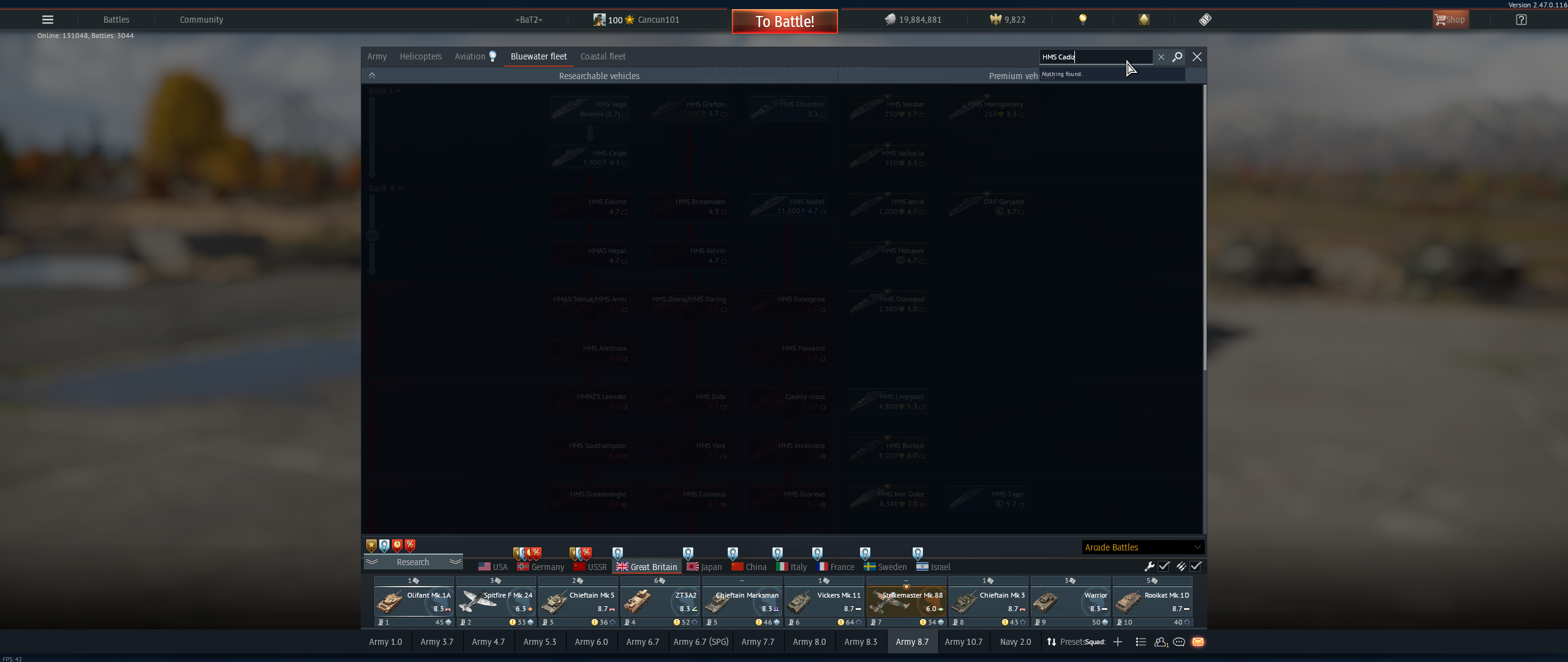
For instance, I don’t own the HMS Cadiz. Here is what I see in the tech tree search menu:
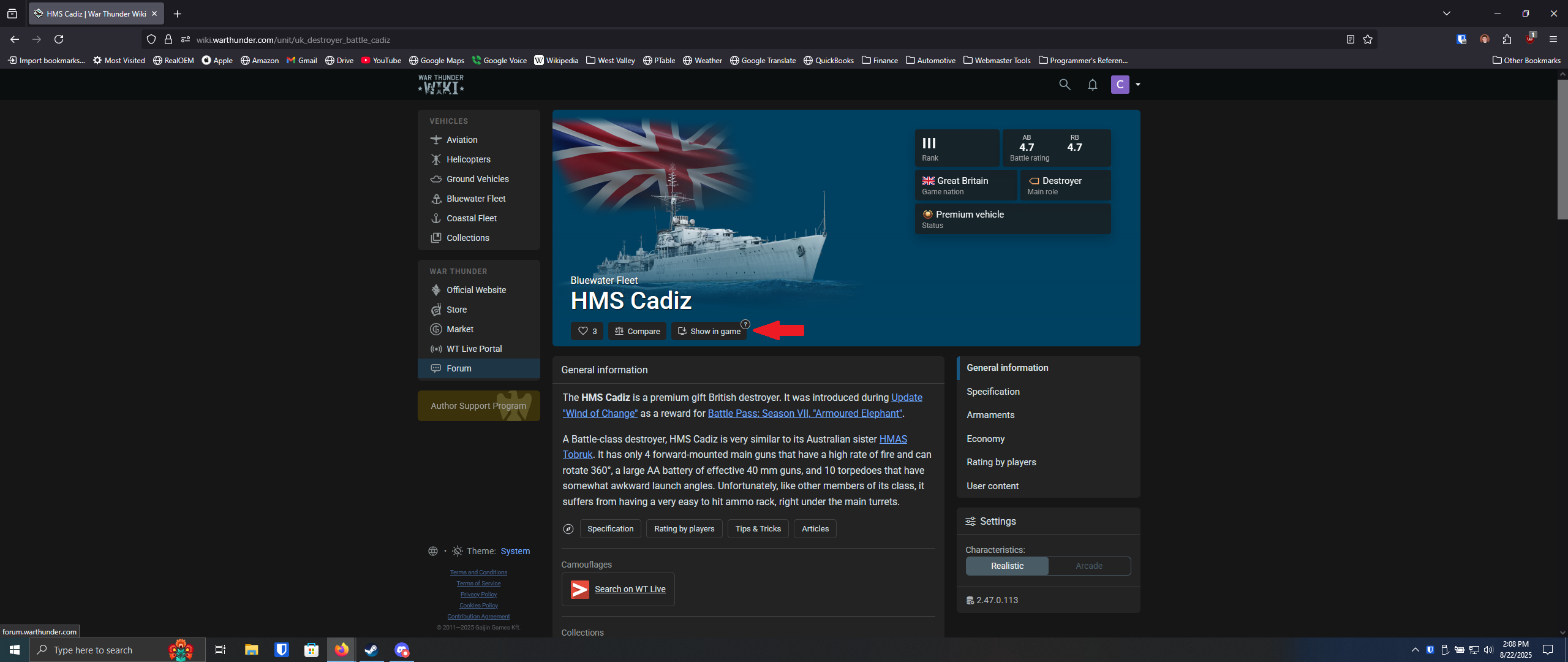
However, by searching for the vehicle on the wiki and clicking the “Show in game” button, I can still bring up the vehicle in the hangar.


It would be simpler if the HMS Cadiz showed up under the results in the tech tree search after pressing enter to view all results, since having to leave the game only to come back to it is over-complicated.

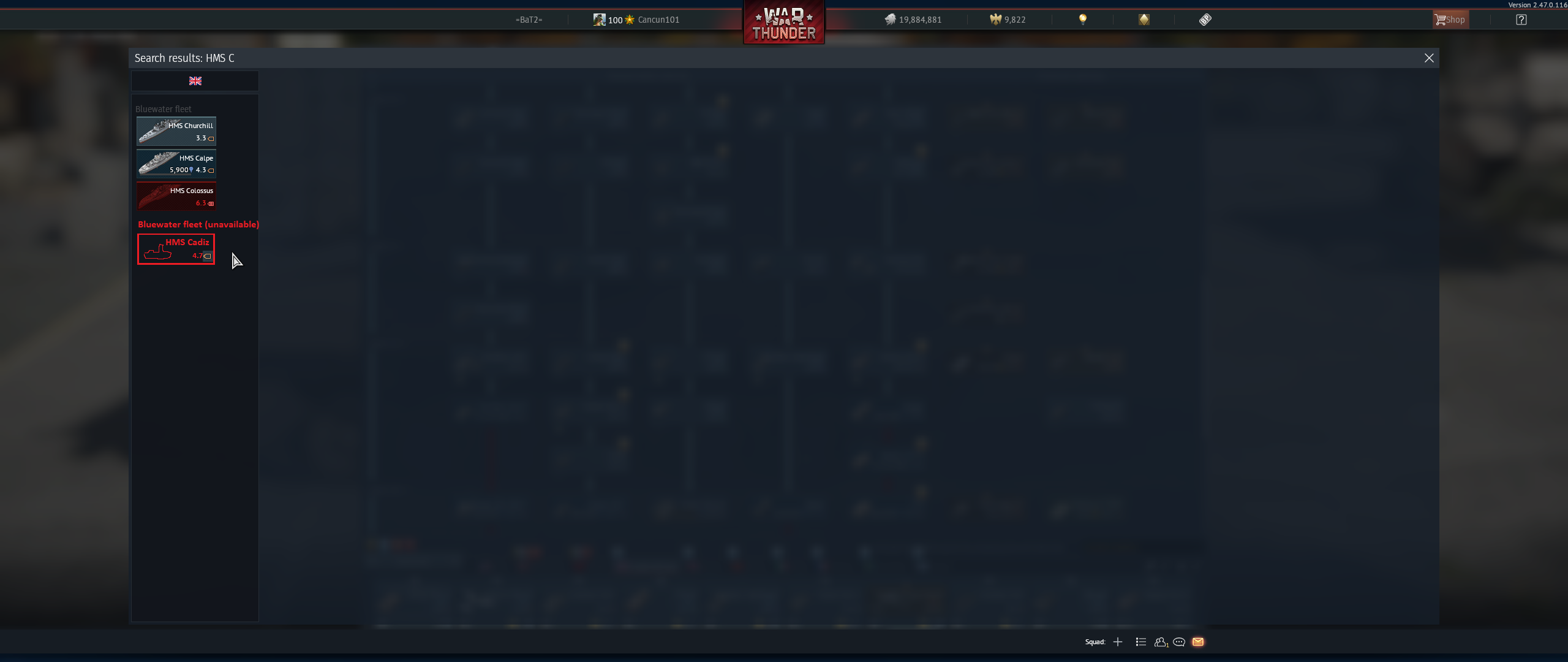
The unavailable vehicles should maybe be shaded dark gray instead of red to indicate that they are neither available for research (currently shaded red) nor purchase (dark gold/dark blue for premiums/non-premiums).
- Yes
- No