yea, STILL not working and your explanation is terrible
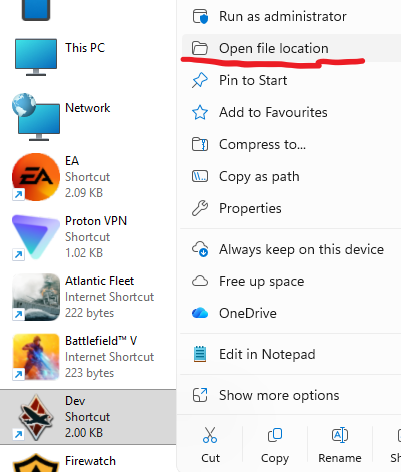
1: Locate Dev server folder
2: Copy and Paste the Two Hangar files into the main Directory
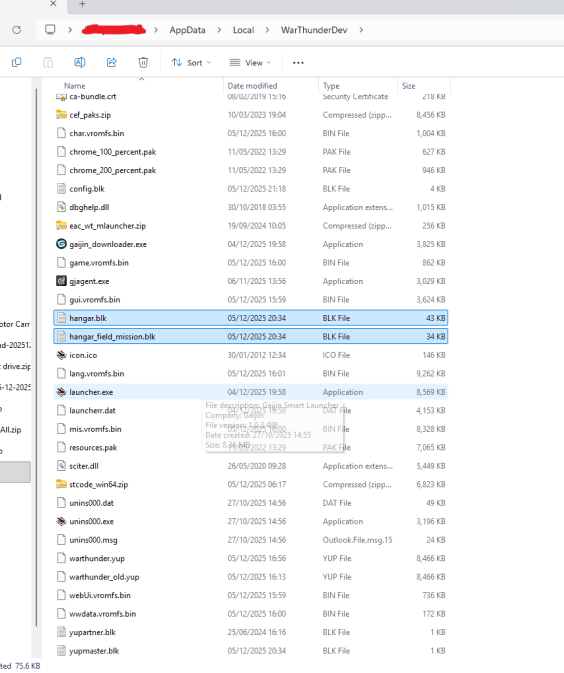
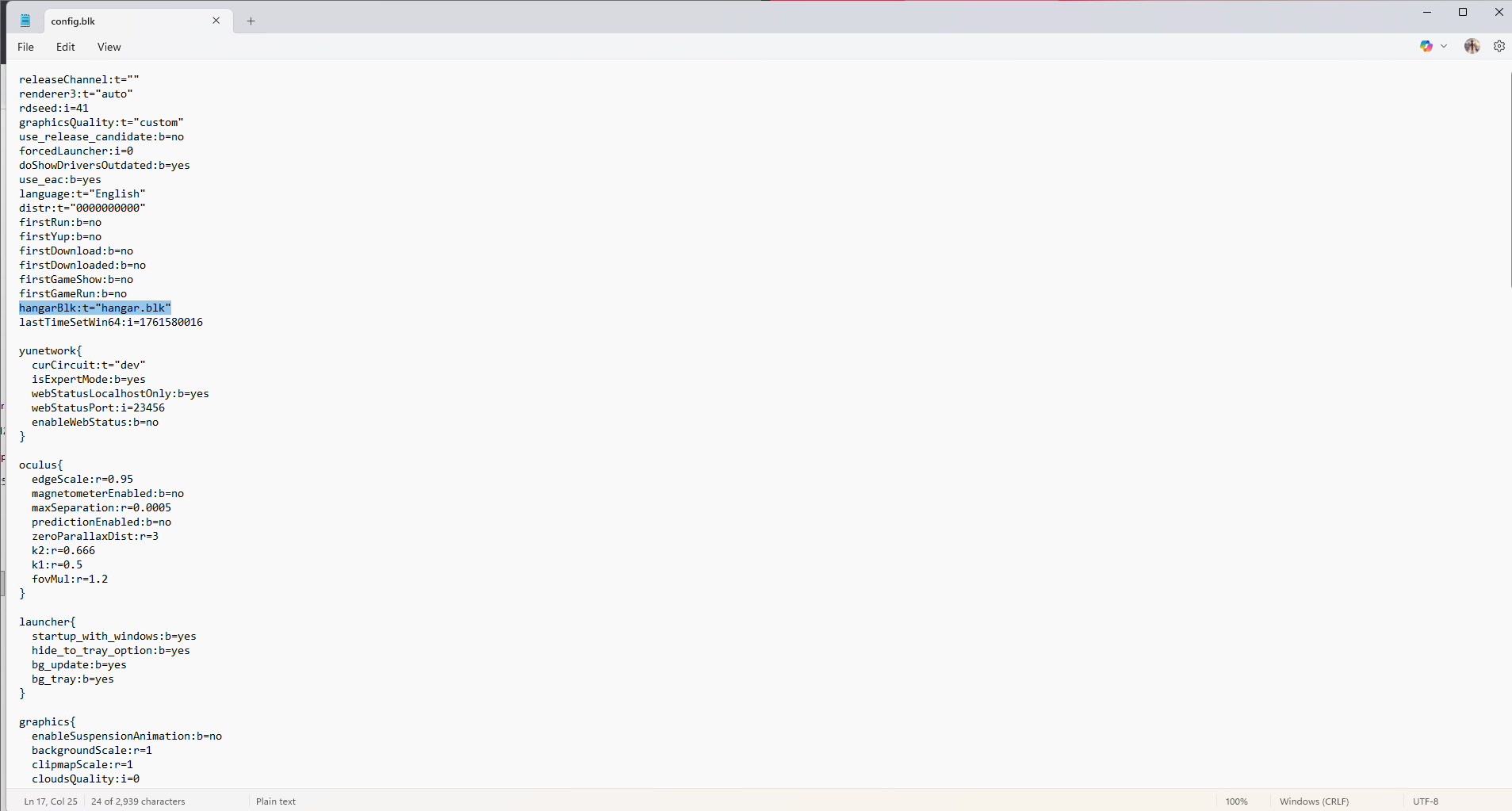
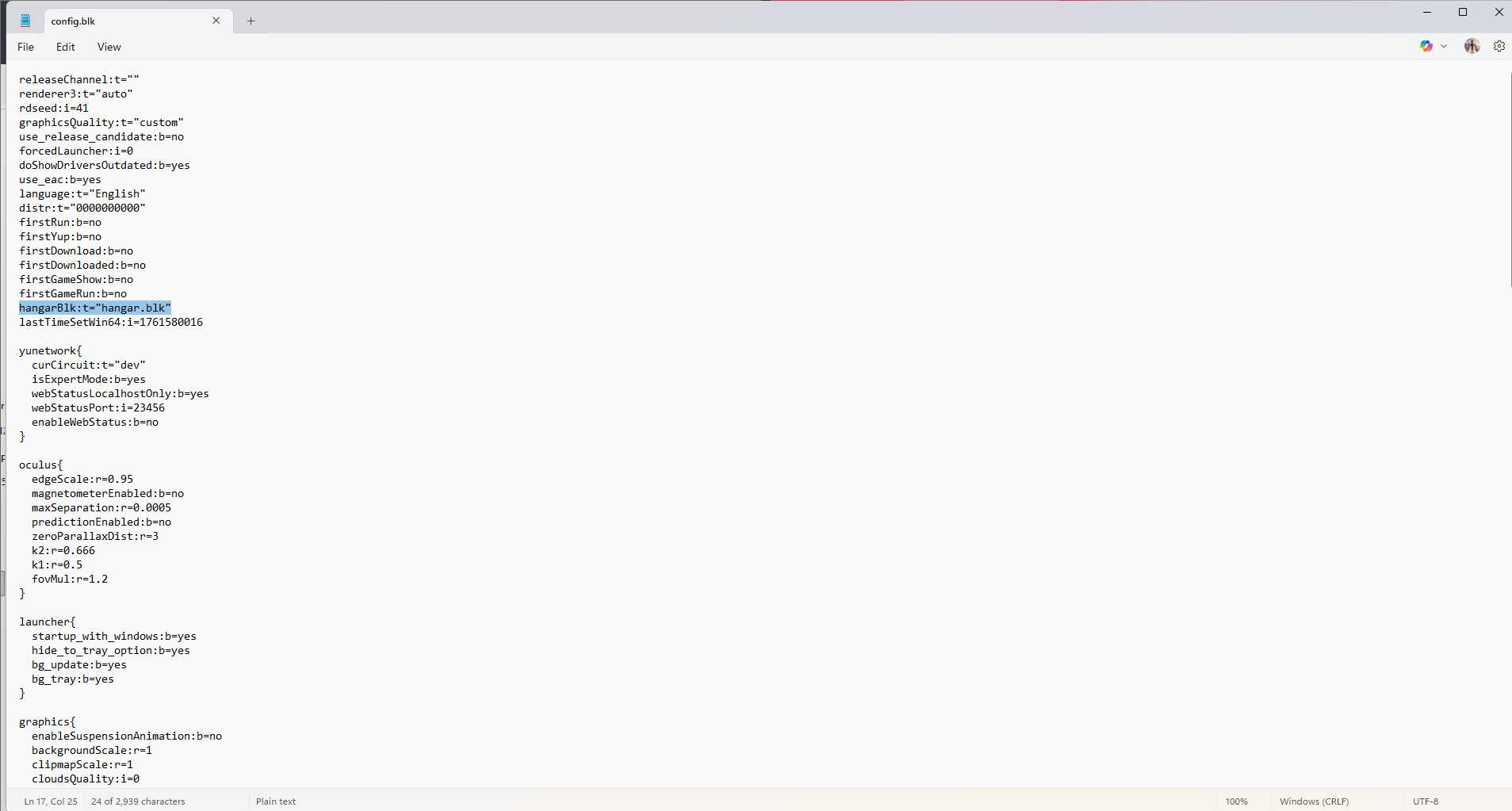
3. Edit the config.blk file to read the highlighted text in the TOP Category ENSURE YOU SAVE THE CONFIG FILE, IT DOES NOT SAVE AUTOMATICALLY
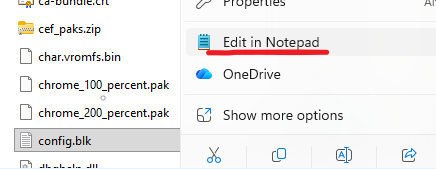
4. Restart the dev server
-
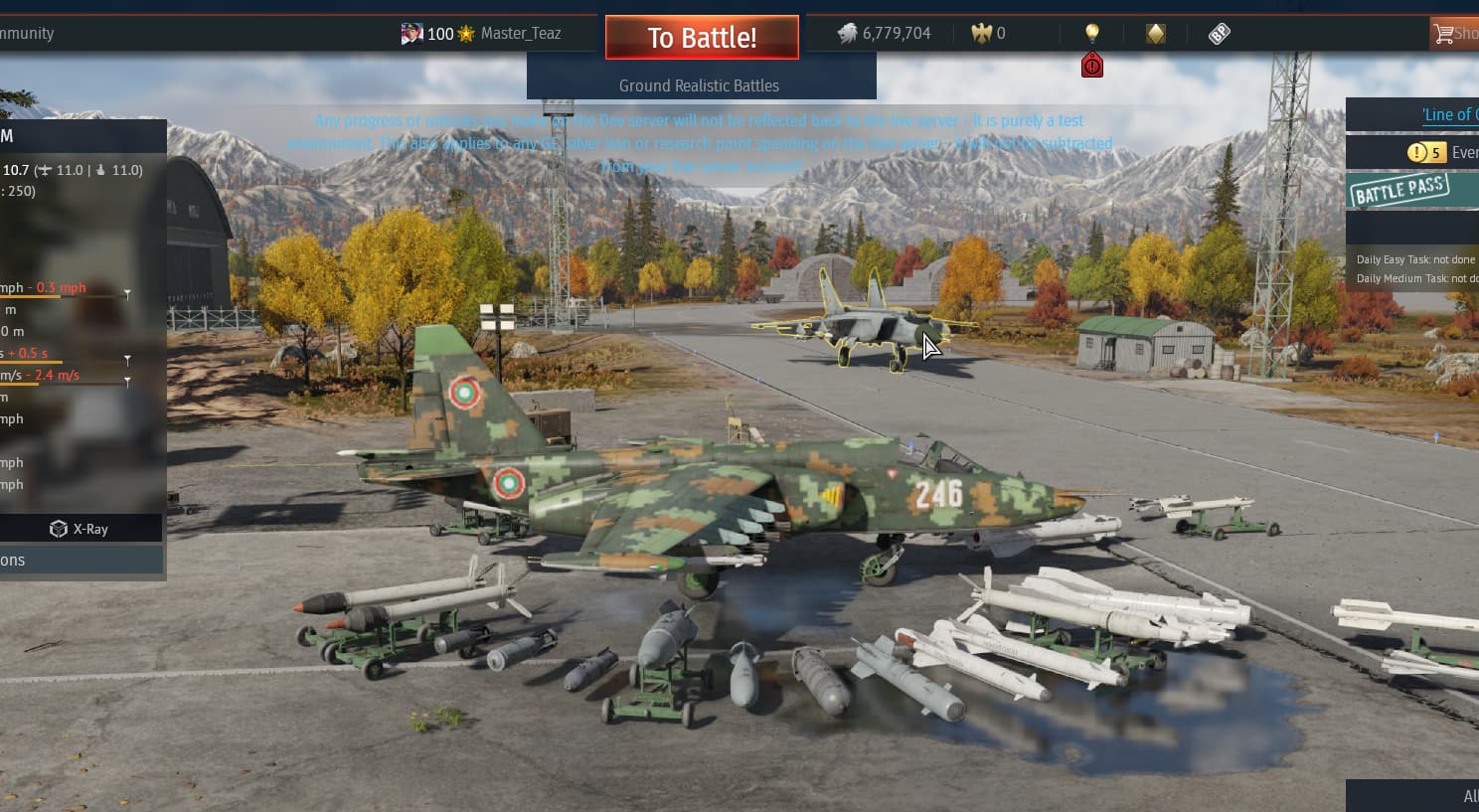
See the MiG-25 in the Corner of the hangar (when in russian aircraft)
-
Enjoy

11 Likes
muuuch better explanation
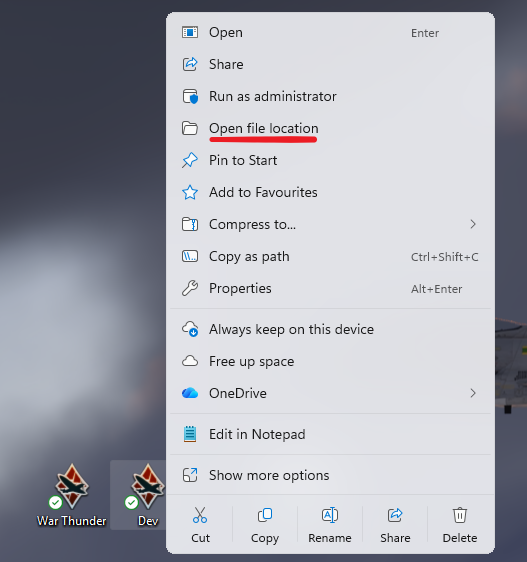
Thanks for youre help but i dont have a WarThunder Dev File on my PC idk
if you have the shortcut to the dev server on your Desktop, right click the shortcut and then click “Open file location”
Okay so im in the Editing now what do i need to put in there ?
for the Config.blk file
place
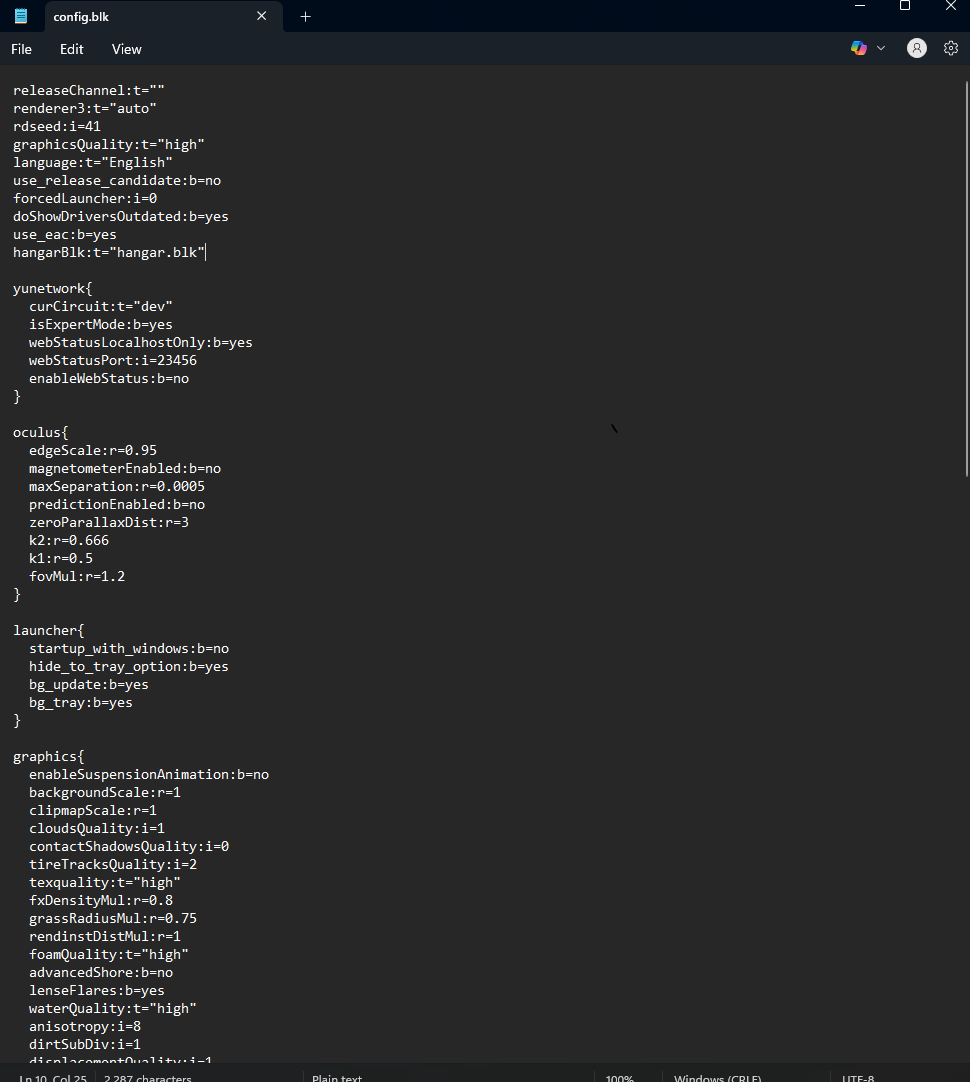
hangarBlk:t="hangar.blk" where specified
make sure you save the the config.blk file afterwards
My config files doesnt have the same things in it as yours ?
just place the text within the top most chunk (easiest at the bottom), the exact contents of the BLK file varies with user
Okay and where or how do i save it afterwards ?
top left where it says “File” then “Save”
Alternatively press Ctrl + S
i believe so
okay i´ll try
It worked thank you so much bro
1 Like
thx a lot
1 Like
its really unwise of the devs to make the MiG-25PD an event vehicle, should’ve been a tech tree for multiple reasons but one of the main ones being that the MiG line in the USSR Tech Tree hasnt had a new plane since Sep 19th 2023. Also there is was a page created in the forums for the voting of the MiG-25PD’s appearance in game. 63% Of voters voted for it to be a tech tree vehicle.
2 Likes
at the very least, make it a squadron like the F-117
We’re getting 4 MiG-25 variants
Dev server shows none, except the event one which you need to code to see so currently i assume that its only the event vehicle. I really do hope it will change to what you say.