How it is relevant to this discussion?
It’s 4 years old report with different hardware and different game version.
Please create new, proper bug report if you think it’s game fault, not your hardware/software.
You all told me the same thing 4 years ago.
“Bug Report It”, so I did, and was ignored for a year. It was blamed on my hardware, then a year later, it randomly showed up as an “It’s Fixed” with a centurion on it saying “Fixed a bug that would cause some hardware to experience large usage of ram” or something like that. That essentially felt like a spit in the face. You left War Thunder in an unplayable state for thousands of players simply because you couldn’t be bothered to fix the issue the moment you knew about it. You delayed it for a WHOLE year.
I don’t bother bug reporting 90% of the time because I know what it feels to have my bug reports ignored and mothballed for a year or more. Most people would stop playing your game with this level of audacity, but I bear with it because I genuinely love the game, and I hate to see this practice occur.
1 Like
Stuttering and short freezes seems to be a bit of a universal issue with the game and there might not be a proper solution. The game isn’t particularly demanding but it does need to read A LOT of files. I have a shit SSD and the game can’t handle it at all but I moved the install onto an external hard drive and it works fine now.
Hundreds of thousands of players play War Thunder every day.
The GeForce 4060 is a very popular GPU, and yet you are currently the only person on the forum who, despite lowering the graphics settings to the minimum, is unable to achieve smooth fps on this hardware.
Instead of providing all necessary data, you bring back 4 years old, not relevant bug report.
I am most certainly not the only person complaining about the optimization of this game.
War Thunder slows down with RTX
War Thunder Stuttering In Game
There are hundreds of people who make posts or videos like this, and I’ve seen thousands of in-game complaints about the FPS stuttering as well. I mean, hell, you can literally see the guy in the second video have his FPS randomly tank by 60 when he’s sitting in a SAM.
You did the same thing again by blaming my hardware and saying, “I’m the only person having this issue”. No, I’m not. Stop lying. People with significantly stronger PC’s are struggling just as much.
If this were an issue with my hardware, why can I run every other decently optimized game I own with 200+ consistent FPS?
1 Like
I do not know, I am trying to check this out, but you are not helping.
Few months old videos… how they can help with new game version?
Devs needs valid data from logs in bug report.
i don’t know anything about technology or pc i ask my dad to help me with this kind of stuff.
i only started having issues after new update and ( only when i use fps limiter ) and i made new bug report can be found here !
@Stona_WT sorry for tagging mr stona i made new bug report hopefully this help with fix a bug maybe i don’t know if my bug report is good or needs more info !?
https://community.gaijin.net/issues/p/warthunder/i/AAImwT8DTDtI
1 Like
You are on Direct 3D 12 Beta have you tried turning that down?
Are you playing on steam or stand-alone launcher?
Also to note even if other people have made bug reports every persons configuration (hardware and software) ia most likely completely different and without data that is requested and provided in created abug report from the specific user(s) experiencing the problem it makes it more difficult for the devs to diagnose the potential issue(s).
Also im suprised Vsync and unlimited fps can be enabled at the same time since Vsync will limit your frames to that of your monitor refresh rate.
DX11 runs worse.
Steam
I listed a good chunk of my parts, and it’s not just my issue. There are dozens of people on similar forum posts, of which I have linked here, that talk about the FPS stuttering.
The issue isn’t getting 120FPS on my monitor; the issue is that it dips by 60 to 100 FPS at random, some days more than others. It’s a stability issue with War Thunder that has been openly discussed, and it isn’t being taken seriously.
1 Like
It does get taken seriously and I’d recommend making a bug report here: Community Bug Reporting System
Since the forums is generally players helping players, while the Bug reporting website is where they will ask for specific information not just specs but logs etc to see if something is acting odd etc. and causing issues.
My last performance bug report was left ignored for an entire year, despite the computer crashes it was causing. I have no trust in that system for this.
I was never even given a refund for my premium during that time when I literally couldn’t play for longer than 10 minutes without the game killing my entire computer.
1 Like
Yet, instead of searching and reading those hundreds of posts for a possible fix (that I’ve previously shared), duplicate posts continue to pile up.
LOL! Yes, I have a “genuine way to fix this game’s freezing issues”!
And after a year of miserable stutters & freezes, they’re completely fixed.
I’m running latest Windows 11 with a modest GTX 1080ti, near movie graphics setting with the DX12 dropdown @ max resolution and latest antialiasing, 150+ FPS on a 1080p 32" 60HZ TV smooth as silk.
My proceedure:
Microstutters for me and several others were caused by this,
https://www.hwinfo.com/forum/threads/new-hwinfo-conflict-with-war-thunder-causes-stuttering-hitching-after-a-shortwhile.10952/
Specific monitoring of GPU information via Hwinfo, for my RTSS I ended up just using its own sensor readings for most of it and that solved it.
1 Like
Did you try to reach out to a technical moderator throughout that time?
I had a 1080 with 16GB of DDR4 and a I7 6700K perviously and had 0 issues and playing on a HDD. I did upgrade around september though to AMD and a stronger GPU and CPU but i still dont have any issues
I’m having a pretty similar rig to yours. I have 16GB DDR4, RTX 3070 and i5-12600KF and so far I have no major issues with the games stability or performance. I use medium-high video setting and my FPS are stable at 140 FPS except for very rare stutters and dense ingame moments.
I do not use DX12, because it makes the game unplayable for me, a lot of stutters, lags and I can immediately see it’s in BETA state. I run TSR Antialiasing (native upscaling), 4x SSAA and 16x Anisotropy.
Honestly DLSS makes this game too blurry for me (1920x1080 res just like you) and I barely see enemies in ground battles which is why I refuse to use it, as it works way better on higher res like 2560x1440
It runs way better and way more stable. DX12 is literally beta as it is stated.
I’d start from dropping DLSS completely and switching to DX11. I can provide you my video settings if that helps.
Ok, I even went as far as trying out your settings and for a brief moment I had stable 140 FPS, but then I went to battle I couldn’t get more than 60 FPS and when I left to the hangar my frames were very unstable between 20 and 60 FPS.
Of course every PC is different, but I’d say it won’t really hurt to just try something out.
Here are my settings, feel free to use them and tell us if they work for you.
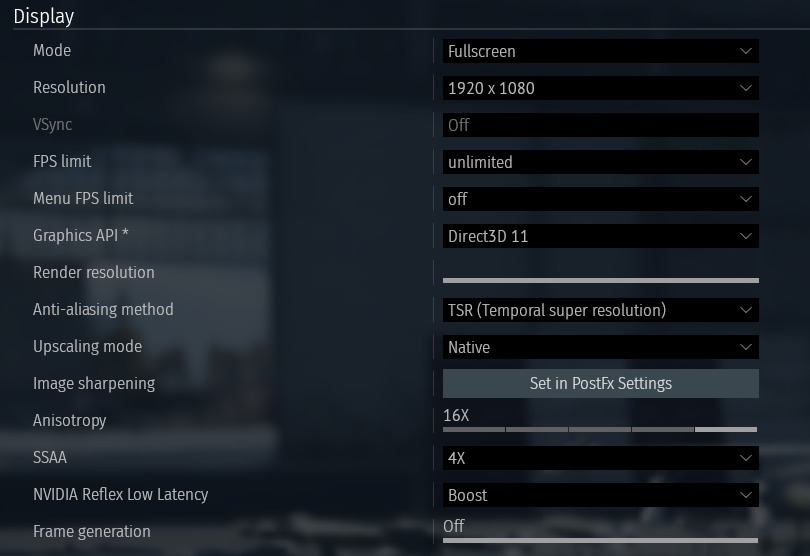
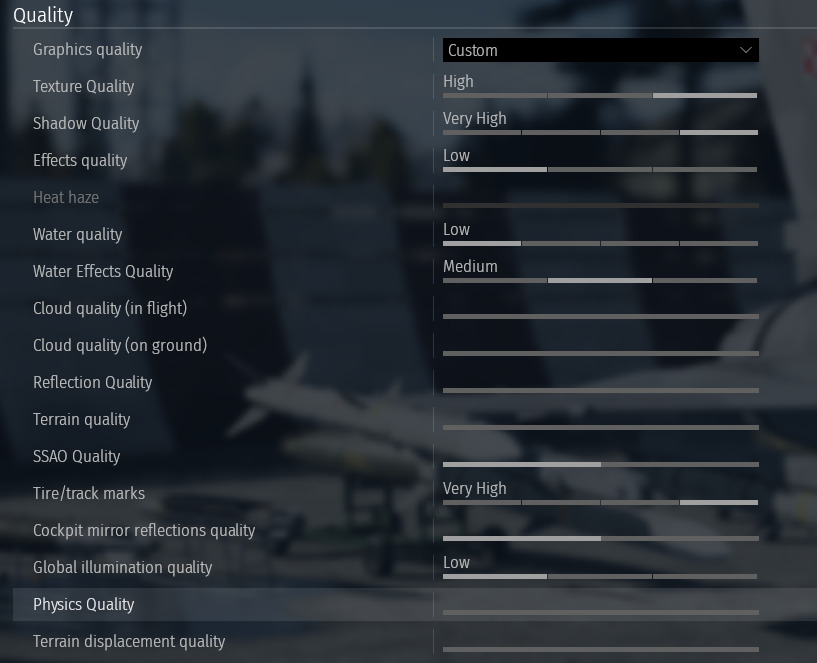
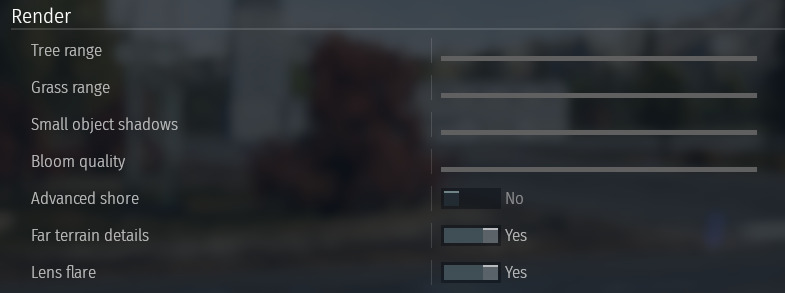
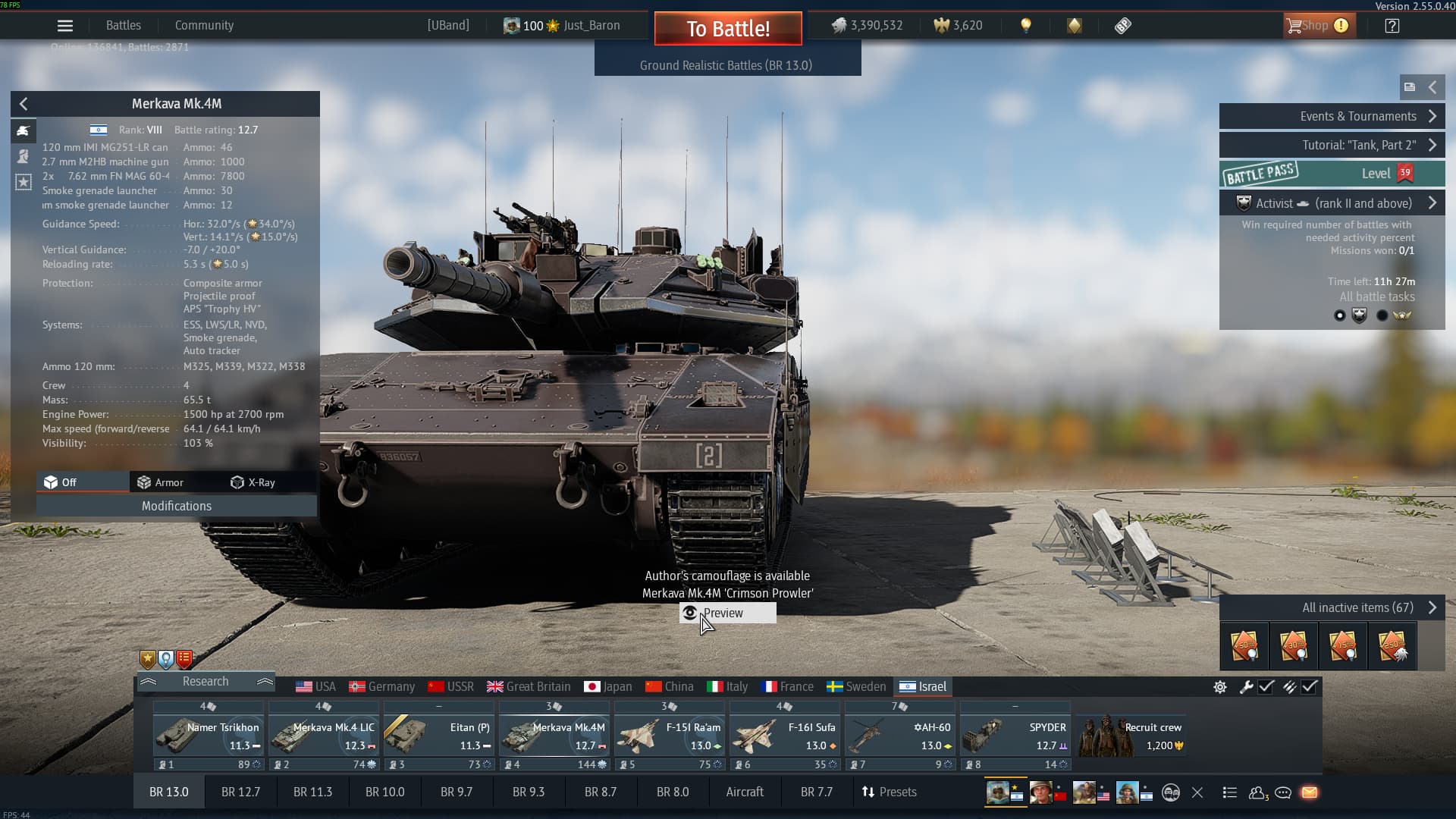
Running 4x SSAA and a proper antialiasing method (TSR; temporal super resolution) works fine for me and I really recommend you try it. When you are disabling DLSS the game probably switches to FXAA or TAA automatically which cause the blur.
Have you considered that players have just given up trying to do graphics performance bug reports?
I am speaking from experience.
Your denialism is the exact reason we know its not worth our time to try to get support in regard of graphics performance.
Players have learned to know better than to try fighting windmills.
The latest update bringing the fps limit into the game settings broke the game again.
I have horrible stutters, and screen tearing despite having a gsync monitor and gsync enabled.
Using dx12 the game has an fps drop everytime I zoomed in third person view.
every other game I play runs flawlessly
3days ago none of these problems existed. (still had the occasional stutter from explosions and what not…, but much less frequent)
4 Likes
This…
I’m getting massive overheating issues since yesterday. But only from Warblunder, MSFS and DCS still run just fine maxed out. I know if I report it my hardware will be blamed, the fact that it is a Warblunder specific issue will be dismissed out of hand.
2 Likes